Video Grabber User Manual - v. 1.19 (FW 1.29)
4.2.1.4. Video parameters
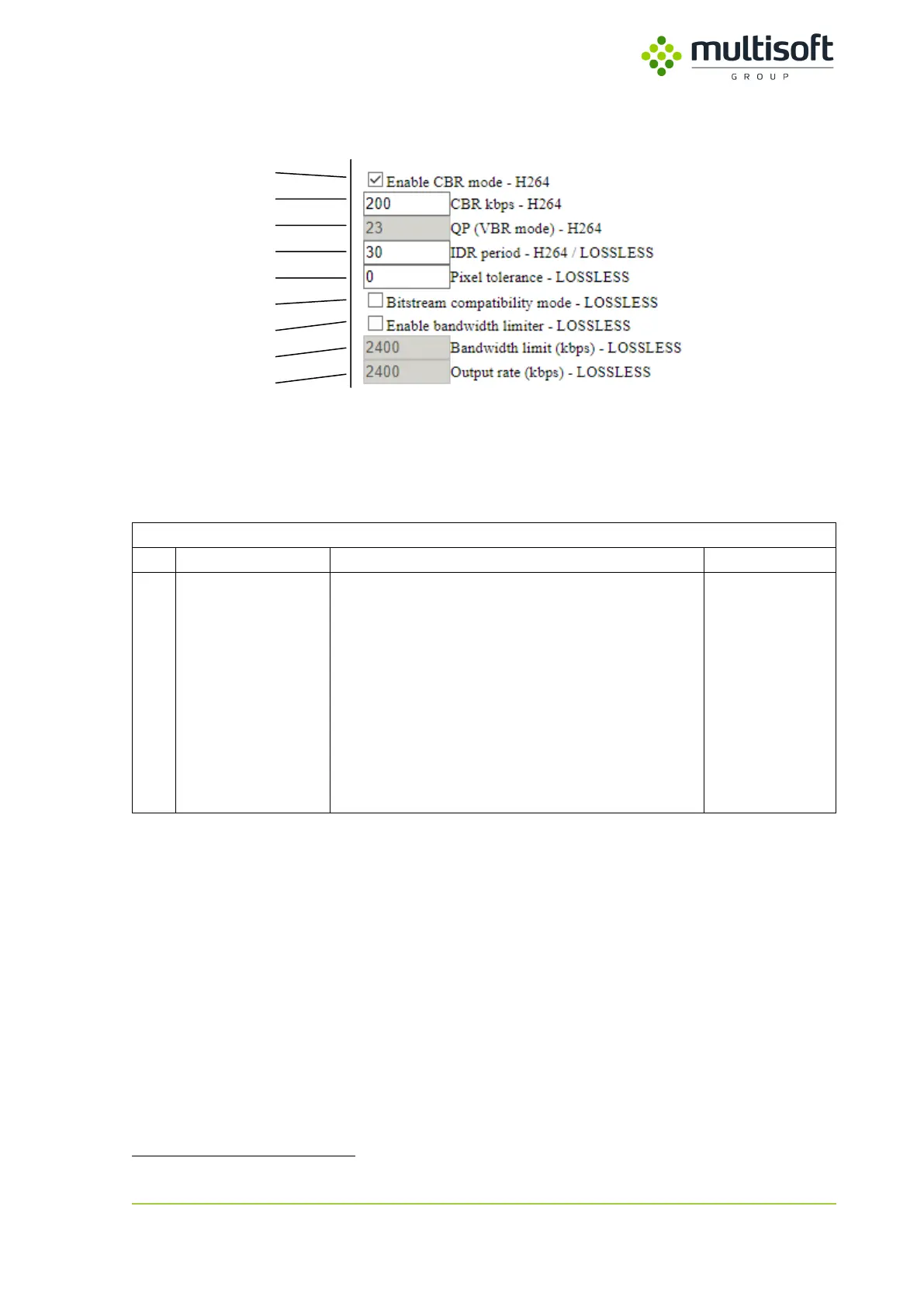
Figure 17: Video parameters settings on the Configuration page
If user decides to use either H.264 or LOSSLESS formats then there are few additional parameters that
allow further adjustments. One setting – IDR period – is common for both formats.
Common for H.264 and LOSSLESS
I-Frame period – determines the frequency at which
I-Frame (frame that contains a full picture) will be
generated. e.g. 200 means that I-Frame will be
generated after every 200 P-Frames which means
that every 200
th
frame will contain a full picture
while all the frames ‘in between’ will only contain
changes in relation to the previous frame.
High IDR period usually results in lower network
utilization as P-Frame is usually much smaller than
I-Frame
7
.
In extreme situations – when screen contents change very fast – it may happen that P-Frames are actually
bigger than I-Frames.



 To Next Page