Video Grabber User Manual - v. 1.19 (FW 1.29)
4.2.1.7. Examples
There are plenty of possible Output configuration sets. See sample setups below:
Example 1
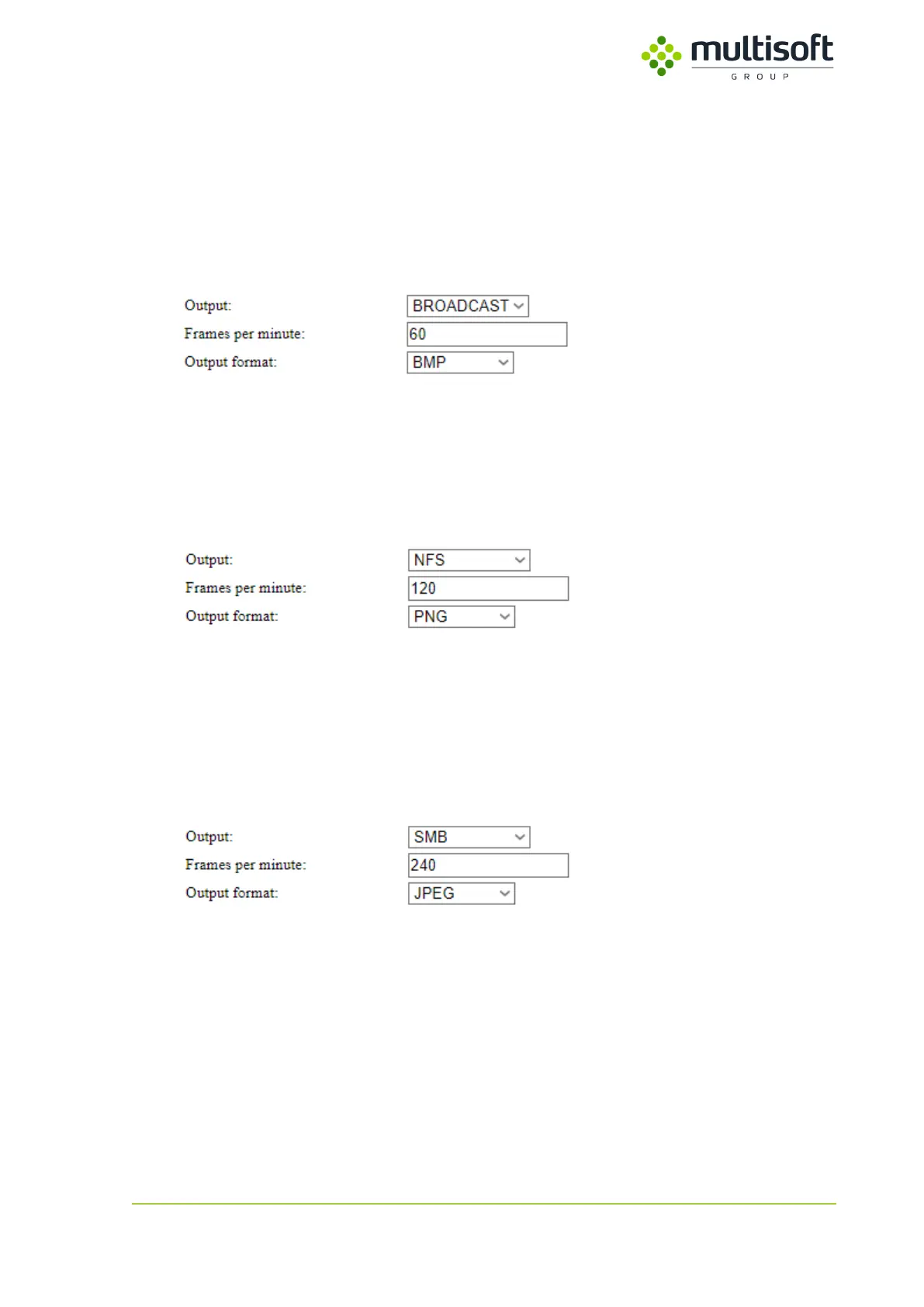
Video Grabber captures the video signal at a rate of 60 frames per minute (1FPS) and then broadcasts
captured data.
Figure 19: Sample configuration of Video Grabber broadcasting BMP files
Example 2
Video Grabber captures the video signal at a rate of 120 frames per minute (2FPS) and then saves those
frames as PNG images on an NFS share.
Figure 20: Sample configuration of Video Grabber saving PNG images on NFS share
For this configuration to work user would also have to setup a NFS share (See 4.2.2.2).
Example 3
Video Grabber captures the video signal at a rate of 240 frames per minute (4FPS) and then saves those
frames as JPEG images on a SMB share.
Figure 21: Sample configuration of Video Grabber saving JPEG images on the SMB share
For this configuration to work user would also have to setup a SMB share (See 4.2.2.3)



 To Next Page