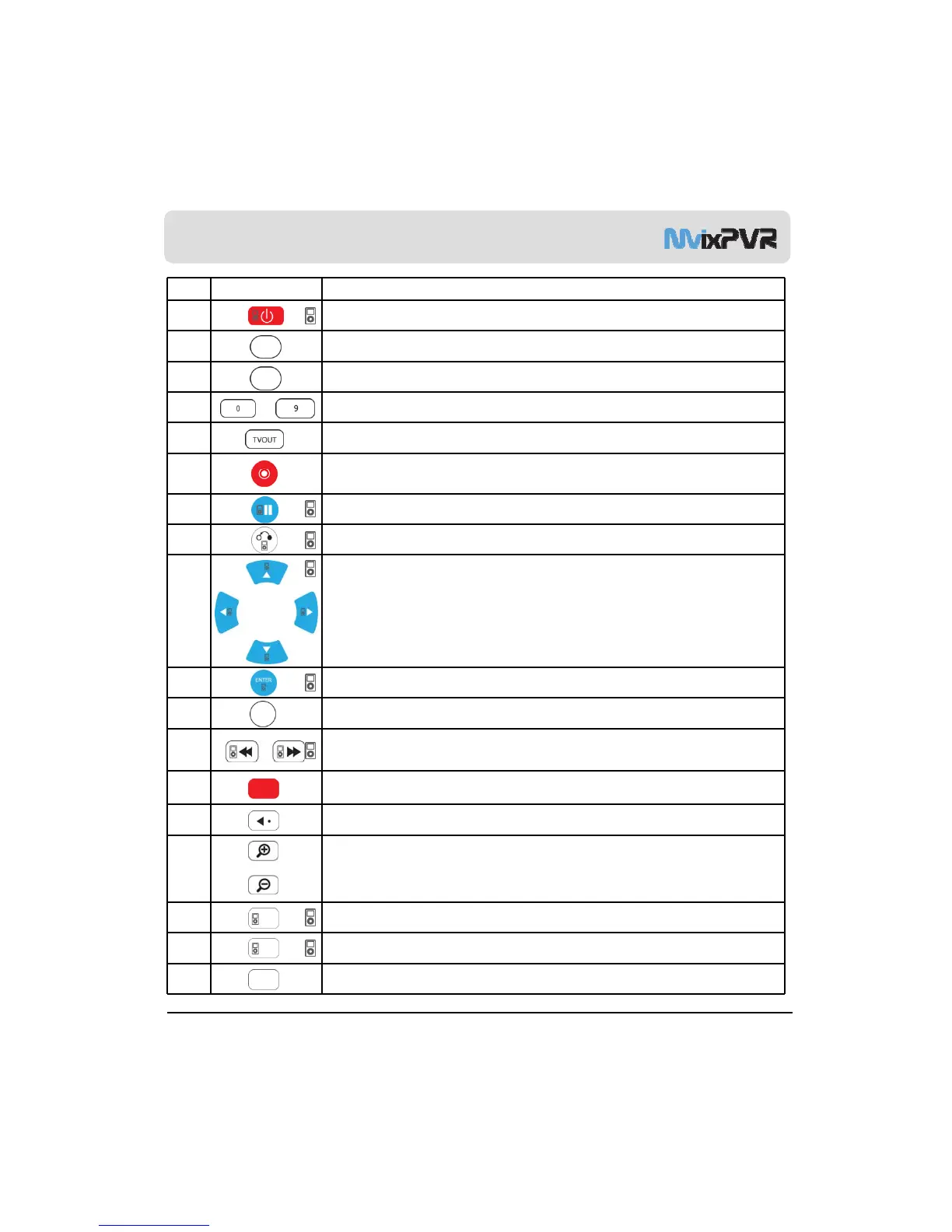
Remote Controller Functions
No. Button Function
1 POWER: To turn on/ off power or stand-by mode
2 LIBRARY: Shortcut to LIBRARY menu
3 VIDEO IN: Shortcut to DIGITAL RECORDER menu
4
~
NUMBER BUTTON: To press buttons for numbers 0 ~ 9
5 TVOUT: Shortcut to HOME (menu) screen when playing DVD file
REC: To start recording/ repetitive pressing for recording by one
-
touch recording (OTR) with
6
the fixed value of 30min/ 60min/ 90min/ 120min/ 180 min
7 TEMPORARY STOP: To stop screen temporarily/ repetitive pressing for moving screen per 1 frame
8 RETURN/ CANCEL: For returning
9 DIRECTION KEY: To move and select cursor
10 ENTER: To confirm selection/ play
11 SELECT: To select files to be copied when using copy function
12
F.B / F.F: 1.5x/2x/4x/8x/16x/32x speed, function available in mp3 as well
Sound output available in 2x speed
13 TIME SHIFT: Stop watching TV at any point and continue where you stopped at a later stage
14 SKIP <-: To go back to screen in play by 10 seconds
15
ZOOM + / - : To enlarge and reduce screen/ repetitive pressing for adjusting zooming +/ -
percentage/ moving to position of enlarged output by using direction keys
Function available for use during film/ photo file play (2x/3x/4x/8x)
MvixUSA
15
16 REPEAT: To repeat file in play or to repeat all media files in the corresponding folder
17 MENU: To change or set DVD file menus by moving to MENU screen during DVD(VOB) file play
18 AUDIO: TO change or select audio tracks of file in play



 To Next Page