Nasuni Edge Appliance Initial Configuration Guide 8.3 105
Procedure
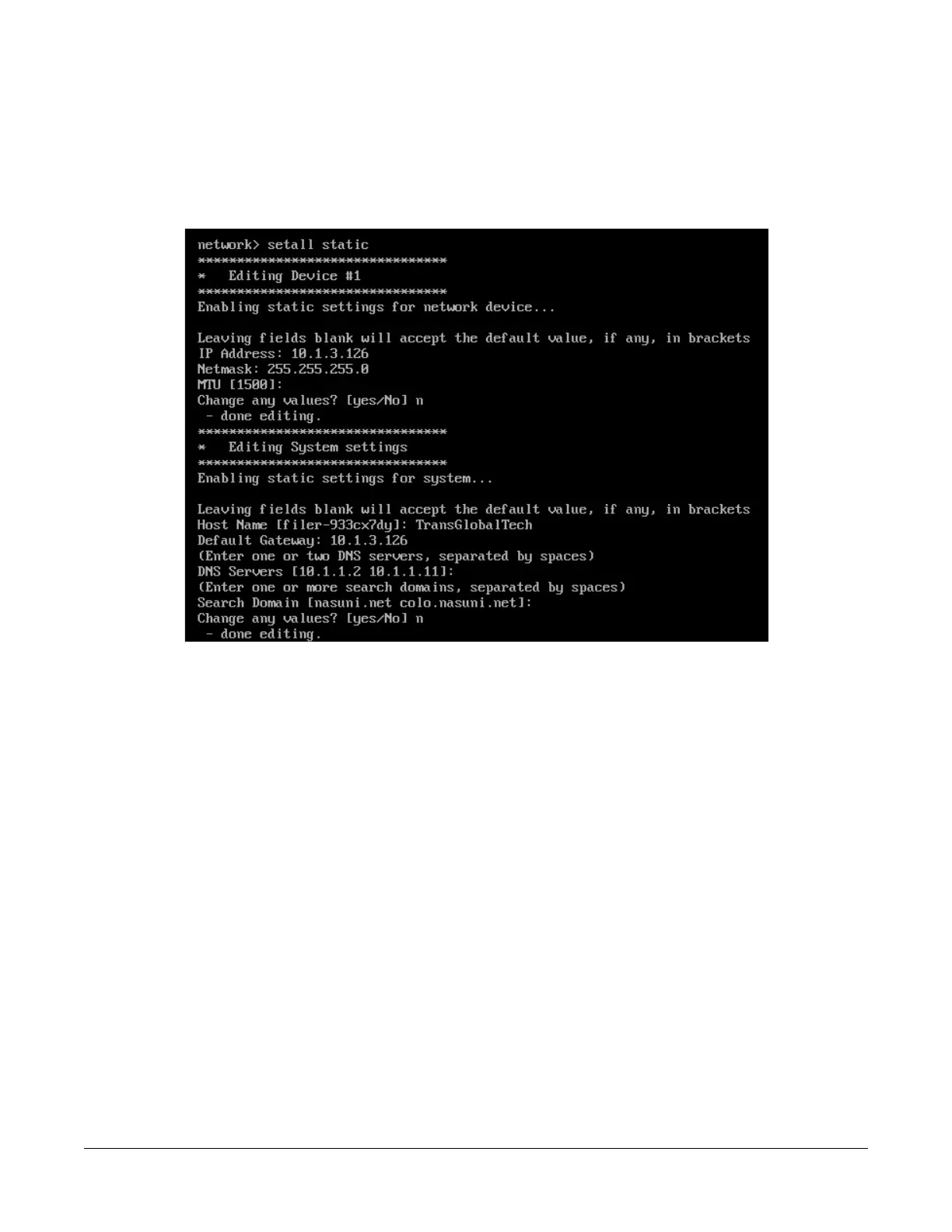
10. Alternatively, to use static settings for the network device and the system, enter the following
command:
setall static
Press Enter. The setall static command runs:
Figure B-8: setall static command.
Change values as necessary and save your values.
11. To exit the editnetwork commands, enter close.
12. To exit the console commands, enter quit.
13. On the Nasuni Edge Appliance, enter any changed settings so that the Nasuni Edge Appliance
is consistent with the platform.



 To Next Page