Nasuni Edge Appliance Initial Configuration Guide 8.3 81
Accessing Volumes Nasuni Mobile Access
Tip: After a recovery, if any of the original source Nasuni Edge Appliance’s CIFS shares had
Shared Links defined, these links must be regenerated. Use Web Access to view links that
must be regenerated, and regenerate them.
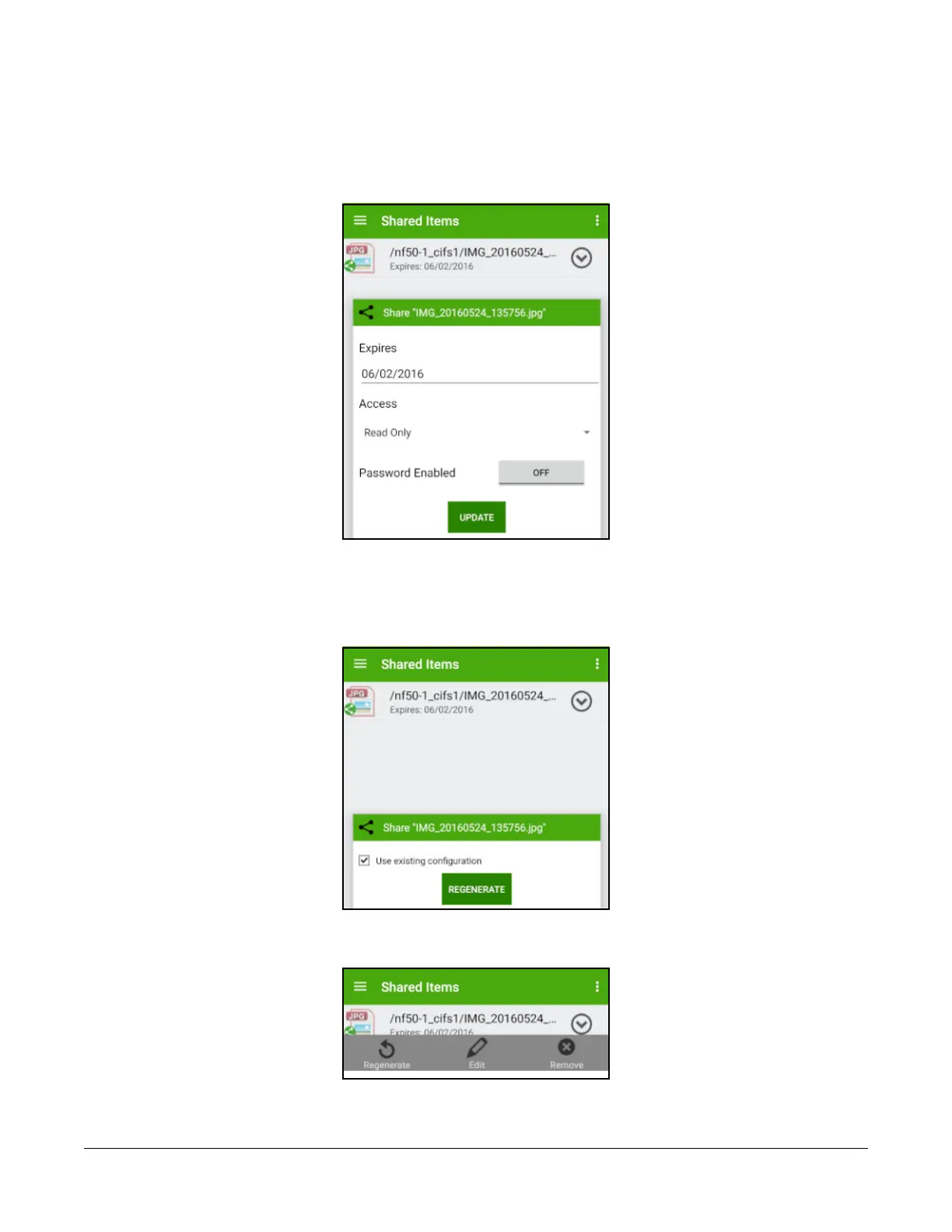
To Edit or Update a link, tap the link, then tap Edit or Update.
Figure 2-40: Update shared link.
You can change the expiration date, the password, and other features of the link. To retain the same
link with the new features, tap Update.
To create a new link with the new features, and make the existing link invalid, tap Regenerate.
Figure 2-41: Regenerate shared link.
To remove a link on Android platforms, tap Remove.
Figure 2-42: Remove shared link.



 To Next Page