Nasuni Edge Appliance Initial Configuration Guide 8.3 98
Overview
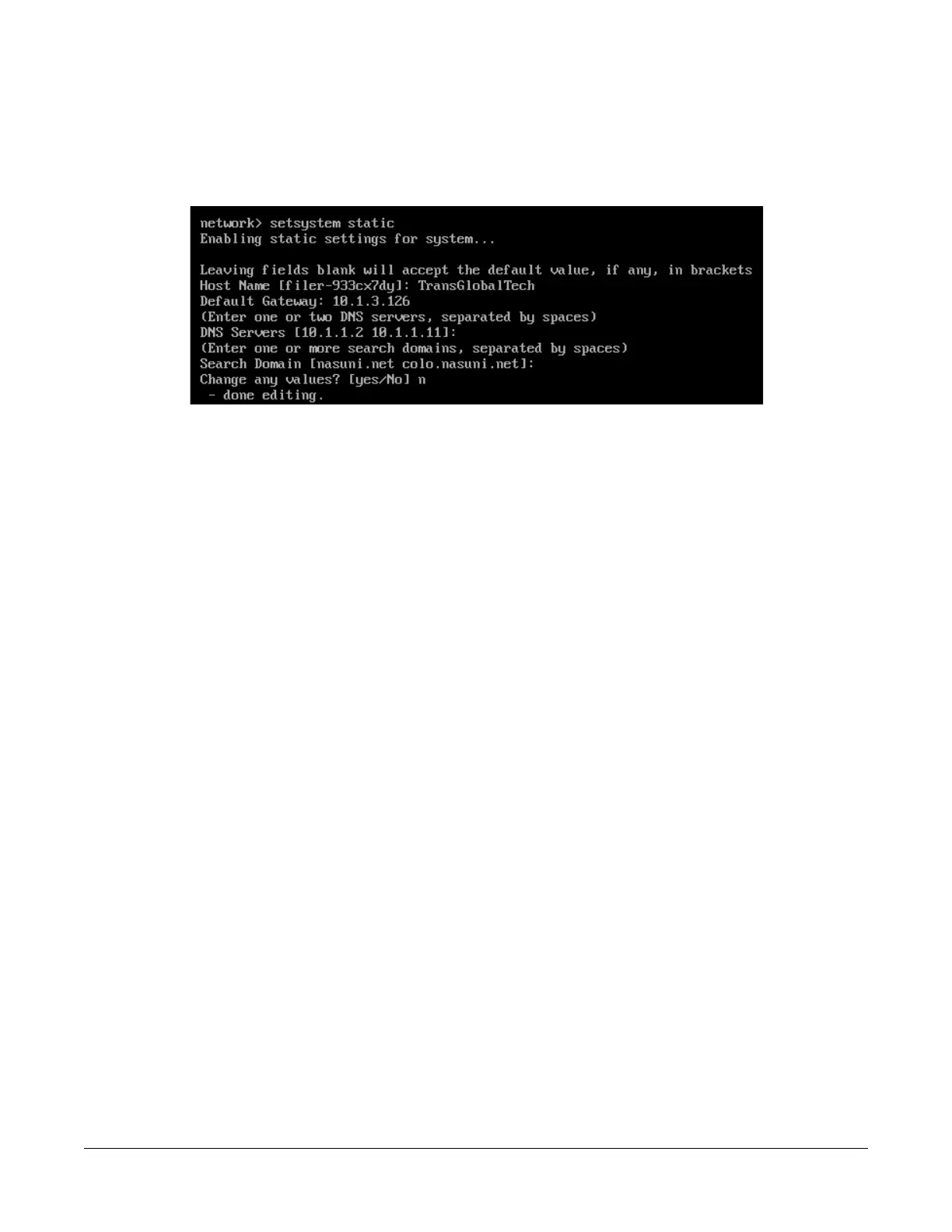
9. Enter the following command:
setsystem static
Press Enter. The setsystem static command runs:
Figure A-15: setsystem static command.
10. To change the hostname, enter a new hostname and press Enter. To leave the current
hostname unchanged, press Enter.
11. To change the default gateway, enter a default gateway and press Enter. To leave the current
default gateway unchanged, press Enter.
12. To change the DNS server, enter one or two DNS servers separated by spaces and press Enter.
To leave the current DNS server unchanged, press Enter.
13. To change the search domain, enter one or more search domains separated by spaces and
press Enter. To leave the current search domain unchanged, press Enter.
14. To change any of the above values, enter yes, then use step 10, step 11, step 12, and n to
change the values.
Alternatively, to leave the values unchanged, enter No or press Enter.
15. To save your network parameter values, enter save.
16. To exit the editnetwork commands, enter close.
17. To exit the console commands, enter quit.
18. On the Nasuni Edge Appliance, enter any changed settings so that the Nasuni Edge Appliance
is consistent with the platform.



 To Next Page