28
2. Projecting an Image (Basic Operation)
Correcting Keystone Distortion
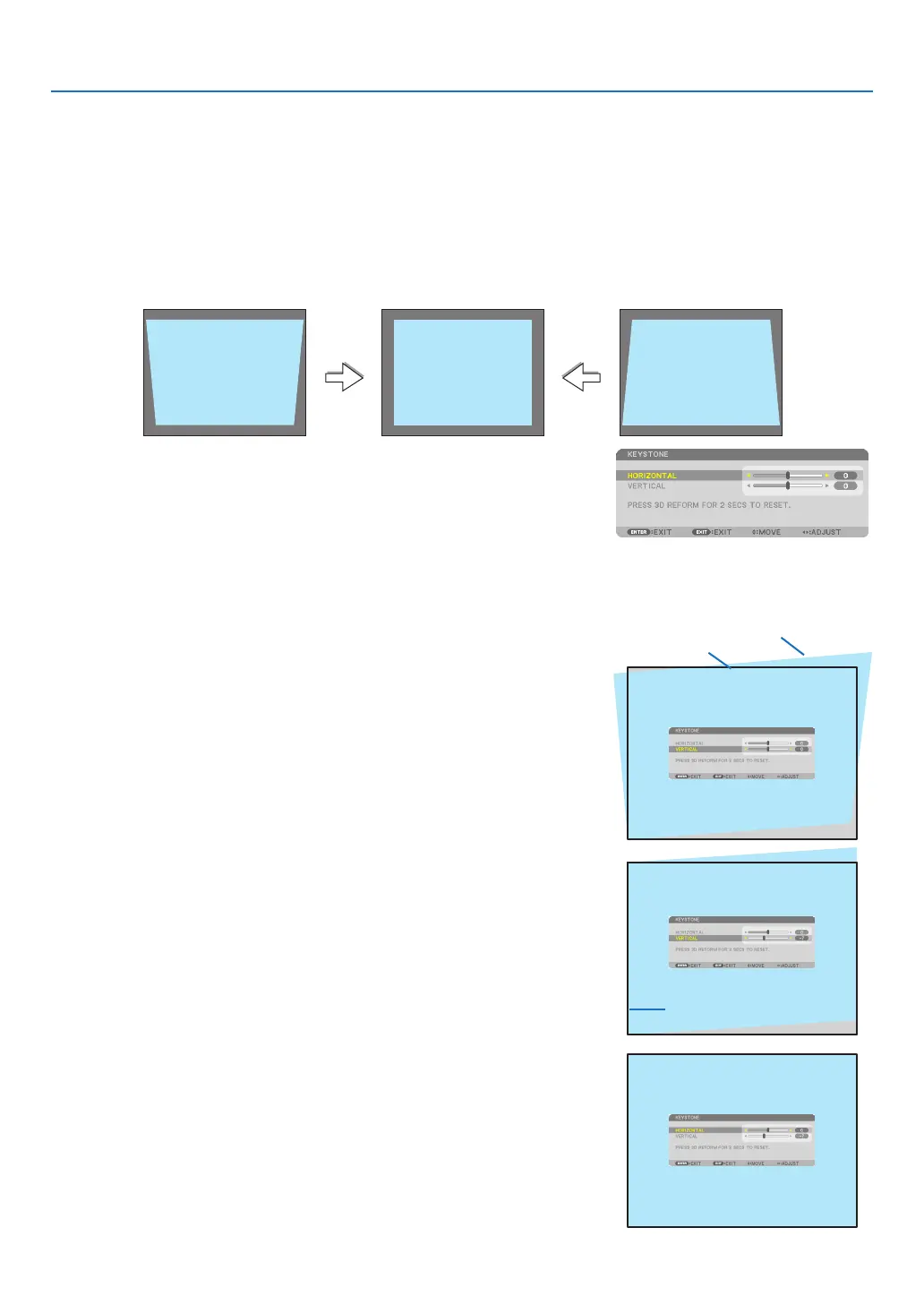
Whentheprojectorisnotexactlyperpendiculartothescreen,keystonedistortionoccurs.Toovercomeit,youcanuse
the“Keystone”function,adigitaltechnologythatcanadjustforkeystone-typedistortion,resultinginacrisp,square
image.
Thefollowingprocedureexplainshowtousethe[KEYSTONE]screenfromthemenutocorrecttrapezoidaldistor-
tions.
Whentheprojectorisplaceddiagonallytothescreen,
Whentheprojectorissetupatanangleinrelationtothescreen,adjusttheHorizontaloptionoftheKeystonemenu
sothatthetopandbottomofsidesoftheprojectedimageareparallel.
1. Pressthe3DREFORMbuttonontheremotecontrolortheprojec-
torcabinet.
TheKeystonescreenwillbedisplayedonthescreen.
2. Pressthe
buttontoselect[VERTICAL]andthenusethe
or
sothattheleftandrightsidesoftheprojectedimageareparallel.
*Adjusttheverticalkeystonedistortion.
3. Aligntheleft(orright)sideofthescreenwiththeleft(orright)side
oftheprojectedimage.
• Usetheshortersideoftheprojectedimageasthebase.
• Intherightexample,usetheleftsideasthebase.
4. Pressthe
buttontoselect[HORIZONTAL]andthenusethe
or
sothatthetopandbottomsidesoftheprojectedimagearepar-
allel.
• Adjustthehorizontalkeystonedistortion.
Screenframe
Projected area
Alignleftside



 To Next Page