Stage 5 - Reinstall the Evaporation Chamber
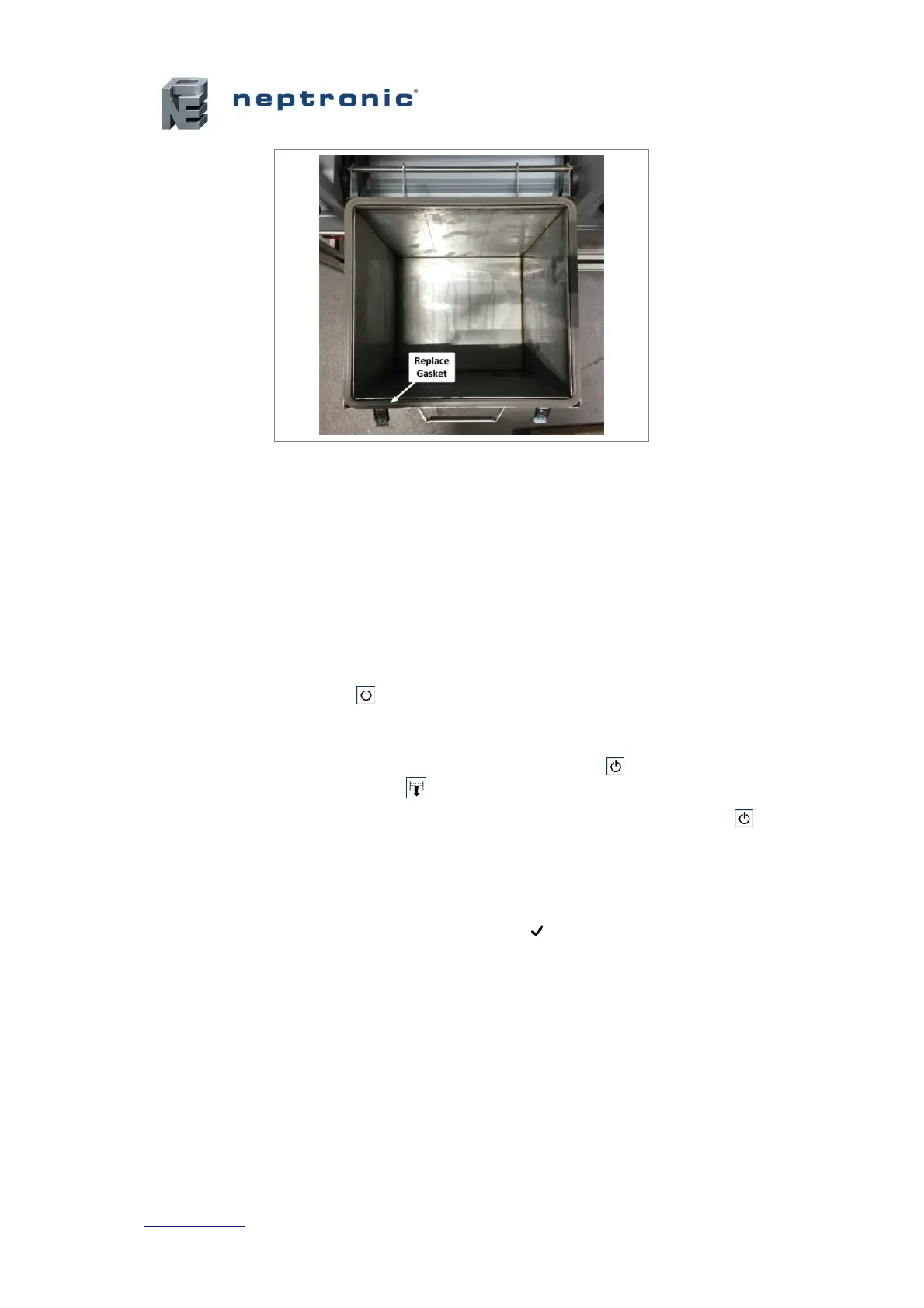
1. Slide the evaporation chamber back up the rail-guided engagement system until it is secured
back on top.
2. Recouple the clamp connectors.
3. Disconnect the water plug and reconnect the water inlet to the evaporation chamber.
4. Turn off the manual drain valve.
5. Turn the power back on at the disconnect switch or the breaker.
Stage 6 - Restart the Humidifier
1. Press and hold the Power button for 3 seconds to power on the humidifier.
2. Conduct a performance test by verifying the water level of the evaporation chamber as it is
filled with water. Verify that there are no leaks.
3. Conduct a drain test by turning off the humidifier using the Power button and performing a
drain cycle using the Drain button .
4. Restart the humidifier to resume normal operation by pressing and holding the Power
button for 3 seconds.
5. To reset the service counters and clear the alarm warning after servicing:
a. Using the control panel, access the Request setting located in the Command sub-menu
of the Service menu.
b. Select the Reset Counters value and press Enter to reset the service counters.
6. Ensure that the drain cycles are set for every 6 hours of operation. This is the factory default
setting and is recommended for city water.
x To configure the drain cycle frequency, use the control panel to access the
DrainInterval setting located in the Quick Config or Extended Config sub-menus of
the Installation menu.
After the water boils for 6 hours in the chamber, it is laden with minerals and solutions. This
affects the humidity output and the efficiency of the humidifier. Diluting the boiling water with a
drain cycle will improve the performance of the humidifier.


 To Next Page