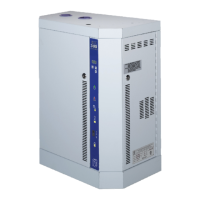
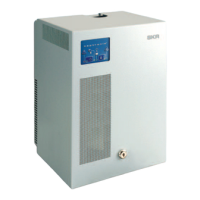
SKE4-E Steam Humidifier
Installation Instructions and User Manual
Menu - General [Level 1 - No password required]
Press the back/menu button from the Idle Screen to access the General menu.
Range
(* indicates no configuration; display only)
Displays the status of the airflow switch.
If Open is displayed, it indicates that the airflow is not detected by the air
pressure switch.
Displays the status of the high limit contact.
If Open is displayed, it indicates that the humidity level has exceeded the
setpoint on the high limit humidistat.
Displays the status of the interlock.
If Open is displayed, it indicates that the humidifier is stopped as a result of
the interlock safety being open.
* (Occupied, Unoccupied, Vacant, Off)
Displays the current occupancy state.
* (Off, Normal, LowLimit, HighLimit,
NoAirFlow, Interlock)
Displays the current state of the safety control circuit and whether the circuit
has been disconnected due to a safety switch.
* (min: 0.00%, max: 100.00%)
Displays the measured humidity demand of the humidifier.
* (min: 0.00%, max: 100.00%)
Displays the measured power output of the system as a percentage of the
total power.
Displays whether the humidifier is due for servicing.
* (Off, Idle, LineRinse, TankRinse, Filling,
Draining, Heating, Boiling, Alarm)
Displays the current state of operation of the humidifier.
* (None, Capacitive, Resistive, Both)
Displays which one of the water level sensor probes is currently not
functioning properly.
* (min: 0.00%, max: 100.00%)
Displays the room humidity demand value.
(Only appears if ControlProfile is set to an internal control mode or
HumCntrlDemandSrc is set to RoomDemand.)
* (min: 0.00%, max: 100.00%)
Displays the supply high limit humidity demand value.
(Only appears if ModHLProfile is set to an internal control mode or
HumCntrlHLSrc is set to SupplyHLDemand.)
* (min: 0.00%, max: 100.00%)
Displays the current humidity demand value.
Displays the status of the airflow switch.
If Open is displayed, it indicates that the airflow is not detected by the air
pressure switch.
Displays the status of the high limit contact.
If Open is displayed, it indicates that the humidity level has exceeded the
setpoint on the high limit humidistat.
Displays the status of the interlock.
If Open is displayed, it indicates that the humidifier is stopped as a result of
the interlock safety being open.
Displays whether there is currently a humidity demand, when an On/Off
humidifier is used. (Only appears when using an On/Off humidifier.)
* (min: 0.00%, max: 100.00%)
Displays the current control input reading.
* (min: 0.00%, max: 100.00%)
Displays the room humidity reading value.
(Only appears if ControlProfile is set to InternAnalog or RoomRHSrc is
set to RoomRH.)
* (min: 0.00%, max: 100.00%)
Displays the supply high limit humidity reading value.
(Only appears if ModHLProfile is set to InternAnalog or
SupplyHLReadingSrc is set to SupplyHLRH.)


 To Next Page