EasyManua.ls Logo

Newport iServer MicroServer EIS-PCB - Part 3: Network Configuration; Ethernet (MAC) Address; Figure 3.1 Labeling; Network Protocols

Default Icon
56 pages
Print Icon
To Next Page IconTo Next Page
To Previous Page IconTo Previous Page
Loading...
9
PART 3
NETWORK CONFIGURATION
3.1 Network Protocols
The iServer can be connected to the network using standard TCP/IP protocols.
It also supports ARP, HTTP (WEB server), DHCP, DNS and Telnet protocols.
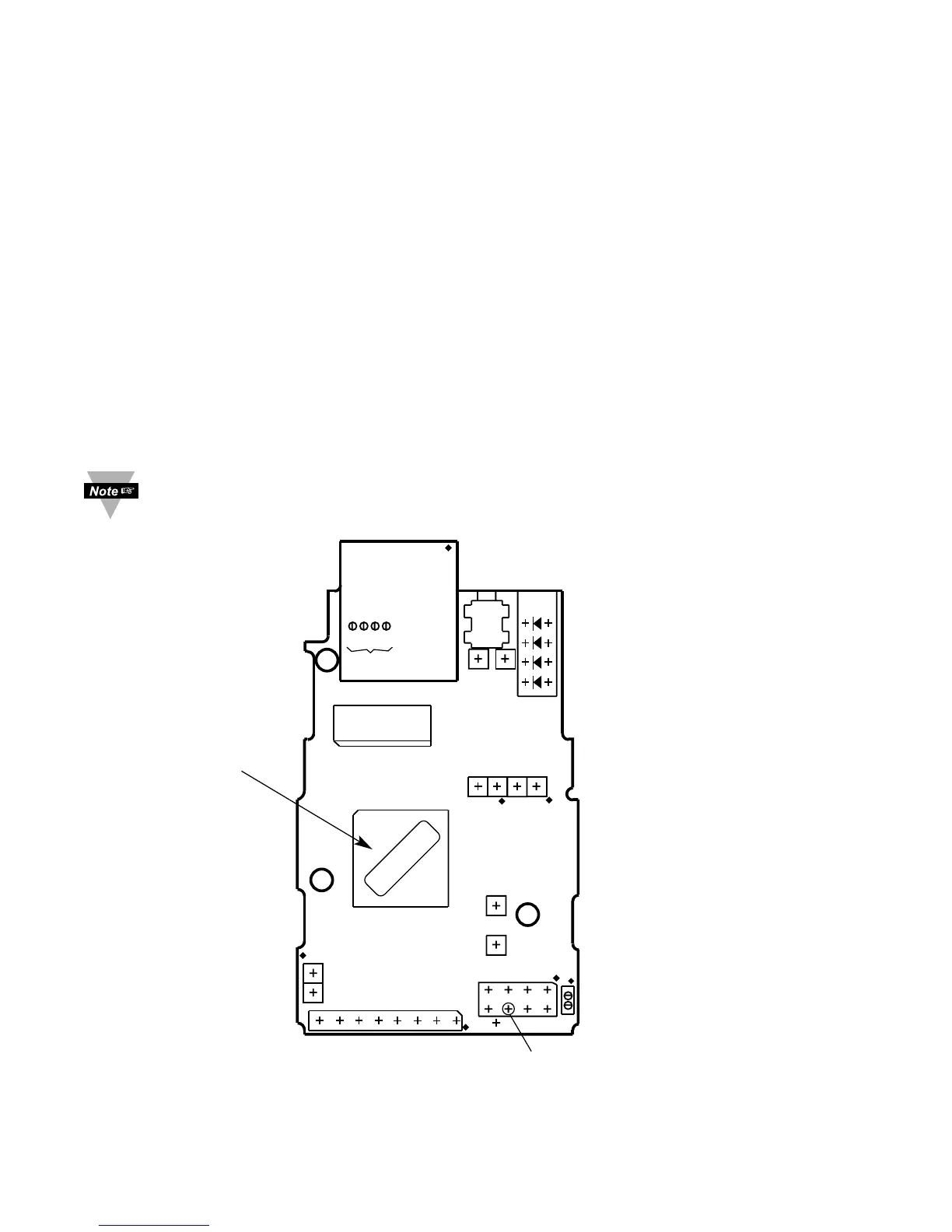
3.2 Ethernet (MAC) Address
MAC (Media Access Control) address is your computer's unique hardware number.
When you're connected to the LAN from your computer, a correspondence table relates
your IP address to your computer's physical (MAC) address. The MAC address can be
found on the label of your device and contains 6 bytes (12 characters) of hexadecimal
numbers XX:XX:XX:XX:XX:XX hex
For example: 0A:0C:3D:0B:0A:0B
There is an duplicate MAC address label included with your unit.
Figure 3.1 Labeling

J12
ETHERNET
RJ45
ACTIVITY (RED)
NETWORK LINK (GREEN)
TX TRANSMIT (YELLOW)
RX RECEIVE (GREEN)
RESET
SWITCH
J8
+5V
J9
GND
J6
+5V
GND
LED
J15
RX (IN)
TX (OUT)
J18
RST PWR
GND
RX (IN)
TX (OUT)
J16A
+5V
GND
TX (OUT)
RX (IN)
CTS (IN)
RTS (OUT)
DCD (IN)
DTR (OUT)
GND
+5V
J1
JTAG
MNTG
HOLE
MOUNTING
HOLE
MOUNTING
HOLE
4 3 2 1
ANODE
CATHODE
+3.3V
1
2
1
2
1
2
3
4
5
6
7
8
1
3
5
7
1
2
1
2
J10
P11
J17
MAC ADDRESS
LABEL IN HEX
CODE
MAC
00:00:00:00:00:00

Table of Contents