22
4.3 Setting a New IP Address using the Serial Port
Once you know the IP address that you need to put on your iServer you can use a serial
connection (Terminal Emulation) to assign the IP address to the iServer.
Setting the IP address over the serial port requires a crossed-over (null modem) serial
cable and Hyper Terminal or any terminal emulation program. When all the connections
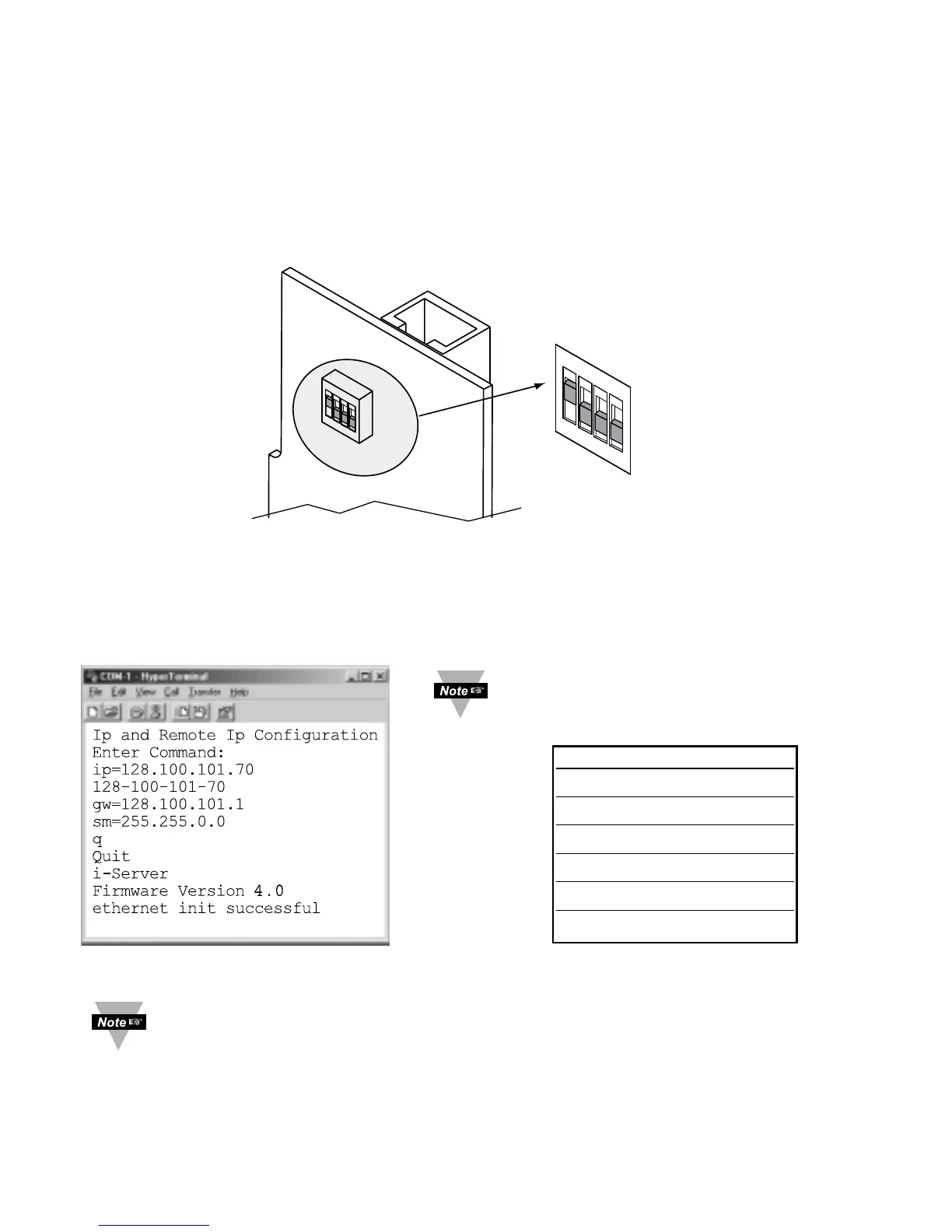
are done, change the DIP switch #1 to "ON" position and press the Reset button or
reset the power on the iServer. The Hyper Terminal screen will acknowledge your
connection by asking for the command.
Figure 4.13 DIP switch #1 switch #1 shown in “ON” position
Type "IP=xxx.xxx.xxx.xxx" and press Enter.
The screen will acknowledge that your command was executed.
You can also set the iServer’s gateway and subnet mask by typing
"GW=xxx.xxx.xxx.xxx" and "SM=xxx.xxx.xxx.xxx", respectively.
Then type q
and press Enter
You can now
change the DIP
switch #1 back
to the “OFF”
position and
reset the power
on the iServer.
Figure 4.14 Setting the IP address via the Serial Port
You can access the iServer’s complete settings by connecting the iServer’s serial
port to your PC’s COM port using a null-modem cable. Bring up a terminal
emulation program (i.e. HyperTerminal) and make sure the right COM port is
selected and the serial communications settings (baud rate, character bit, stop bit,
and parity) match the iServer’s serial port. Power the iServer on and press the
Enter key within 5 seconds of powering the iServer. The iServer will then transmit
its complete configurations to the PC.



 To Next Page