R3.1_v1.2
20/76
Modem Web Interface
User Manual MDM3X00
To Use the Point&Play Tool
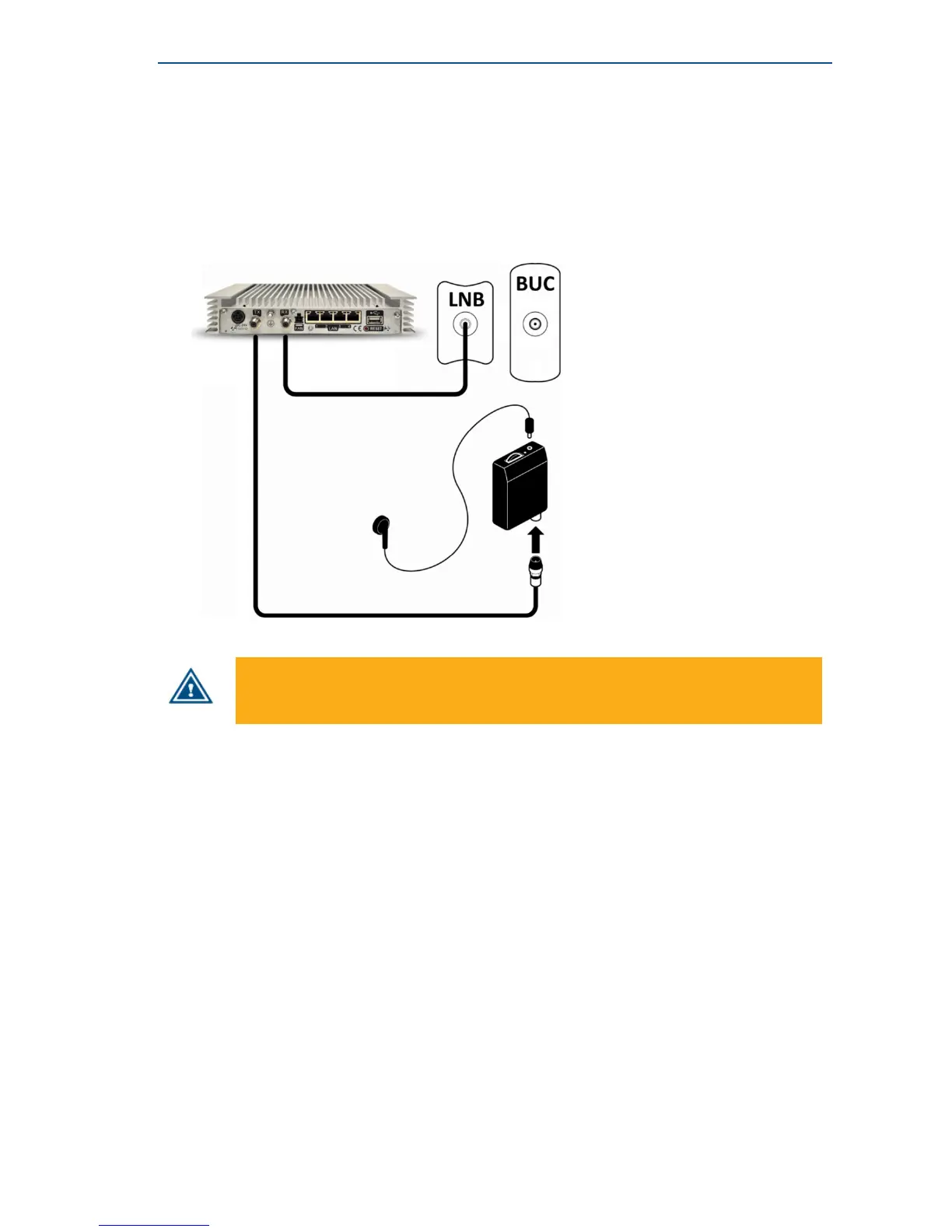
• Connect the TX interface on the modem to the Point&Play tool.
• Connect the earphone to the Point&Play tool. Make sure the Point&Play tool is still switched off.
• Switch on the Point&Play tool by slowly turning the volume wheel until the green LED illuminates.
Put on the earphone and adjust the volume if necessary.
Ensure that the volume of the Point&Play® tool is not set too loud, otherwise damage to
your hearing may occur.
• Start pointing the antenna until you hear the highest possible uninterrupted tone.



 To Next Page