R3.1_v1.2
21/76
Modem Web Interface
User Manual MDM3X00
Check the Pointing
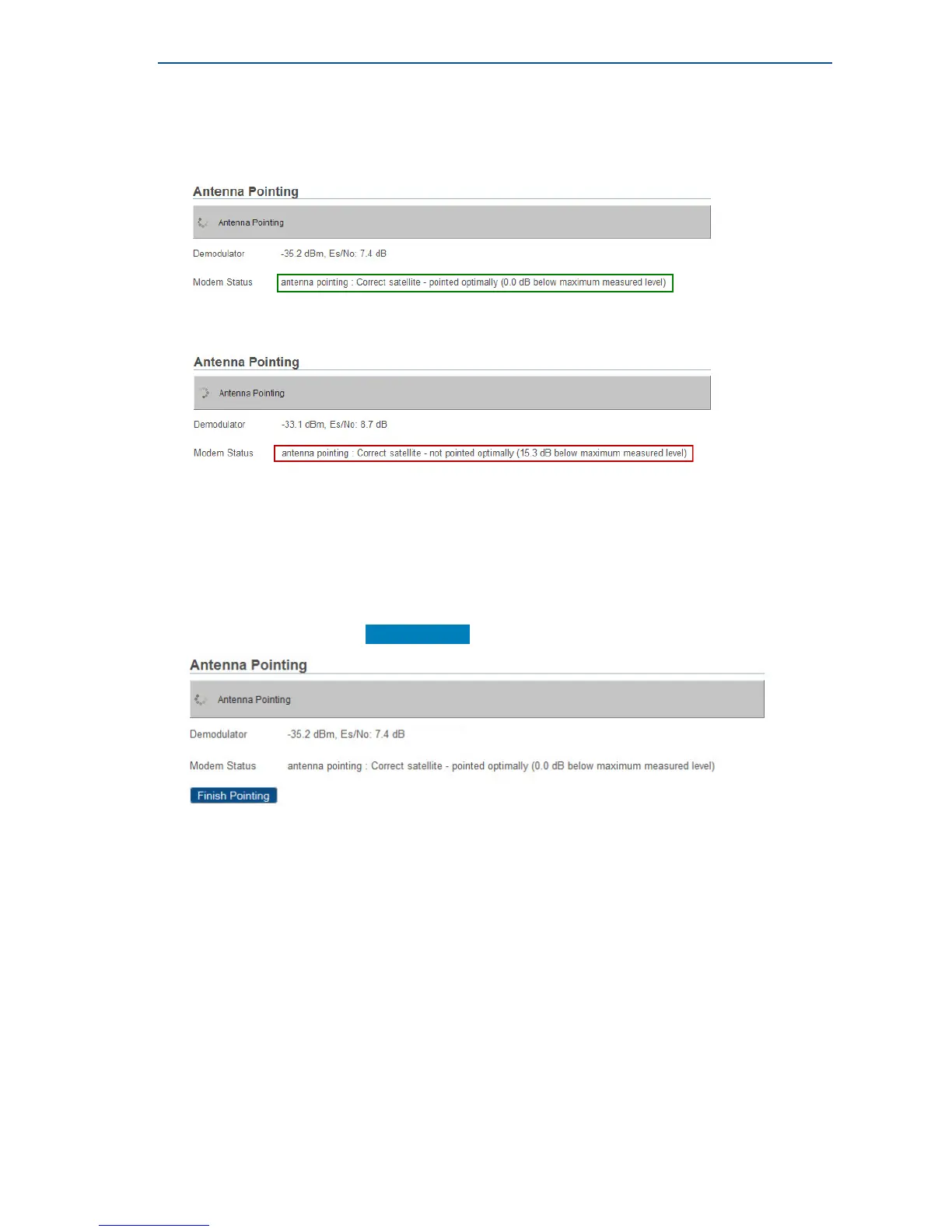
• If the antenna is correctly and optimally pointed, the message Correct satellite - pointed
optimally appears in the modem webGUI. You can now proceed to the next section: Finishing
the Pointing.
• If the antenna is not yet optimally pointed, the message Correct satellite - not pointed
optimally is displayed. Continue the pointing procedure until optimal pointing is achieved.
In case of problems, refer to the Troubleshooting Guide available on the CD-ROM provided with
your modem.
Finishing the Pointing
• Switch off the Point&Play tool.
• Remove the TX cable from the Point&Play tool and connect it to the BUC.
• Back at your computer, click Finish Pointing .



 To Next Page