Page | 19
Tip: More information on connecting to a network can be found in Section 3.10.
Otherwise, you can visit the registration webpage from another system with Internet access. In either
case, after registering on the website, transfer the registration code provided into the field at Step 4 of
the Registration dialog.
Tip: It’s a very good idea to record the Registration Code. This could come in very handy if you ever need
to restore the 3Play software to its as-shipped state when you don’t have convenient access to the
Internet.
3.2.2 REGISTERING BY TELEPHONE
NewTek’s Customer Support desk can also handle registration requests by telephone, if that is more
convenient (when opportunity permits, you should still visit the website as discussed above, in order to
gain access to software updates).
Please have your Product ID (from the Registration dialog mentioned earlier) handy when you call. The
phone numbers for Customer Service follow:
Telephone:
o (US) 1-800-862-7837
o (Outside US) +1-210-370-8452
Fax: 210-370-8001
Email: cs@newtek.com
3.3 INPUT CONNECTIONS
3.3.1 CONNECT A/V SOURCES
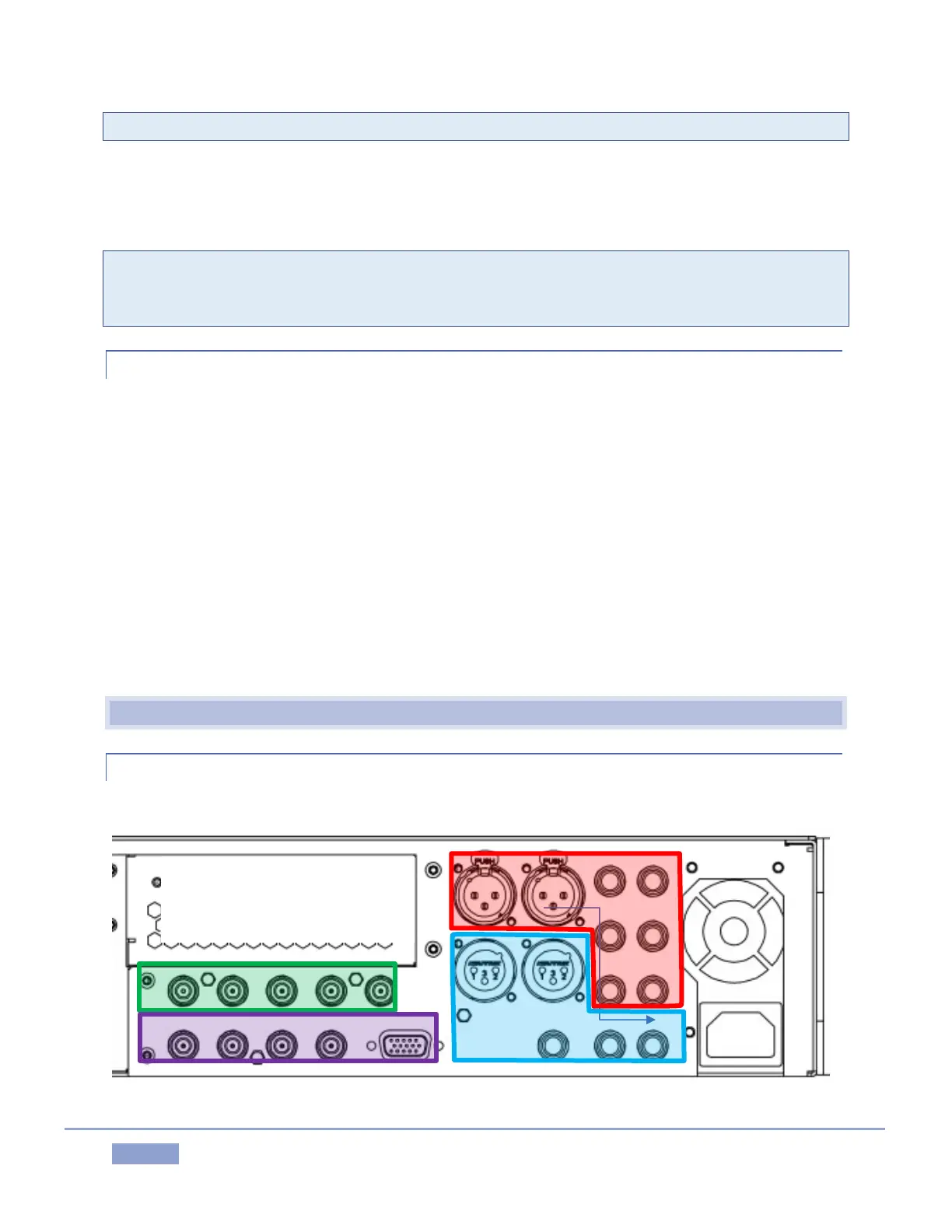
External audio and video sources are connected to the appropriate inputs on 3Play’s backplate.
Figure 20 - 2RU Model



 To Next Page