Page | 31
4.2 THE REPLAY DESKTOP
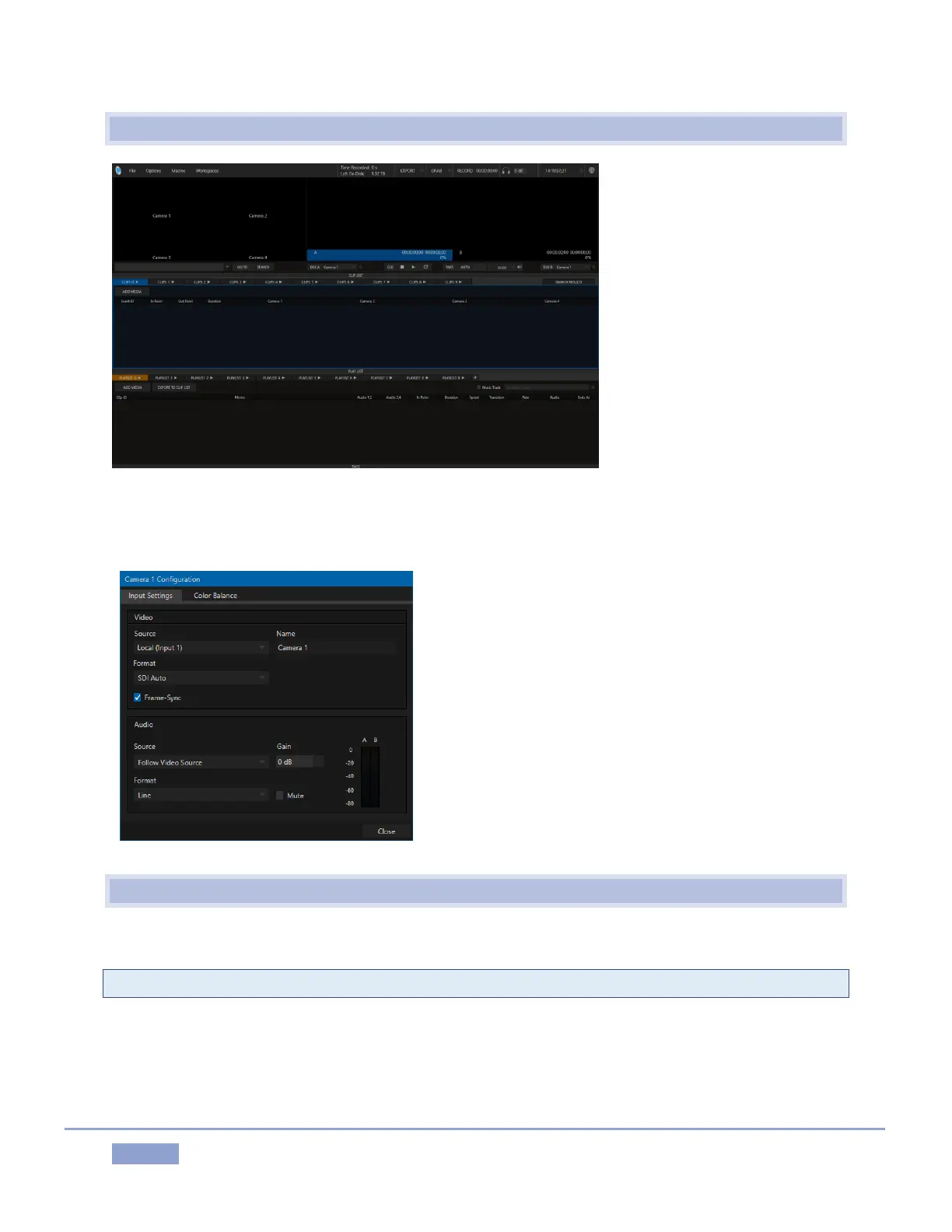
Figure 33
5. At this point, you should see the (unpopulated) Replay Desktop – see Figure 33.
6. We discussed configuring input and
output connections and devices for new
sessions back in sections:
3.3 (Input Connections)
3.6 (Configure Video Outputs)
3.6.2 (Multiview)
3.9 (Configure Audio).
Review these points if necessary, and set
up your connections (we’re assuming at
least 3 cameras are connected as we
continue).
4.3 CHANNEL AND SOURCE DELEGATES
7. Press A on the Control Surface to set the current Channel Delegate.
Note: See Section 8.1 (Dual Channel Replay) for details of 3Play’s A and B channels.
8. Press LIVE to set the Source Delegate – see Section 8.3.
9. Hold down the ANGLE button, push 3 on the number pad, and release the ANGLE button to
delegate the live source from 3Play’s input 3 to Channel A.



 To Next Page