Page | 45
5 THE STARTUP SCREEN
The Startup Screen is the gateway to your NewTek 3Play® functionality, and
also home to session management and system maintenance features.
Icons on the ring at left in the Startup Screen provide access to numerous
functions. We’ll discuss each of these in the pages that follow, but first – a
review of the concept of sessions.
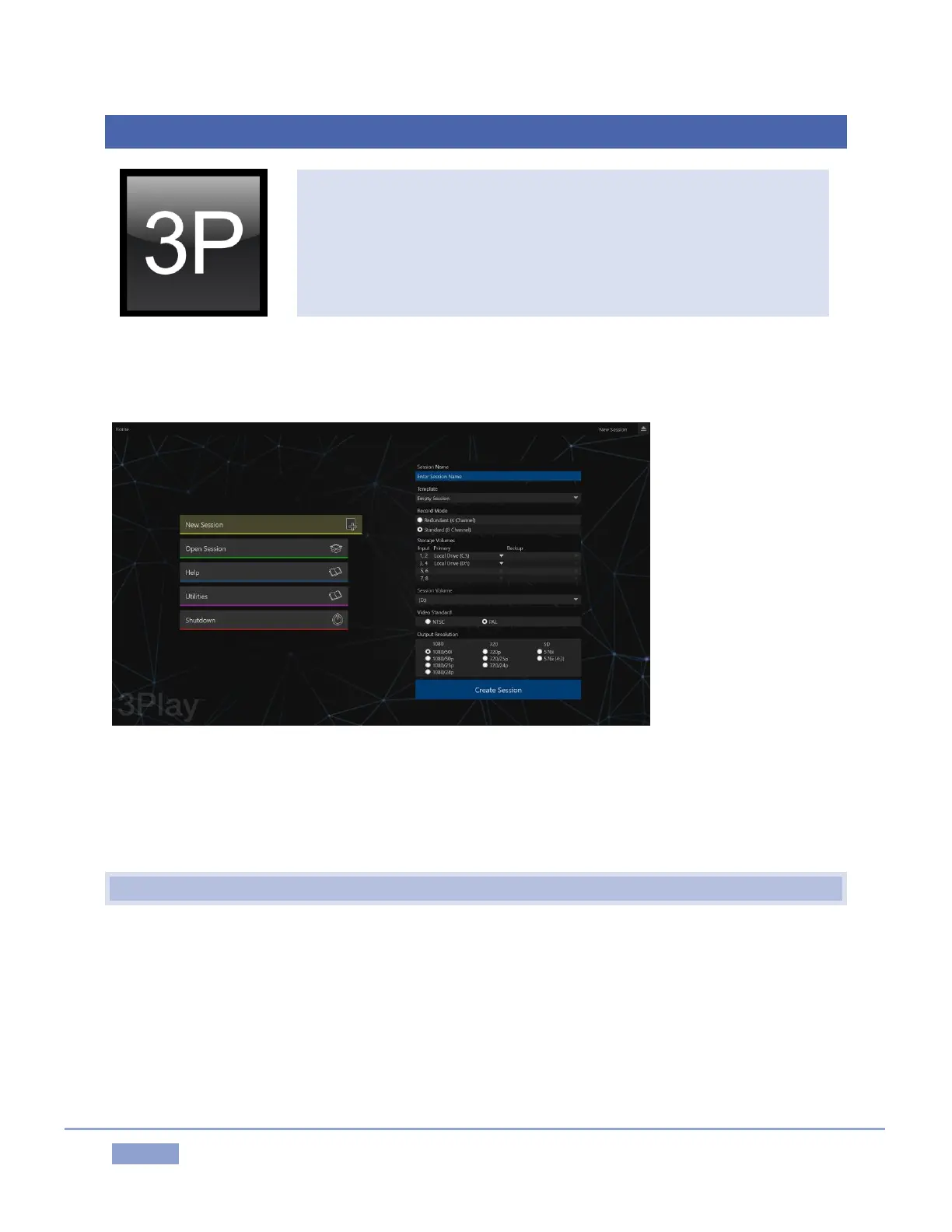
The Startup Screen appears whenever you launch NewTek 3Play®. From here, you create, configure,
manage and launch 3Play sessions by making selections from the icon ring.
Figure 38
Your intention may be to participate in a live production, or perform asset management functions within
an existing session. In either case, let’s consider a fundamental concept – the session. What is a session,
and why are sessions both important and valuable to you?
5.1 INTRODUCTION TO SESSIONS
Whenever you work with your 3Play system, you provide certain information about the production
environment:
What broadcast standard is used in your locale? Is it PAL, common in Europe among other places,
or perhaps NTSC, standard throughout North American regions?
Are your cameras or other live sources HD, SD or a mixture of both?



 To Next Page