Page | 71
720/50p
720/25p
576i (16:9)
576i (4:3)
NAME
The Name field (next to Connection Type) is editable, allowing you to enter a custom name for each input.
The name supplied will appear elsewhere in the user interface, including in the HUD (Heads-Up Display).
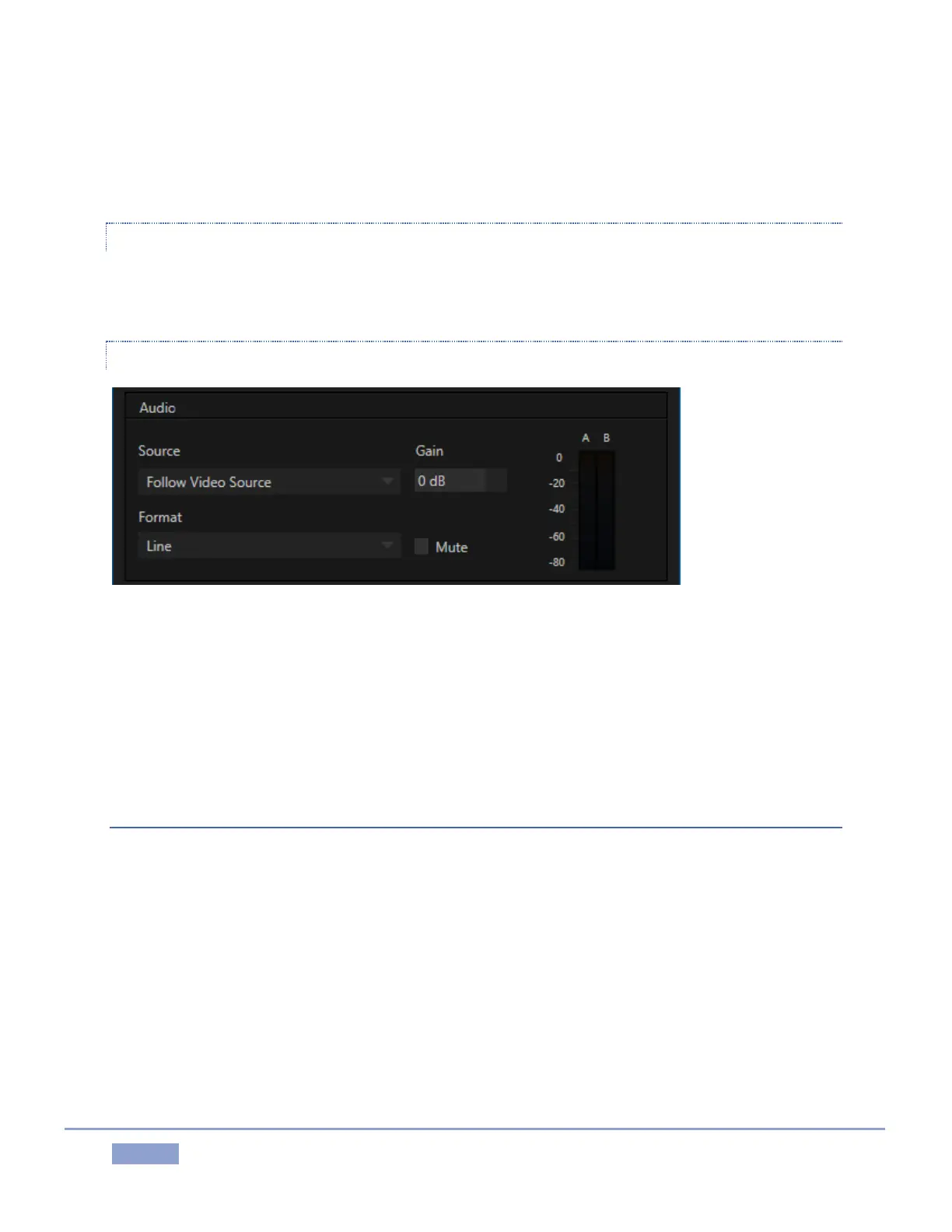
AUDIO SETTINGS
Figure 73
Section 3.9 detailed Input Configuration panel controls devoted to Audio setup. Just to review briefly, the
Format menu provides options suited to the type of source selected above.
The neighboring Gain slider adds a range of adjustment beyond the basic level established by the Input
Type selection, permitting you to benchmark individual sources. The Mute switch, when enabled,
prevents this particular audio source from being heard at all in captured files or on output.
VU METERS
The audio VU meters (VU stands for Volume Unit) beside each video input monitor serve several purposes.
At the simplest level, as you record audio with your video (or pass it through to output), the input meters
assure you that audio is arriving at the audio inputs.
Likewise, the output VU meters provide confidence that you are supplying audio to the outputs. More
importantly, you can monitor audio levels to be sure you are not overdriving the system, which would
result in clipping of the signal.



 To Next Page