Copyright © 2014 NEXCOM International Co., Ltd. All rights reserved
89
VMC 1100 User Manual
Appendix D: RTC Wake-up Setting
aPPendIx d: rtC waKe-uP settIng
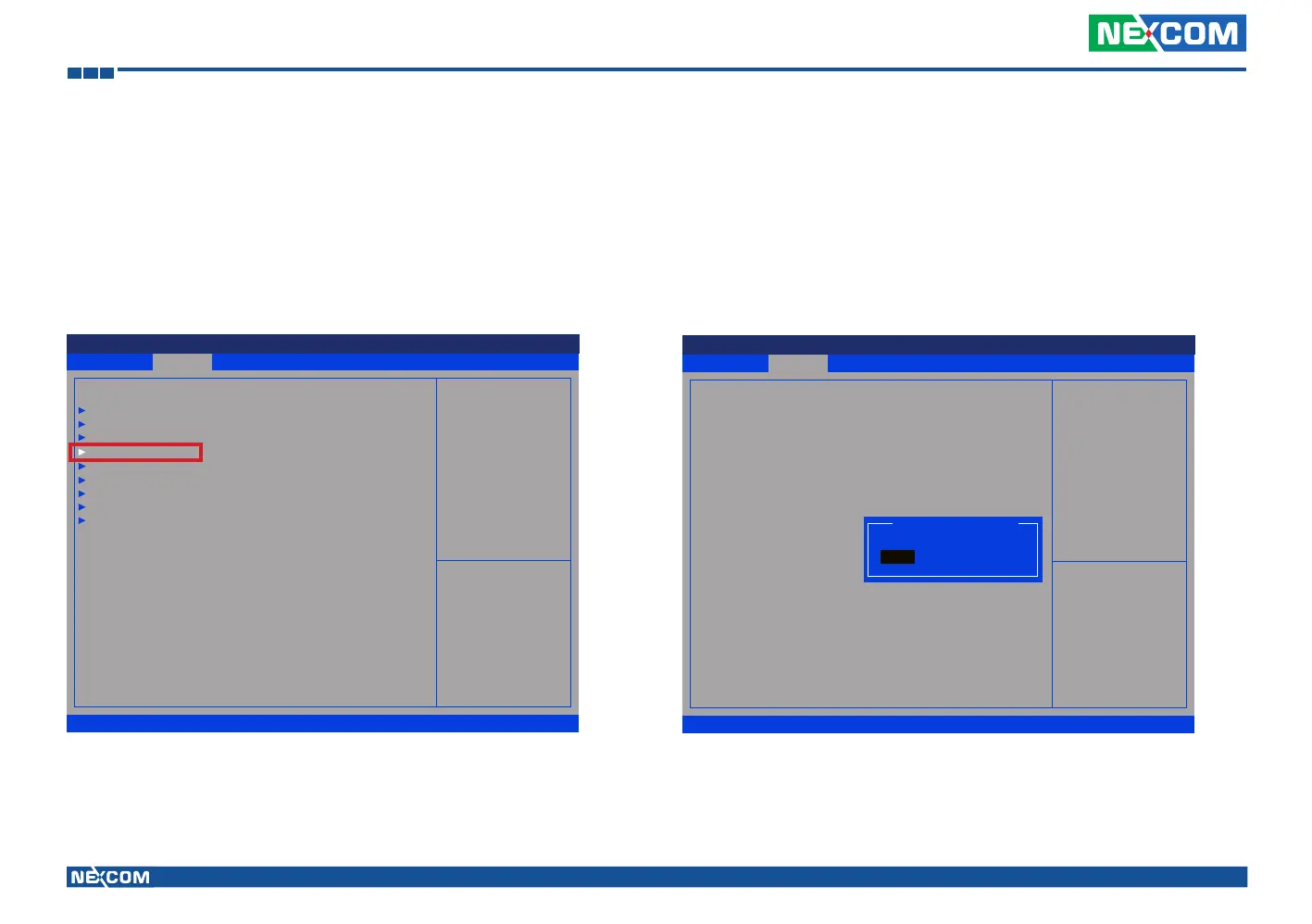
(1) Press <Enter> on “Advanced” of the main menu screen.
(2) Select “Module Management.”
(3) Change the value to “Enable” for “RTC Alarm Time.”
Advanced Boot Security Save & ExitMain
Version 2.14.1219. Copyright (C) 2011 American Megatrends, Inc.
Aptio Setup Utility - Copyright (C) 2011 America Megatrends, Inc.
→←: Select Screen
↑↓: Select Item
Enter: Select
+/-: Change Opt.
F1: General Help
F2: Previous Values
F3: Optimized Defaults
F4: Save & Exit
ESC: Exit
Onboard Module Support
ACPI Settings
CPU Conguration
Power Management Conguration
Module Management
Intel IGD Conguration
SATA Conguration
USB Conguration
W83792D H/W Monitor
Super IO Conguration
Advanced
Version 2.14.1219. Copyright (C) 2011 American Megatrends, Inc.
Aptio Setup Utility - Copyright (C) 2011 American Megatrends, Inc.
→←: Select Screen
↑↓: Select Item
Enter: Select
+/-: Change Opt.
F1: General Help
F2: Previous Values
F3: Optimized Defaults
F4: Save & Exit
ESC: Exit
Enable or Disable Boot Option
for RTC Alarm Time.
Module Management
WLAN Module
3.5G Module
Wake On 3.5G Module
RTC Alarm Time
User Setting Hour
User Setting Minute
[Enable]
[Enable]
[Disable]
[Enable]
17
58
RTC Alarm Time
Enable
Disable



 To Next Page