Copyright © 2014 NEXCOM International Co., Ltd. All rights reserved
57
VMC 1100 User Manual
Chapter 8: How to Install the WWAN or Wi-Fi Module
ChaPter 8: how to Install the wwan or wI-fI module
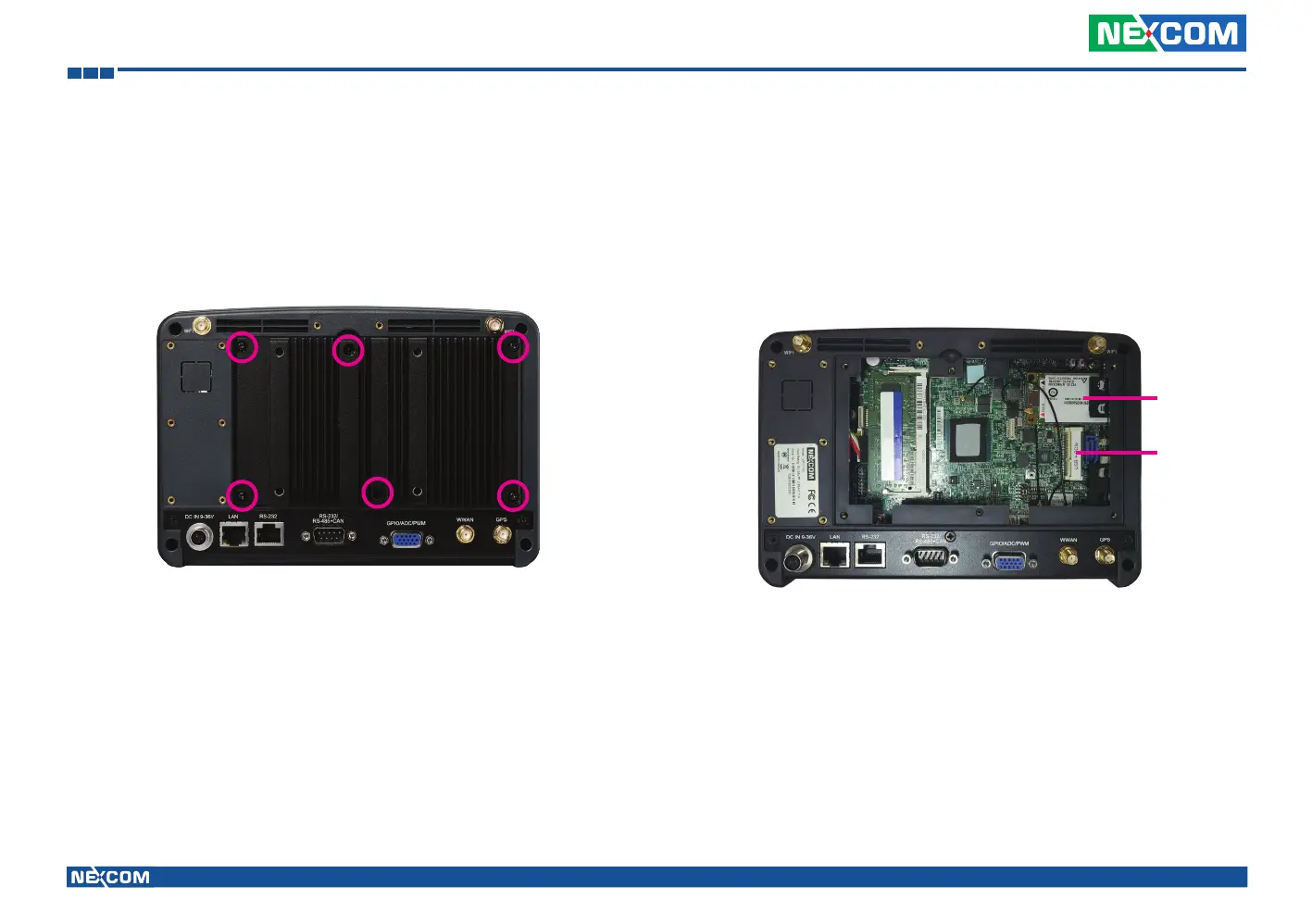
1. Remove the screws on the heatsink to remove it. 2. The Mini PCI express slot shown below is used to install a WWAN or Wi-Fi
communication module.
For WWAN
module
For Wi-Fi
module
3. Insert the module into the Mini PCI Express slot at a 45 degrees angle
until the gold-plated connector on the edge of the module completely
disappears inside the slot. And then attach the RF cable to the module.
4. Install the rear cover.



 To Next Page