Copyright © 2014 NEXCOM International Co., Ltd. All rights reserved
61
VMC 1100 User Manual
Chapter 10: Installing the OBD Module
ChaPter 10: InstallIng the obd module
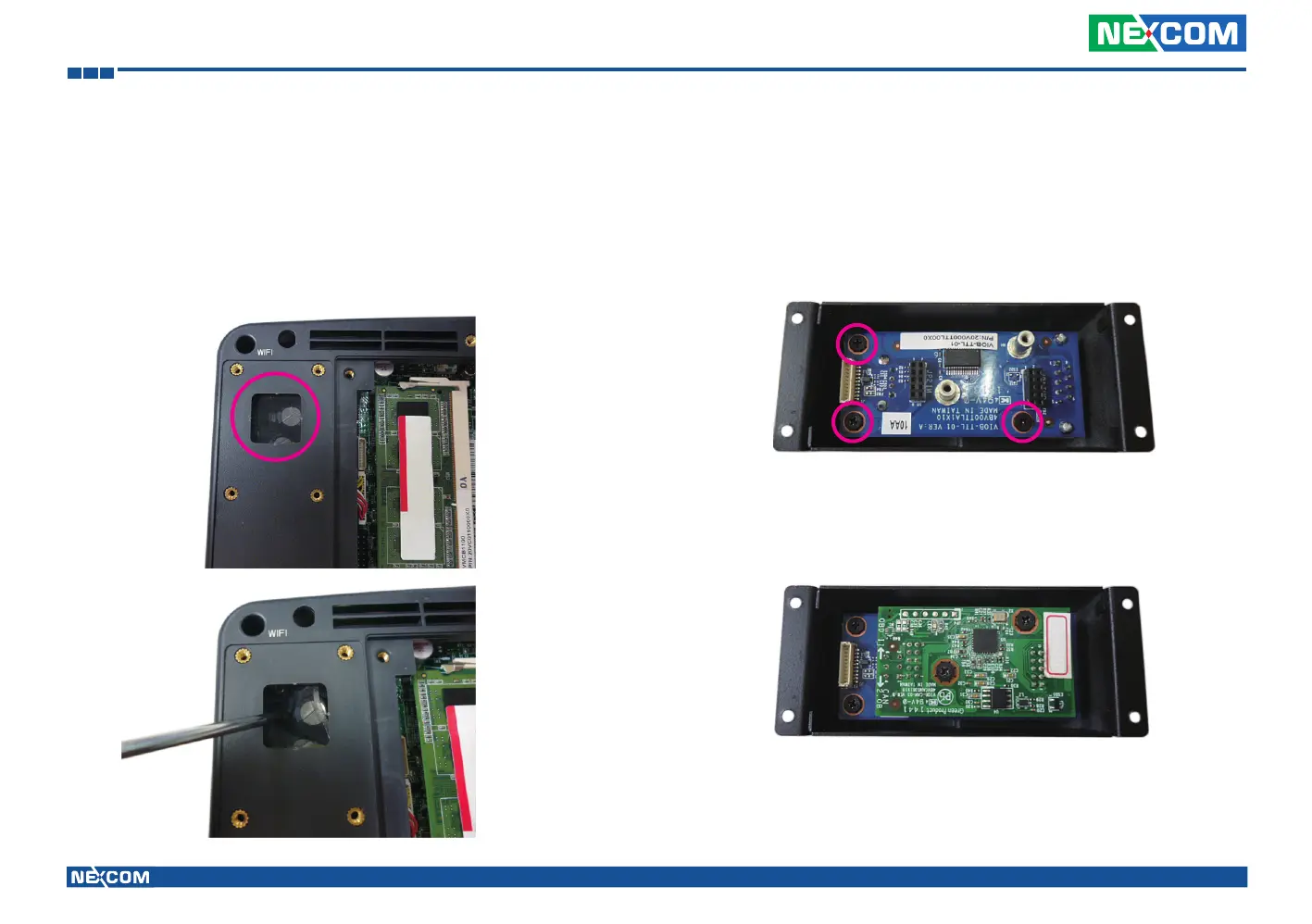
1. Remove the heatsink.
2. Remove the hole cover.
3. Put the OBD module into the bracket and secure it with screws.
4. Place the adapter board onto the OBD module, please note, the pins on
the adapter board have to be inserted into the OBD module. Once fully
inserted, secure the OBD module with screws.



 To Next Page