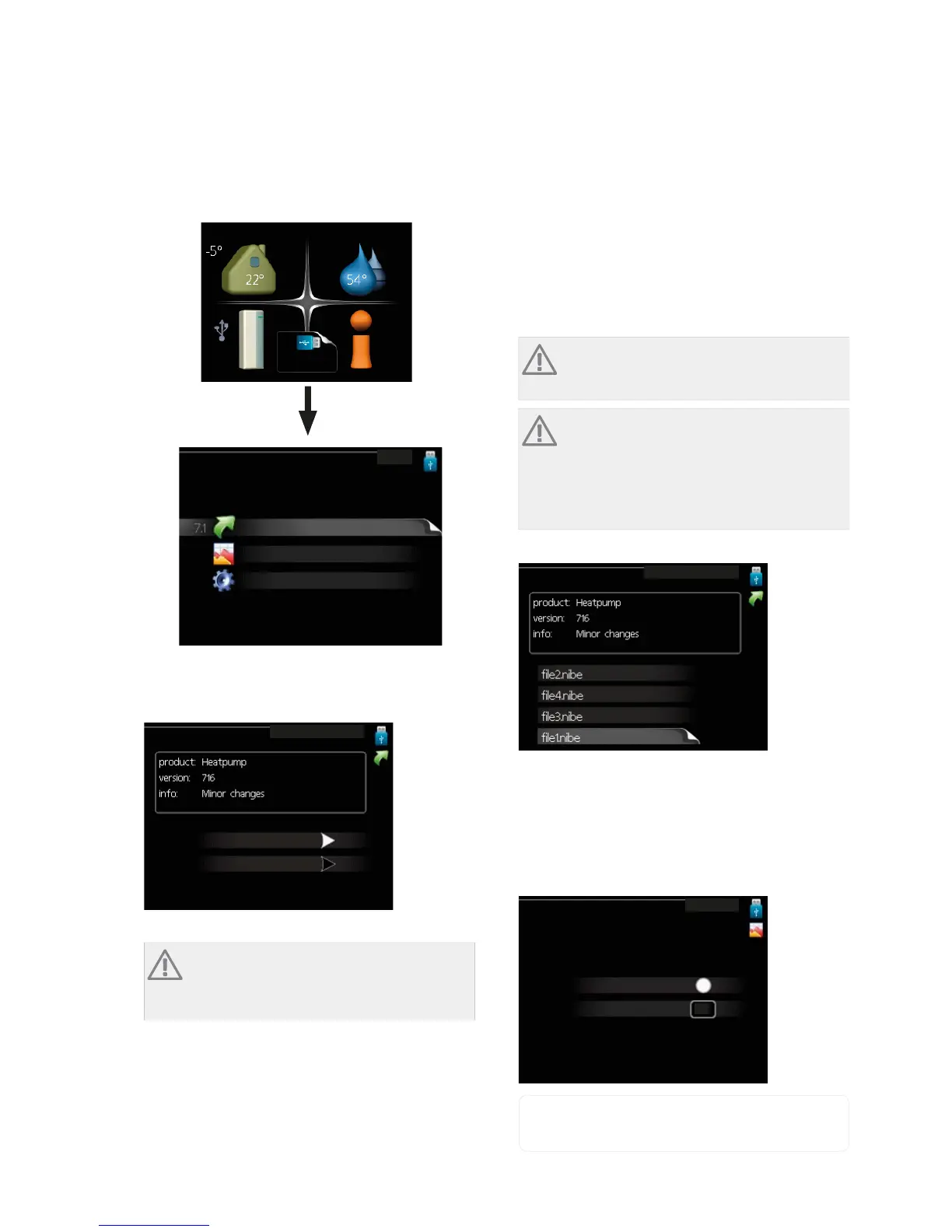
VVM 310 is equipped with a USB socket in the display
unit. This USB socket can be used to connect a USB
memory to update the software, save logged informa-
tion and handle the settings in VVM 310.
INDOOR CLIMATE
MY SYSTEM INFO
HOT WATER
USB
XSGDWH ILUPZDUH
86%
ORJJLQJ
PDQDJH VHWWLQJV
When a USB memory is connected a new menu (menu
7) appears in the display.
Menu 7.1 - update firmware
XSGDWH ILUPZDUH
VWDUW XSGDWLQJ
FKRRVH DQRWKHU ILOH
This allows you to update the software in VVM 310.
NOTE
For the following functions to work the USB
memory must contain files with software for
VVM 310 from NIBE.
The fact box at the top of the display shows information
(always in English) of the most probable update that
the update software has selected form the USB
memory.
This information states which product the software is
intended for, the software version and general inform-
ation about them. If you wish to select another file than
the one selected, the correct file can be selected by
"choose another file".
start updating
Select “start updating" if you want to start the update.
You are asked whether you really want to update the
software. Respond "yes" to continue or "no" to undo.
If you responded"yes" to the previous question the
update starts and you can now follow the progress of
the update on the display. When the update is com-
plete VVM 310 restarts.
NOTE
A software update does not reset the menu
settings in VVM 310.
NOTE
If the update is interrupted before it is com-
plete (for example power cut etc.) the software
can be reset to the previous version if the OK
button is held in during start up until the green
lamp starts to illuminate (takes about 10
seconds).
choose another file
XSGDWH ILUPZDUH
Select “choose another file" if you do not want to use
the suggested software. When you scroll through the
files, information about the marked software is shown
in a fact box just as before. When you have selected a
file with the OK button you will return to the previous
page (menu 7.1) where you can choose to start the
update.
Menu 7.2 - logging
ORJJLQJ
DFWLYDWHG
LQWHUYDO
VHF
Setting range: 1 s – 60 min
Default setting range: 5 s
NIBE™ VVM 310Chapter 9 | Service56



 To Next Page