EasyManua.ls Logo

Nice HO7124 - User Manual

Nice HO7124
36 pages
Print Icon
To Next Page IconTo Next Page
Loading...
Nice
HO7124
HO7224
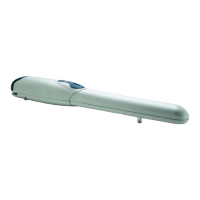
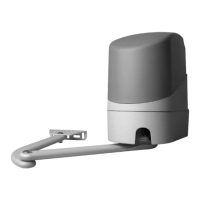
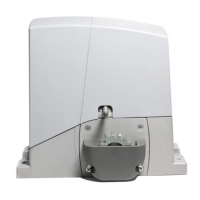
Swing gate opener
EN - Instructions and warnings for installation and use

Table of Contents

Questions and Answers

  • C
    crystal92Aug 14, 2025
    What to do if my Nice HO7124's photocell is activated?
    • R
      Robert AdamsAug 15, 2025
      If your Nice Gate Opener's photocell is activated at the start of operation, it means something is blocking the movement. You should check for any obstructions. If it happens during operation, this is normal when an obstacle is present.
  • S
    Sharon CrossAug 18, 2025
    Why is the motor force limiter activating on my Nice HO7124 Gate Opener?
    • D
      donaldprinceAug 18, 2025
      If the motor force limiter on your Nice Gate Opener is activated during movement, it indicates the motors are encountering increased resistance. You should identify the cause of this resistance and increase the motor force if needed.
  • G
    Gabriel WebbAug 21, 2025
    How to fix a BlueBus system error on a Nice HO7124?
    • B
      blakeporterAug 21, 2025
      A BlueBus system error on your Nice Gate Opener means the devices connected to the BLUEBUS are not the same as those memorized during the learning phase. You should check for defective devices and replace them if necessary. If you have made any changes, repeat the learning procedure.
  • H
    Hailey MillerAug 25, 2025
    What to do if there is an error in the internal parameters of the control unit of my Nice Gate Opener?
    • V
      Victoria SchneiderAug 25, 2025
      To address an error in the internal parameters of the control unit of your Nice Gate Opener, wait at least 30 seconds and then try giving a command. If the condition persists, the electronic board must be replaced.
  • E
    Elizabeth MayerAug 27, 2025
    How to fix an error in the internal electric circuits of my Nice HO7124?
    • A
      April SharpAug 28, 2025
      To fix an error in the internal electric circuits of your Nice Gate Opener, disconnect all power circuits for a few seconds and then try giving a command again. If the condition persists, the electronic board must be replaced.
  • A
    Alexander PhamAug 31, 2025
    What to do if my Nice HO7124 has exceeded the maximum number of maneuvers per hour?
    • L
      Laura NobleAug 31, 2025
      If your Nice Gate Opener has exceeded the maximum number of maneuvers per hour, wait a few minutes until the maneuver limiter drops below the maximum limit.
  • D
    deborahhendersonSep 3, 2025
    How to unlock my Nice HO7124 Gate Opener after a 'Stop automation' command?
    • D
      david34Sep 3, 2025
      If your Nice Gate Opener was stopped by a 'Stop automation' command, unlock the automation mechanism by giving the 'Unlock automation' command.
  • J
    Jonathon FergusonSep 6, 2025
    What to do if my Nice Gate Opener has a serious anomaly?
    • J
      Jimmy VanceSep 6, 2025
      If there is a serious anomaly with your Nice Gate Opener, try switching off the control unit for a few seconds. If the condition persists, the electronic circuit board must be replaced.
  • T
    Tiffany KelleySep 10, 2025
    What to do if my Nice HO7124 Gate Opener has an anomaly?
    • L
      Louis SmithSep 10, 2025
      If your Nice Gate Opener has an anomaly, check for the presence of power and that the fuses are not blown. If necessary, identify the cause of the fault and replace the blown fuses with fuses having the same specifications.

Summary

Installation

Installing the Gearmotor

Step-by-step guide for physically mounting the gearmotor unit.

Adjusting the Mechanical Limit Switches

Procedure for setting the fully open and closed positions of the gate.

Electrical Connections

Wiring Diagram and Description of Connections

Illustrates the wiring diagram and details each connection terminal.

Final Checks and Start-Up

Learning of the Mechanical Stop Positions

How to teach the system the gate's open and closed limits.

Checking the Gate Movement

Verifies correct gate operation after learning, checking acceleration and deceleration.

Testing and Commissioning

Testing

Checks to ensure all safety devices and automation functions work correctly.

Commissioning

Final steps to put the automation into service after successful testing.

Programming

Troubleshooting

Further Information (Accessories)

Product Maintenance

Technical Specifications

Instructions and Warnings for the User

Unlocking and Manual Movement

Nice HO7124 Specifications

General IconGeneral
BrandNice
ModelHO7124
CategoryGate Opener
LanguageEnglish

Related product manuals