26 – ENGLISH
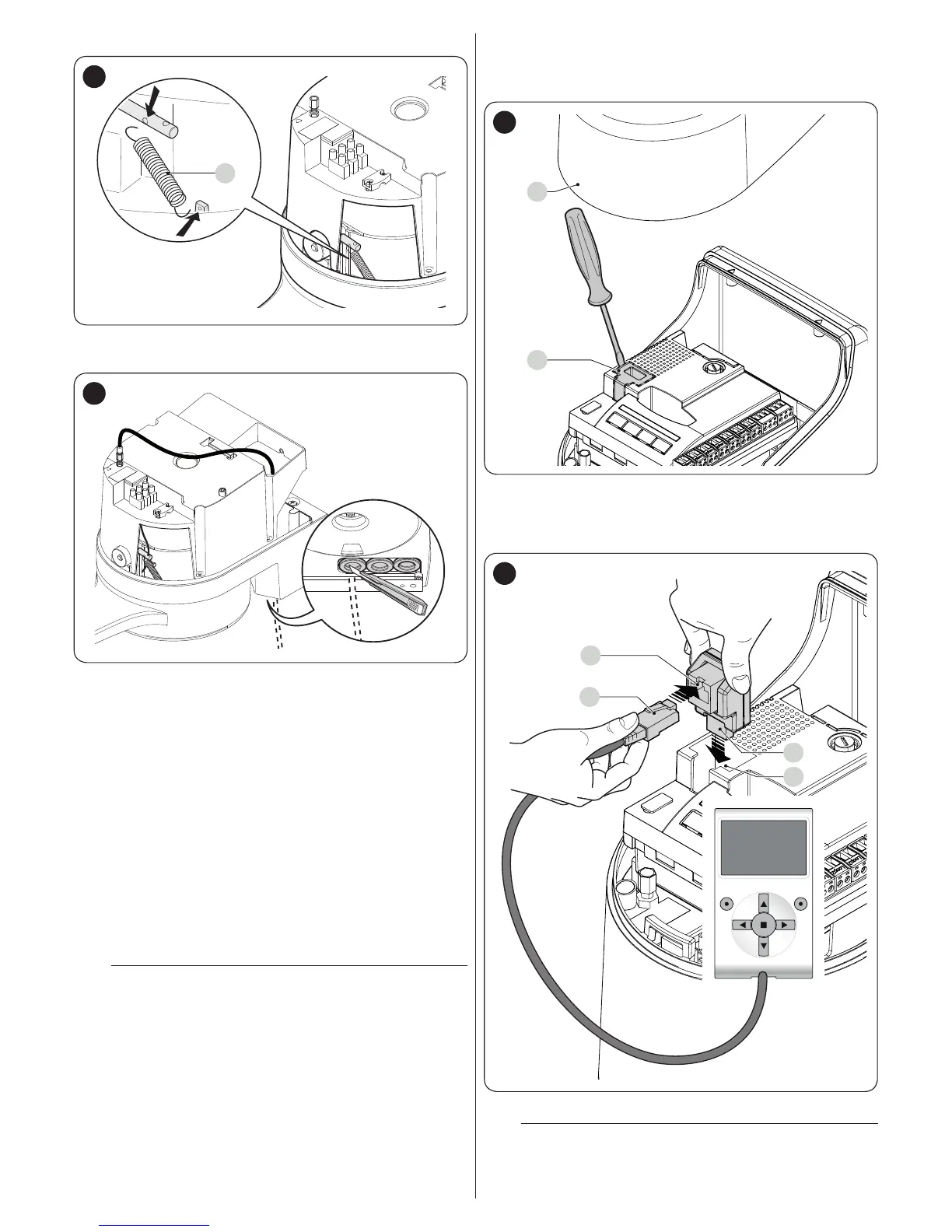
5. hook up the spring (G) by its two ends
G
49
6. thread the other end of the cable through the hole located
on the lower part of the gearmotor
50
7. connect the cable to Kio, by referring to the respective
instruction manual.
9.5 CONNECTING THE OVIEW PROGRAMMER
The “Oview” programming unit can be connected to the control
unit.
This unit allows for rapidly and fully programming the functions,
adjusting the parameters, updating the control unit rmware,
running the diagnostics to detect any malfunctions and perform-
ing routine maintenance.
The “Oview” allows for operating on the control unit at a maxi-
mum distance of roughly 100 m. If several control units are net-
worked with each other in a “BusT4” network, by connecting the
“Oview” to one of these units, it is possible to view on the dis-
play all the networked control units (up to a maximum 16 units).
The “Oview” unit can also be left connected to the control unit
during normal operation of the automation, so that the user can
send commands using a specic menu.
a
Before connecting the IBT4N interface, it is neces-
sary to disconnect the control unit from the power
supply.
To install the interface:
1. remove the cover (A)
2. remove the plastic pre-cut element (B) and check that
there are no burrs
A
B
51
3. place the interface (C) in the appropriate slot (D) on the
control unit’s electronic board
4. insert the cable (E) in the appropriate slot (F) on the in-
terface.
C
D
F
E
52
At this stage, the control unit can be powered again.
l
For further information, consult the specic manu-
als of the connected devices.



 To Next Page