Safety information Product information Mechanical installation Electrical installation Multi axis system design Technical data
34 Digitax HD M75X Series Installation and Technical Guide
Issue Number: 5
3.13.2 External braking resistor
External brake resistors are available from Nidec Industrial Automation. They can be mounted in the enclosure as per mounting recommendation in
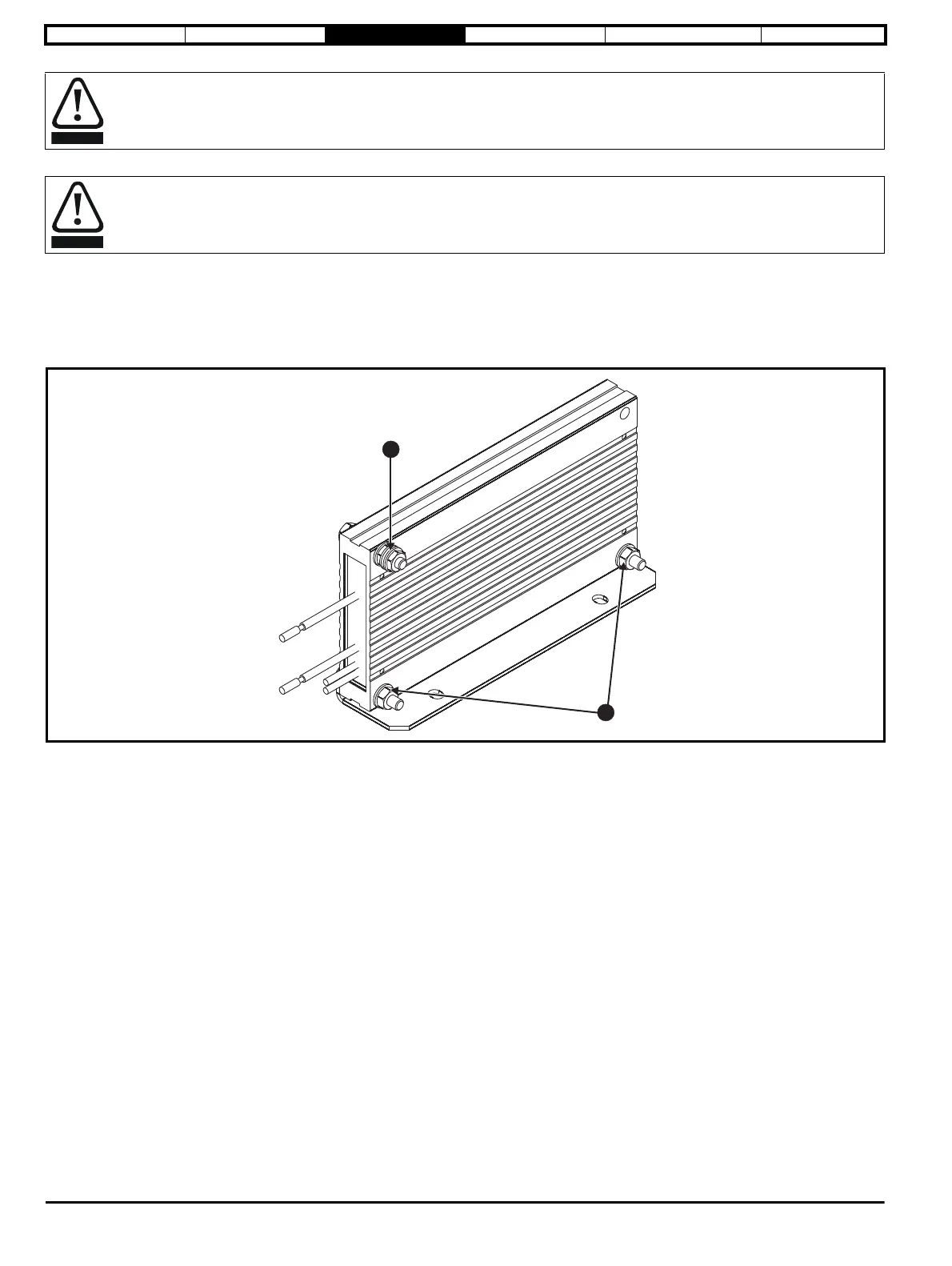
Figure 3-14 on page 27 using mounting bracket part number 6541-0187 (shown in Figure 3-21). Figure 3-20 below shows the brake resistor mounted
on the mounting bracket. Two M4 screws and nuts (2) can be used to fix the brake resistor to the mounting bracket. One M4 nut with washer (1) is
provided to use for the ground connection. The brake resistor is equipped with a thermal switch, the thermal switch should be integrated in the control
circuit by the user.
Figure 3-20 Brake resistor with the mounting bracket
1. Ground connection (1 x M4 nut and washer).
2. Attaching the brake resistor to the mounting bracket (using 2 x M4 screws and nuts).
The M2 screw forms part of the thermal protection system for the compact brake resistor and therefore MUST be fitted. Maximum torque
0.3 N m (2.7 lb in).
Braking resistor: High temperatures and overload protection
Braking resistors can reach high temperatures. Locate braking resistors so that damage cannot result. Use cable having insulation capable
of withstanding the high temperatures.














 To Next Page