Safety information Product information Mechanical installation Electrical installation Multi axis system design Technical data
Digitax HD M75X Series Installation and Technical Guide 63
Issue Number: 5
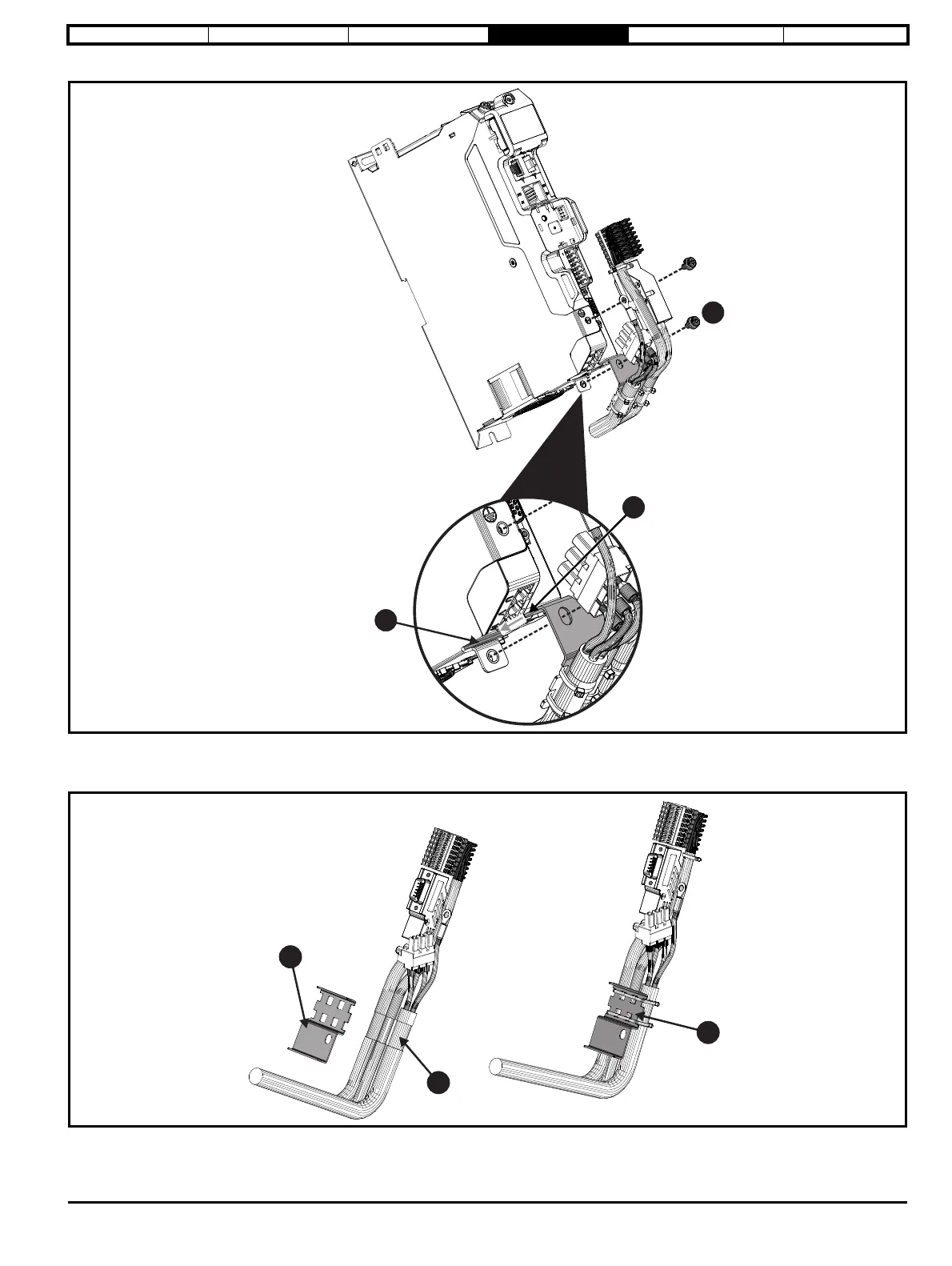
Figure 4-10 Installation of cable screen bracket (frame sizes 1 and 2)
• Slide the tab on the cable screen bracket (1) into the slot formed in the metal side plate (2) and secure to the drive with M4 screw (3). Torque
2 N m (17.7 lb in).
Figure 4-11 Attaching the cable screen bracket to the motor, feedback and control wiring (frame size 3)
• Expose outer cable shields (1).
• The cable screen bracket (2) must be tie wrapped to the motor, feedback and control wiring (3).














 To Next Page