140
Camera Setup
Hidden and Protected Images
If the selected folder contains hidden or protected images, the folder will not
be deleted. Any images it contains that are neither hidden nor protected will,
however, be deleted.
Disable Delete
Folders can not be deleted when Disable Delete ( 156) is on.
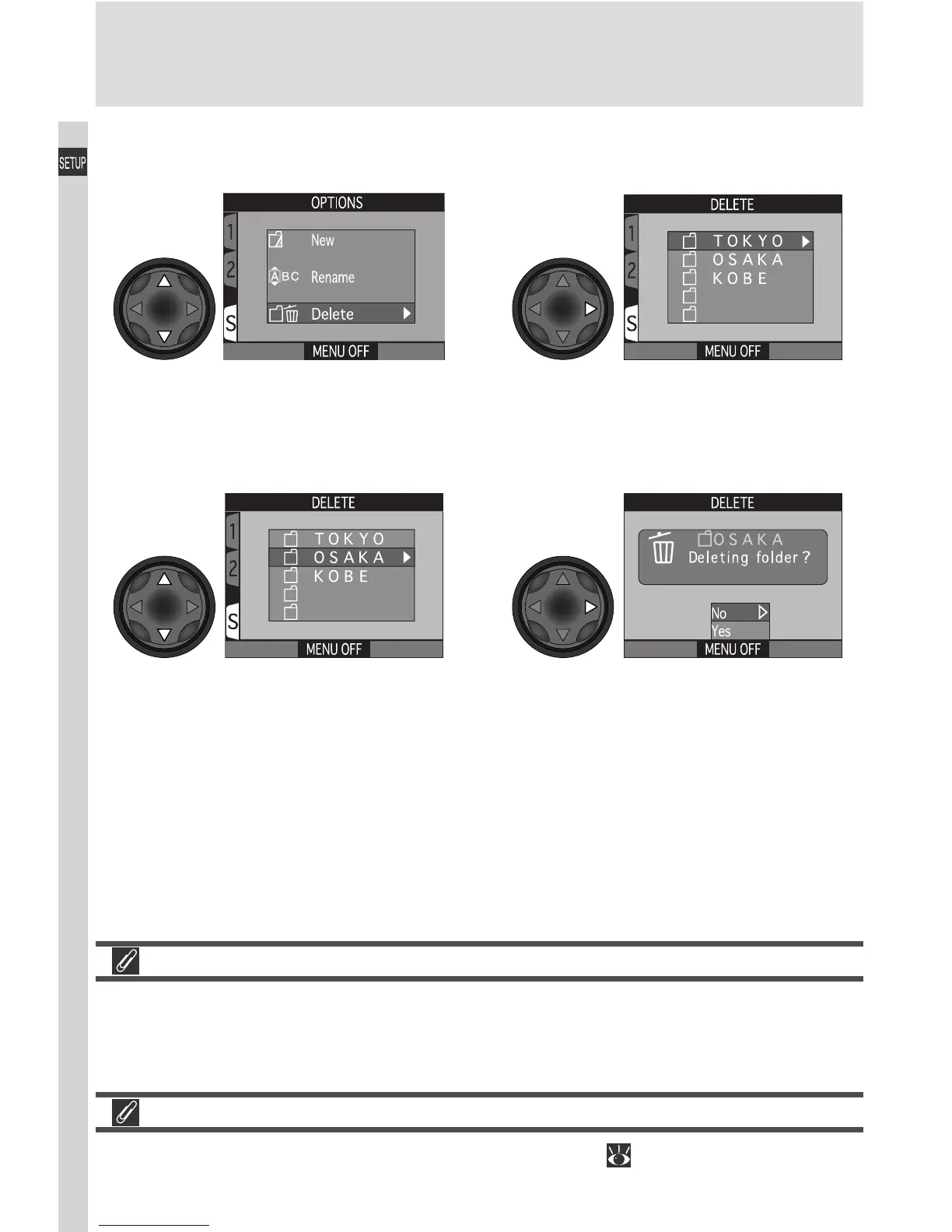
Display list of folders (folder NIKON
not available for deletion)
Highlight Delete
Highlight folder name Confirmation dialog displayed. Press
multi selector up or down to highlight
option, press to right to select:
• Select No or press MENU button to
exit without deleting folder
• Select Yes to delete selected folder
12
34
Deleting Folders

















 To Next Page