161
Playing Images Back—Basic Playback
Press to cancel zoom.Cancel zoom
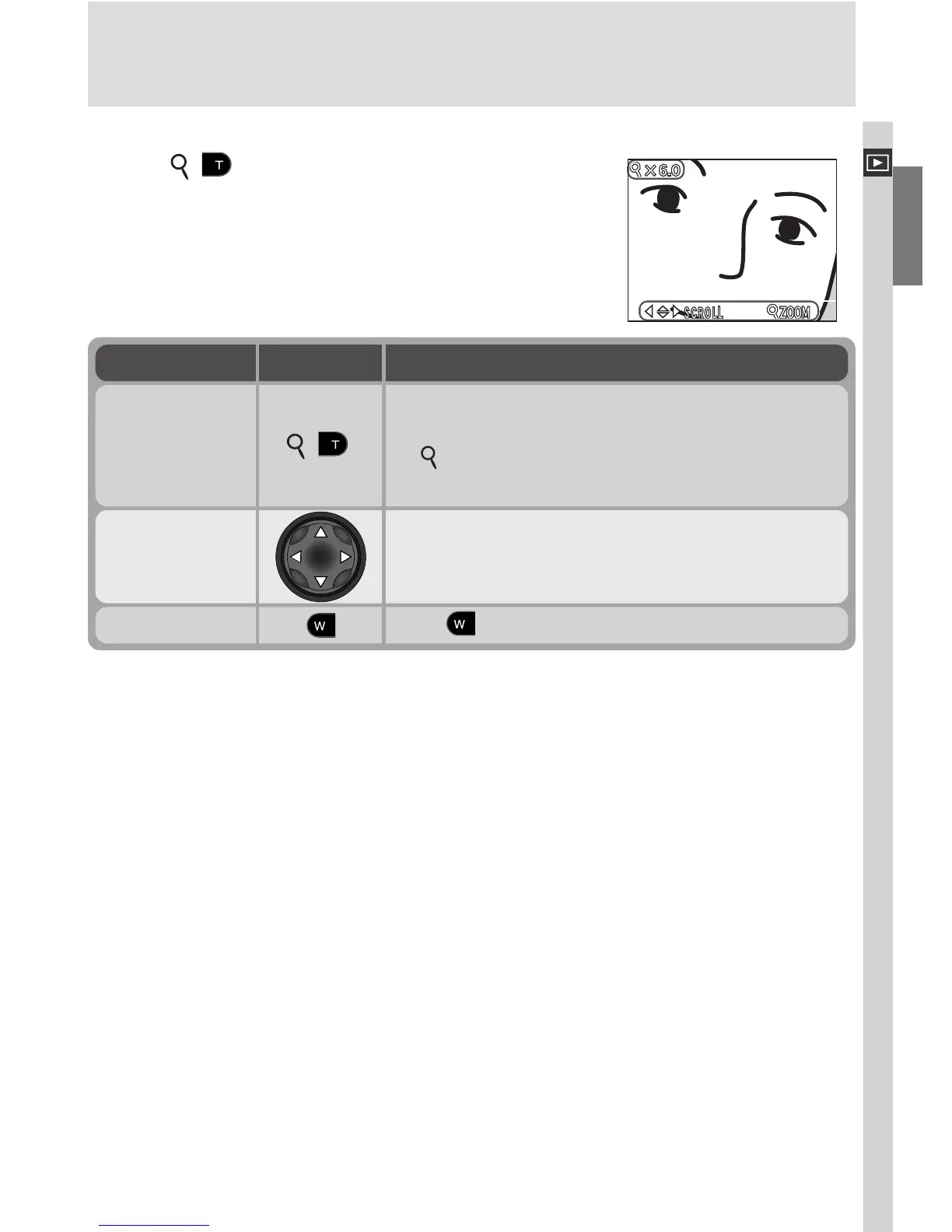
Taking a Closer Look: Playback Zoom
Use the ( ) button to zoom in on images dis-
played in single-image playback.
DescriptionTo Use
Press the multi selector to scroll to areas of the
image not visible in the monitor.
View other
areas of image
Zoom increases each time button is pressed, to
a maximum of 6.0 ×. While image is zoomed
in, icon and zoom ratio are displayed in up-
per left corner of monitor.
Zoom photo in ( )










 To Next Page