18
Introduction—Getting to Know the COOLPIX5000
P The Multi Selector
The multi selector is used to navigate through cam-
era menus, to page through images in quick review
and playback, and to highlight thumbnails in
thumbnail review and playback.
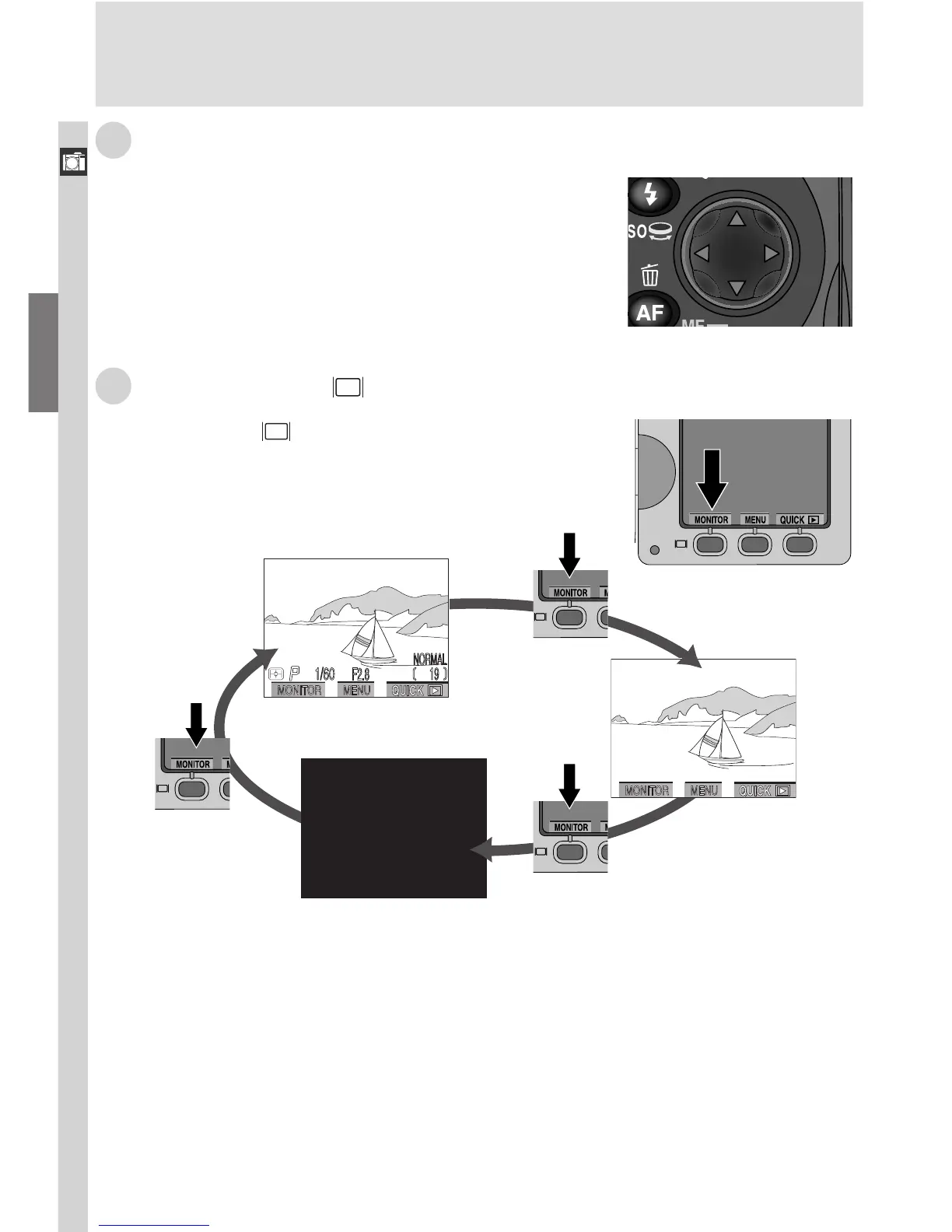
Q The MONITOR ( ) Button
The MONITOR ( ) button turns the monitor on
and off and controls the display of indicators in the
monitor.
Monitor off
Monitor on,
indicators
displayed
Monitor on,
indicators
hidden

















 To Next Page