24
Basic Photography and Playback
Basic Photography and Playback
X Mode
This section describes how to take pictures in X (Auto shooting) mode, an
automatic, “point and shoot” mode recommended for first-time users of dig-
ital cameras.
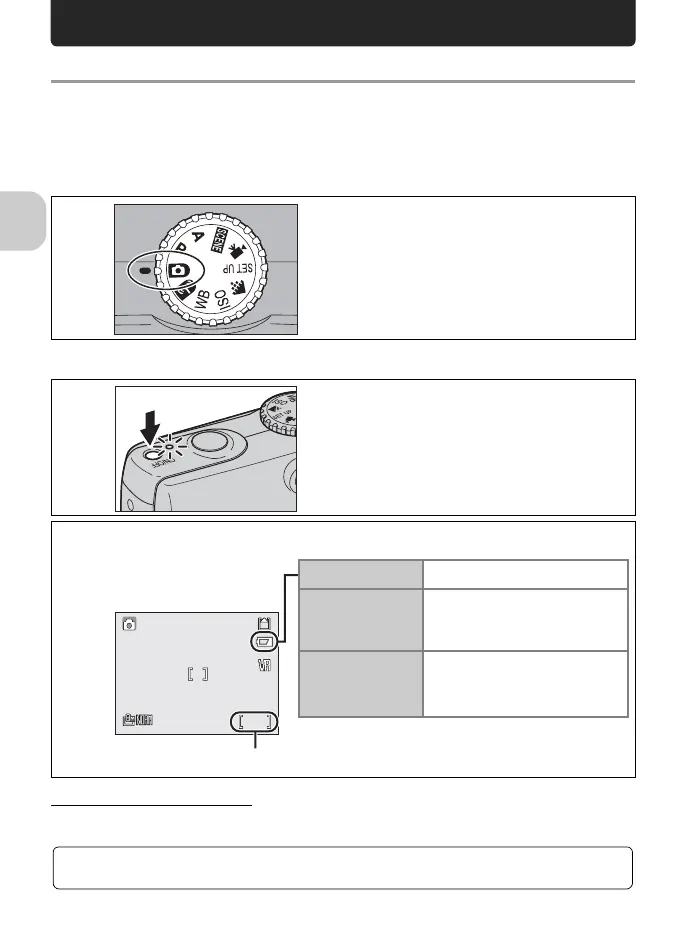
Step 1. Select X mode.
Step 2. Turn camera on.
Turning the Camera Off
After pressing the power switch to turn the camera off, the power-on lamp will go out.
1
Rotate mode dial to X.
2
Turn camera on.
The power-on lamp will light and the monitor will
turn on.
2
Check battery level and number of exposures remaining.
.1
.2
F2.7
1/60
120
F2.71/60
120
No icon
Battery is fully charged.
w
Battery is low.
Charging the battery is recom-
mended.
WARNING!!
BATTERY
EXHAUSTED
Battery is exhausted.
Charge the battery.
Number of exposures remaining
For more information, see “Image Quality/Size and Number of Exposures Remaining”
(P.145).















 To Next Page