84
Advanced Camera Settings – The Shooting Menu
This setting adjusts contrast for optimal results before storing pictures in the
internal memory or on the memory card.
This option automatically processes pictures to add sharpness and greater
definition to images.
Image Sharpening Effects
You cannot check the Image sharpening effects on the monitor while shooting. To see the results,
play back the picture.
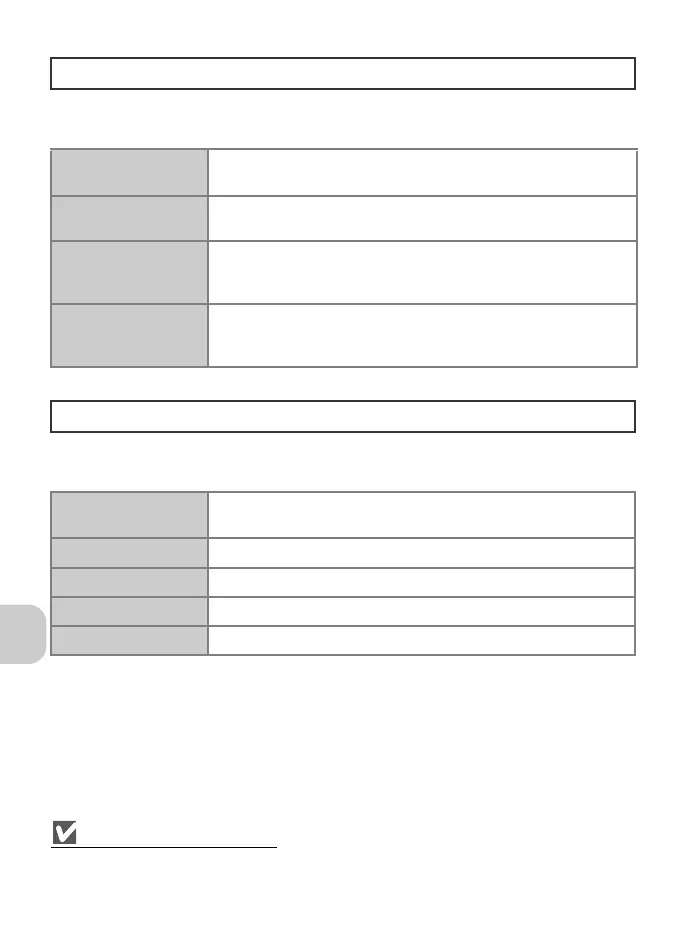
Image Adjustment
F
G Auto
(default setting)
Automatically adjusts contrast according to shooting conditions.
H
Normal
Performs the same standard contrast adjustment on all pictures.
Suitable for a wide variety of scenes, from dark to bright.
I
More contrast
Processes the picture to emphasize the difference between light
and dark areas, enhancing contrast. Useful when shooting under
overcast skies or for low-contrast subjects.
J
Less contrast
Processes the picture to decrease the difference between light and
dark areas, reducing contrast. Recommended when lighting is very
bright, creating strong shadows on the subject.
Image Sharpening
M
K Auto
(default setting)
Sharpens edges for optimal results; amount varies from shot to
shot.
L
High
Increases sharpness, making edges more distinct.
M
Normal
Performs a standard level sharpening on all images.
N
Low
Reduces sharpening below normal level.
O
Off
Turns sharpening off. Select if retouching pictures on a computer.















 To Next Page