49
Viewing Pictures on the Camera
Viewing Pictures on the Camera
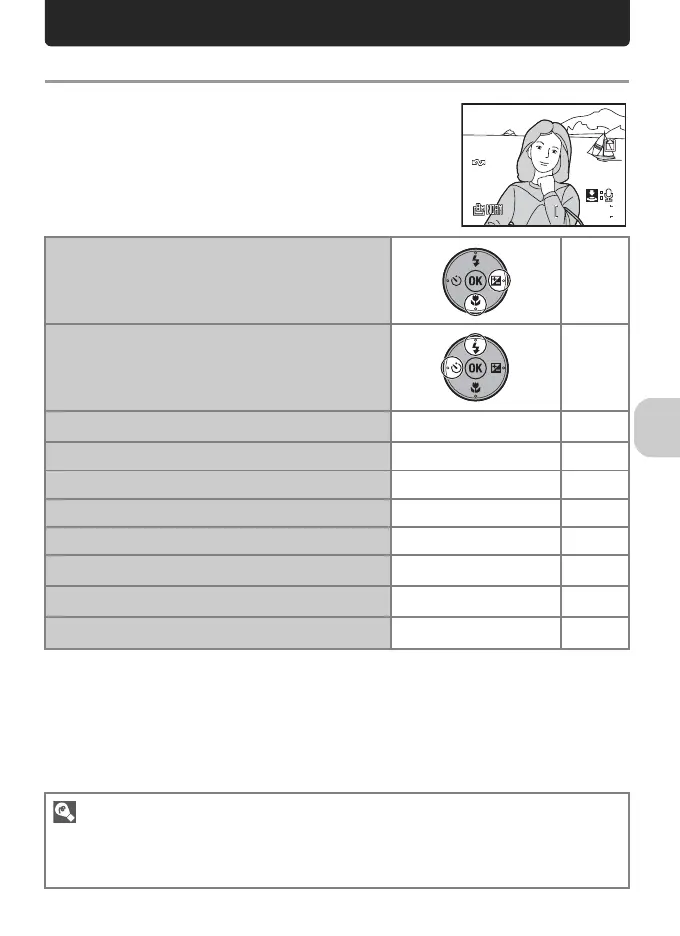
Full-screen Playback Mode
Press i in Shooting mode to view pictures in Full-
screen playback mode.
The following operations can be performed in this
mode.
View next picture
–
View previous picture
–
Delete picture
T
P.27
Zoom in
k (v)
P.52
View thumbnails
j (t)
P.50
View Playback menu
m P.76
Record/Play voice memo
Shutter-release button P.55
View histogram display (for still pictures)
d
P.51
Play movie (for movies)
d
P.60
Exit to Shooting mode
i
–
Viewing Pictures
• When the camera is off, pressing i for approximately one second will turn the camera on in
Full-screen playback mode.
• To view the pictures in the internal memory, remove the memory card.
11
100NIKON
0001.JPG
2006.05.15
15:30
2006.05.15
15:30
100NIKON
0001.JPG
1/
1/



 To Next Page
 Loading...










