- A ・ -
VBA18001-R.3719.A
logo�Q0440�forGraphic
070518�Gdesign�ito
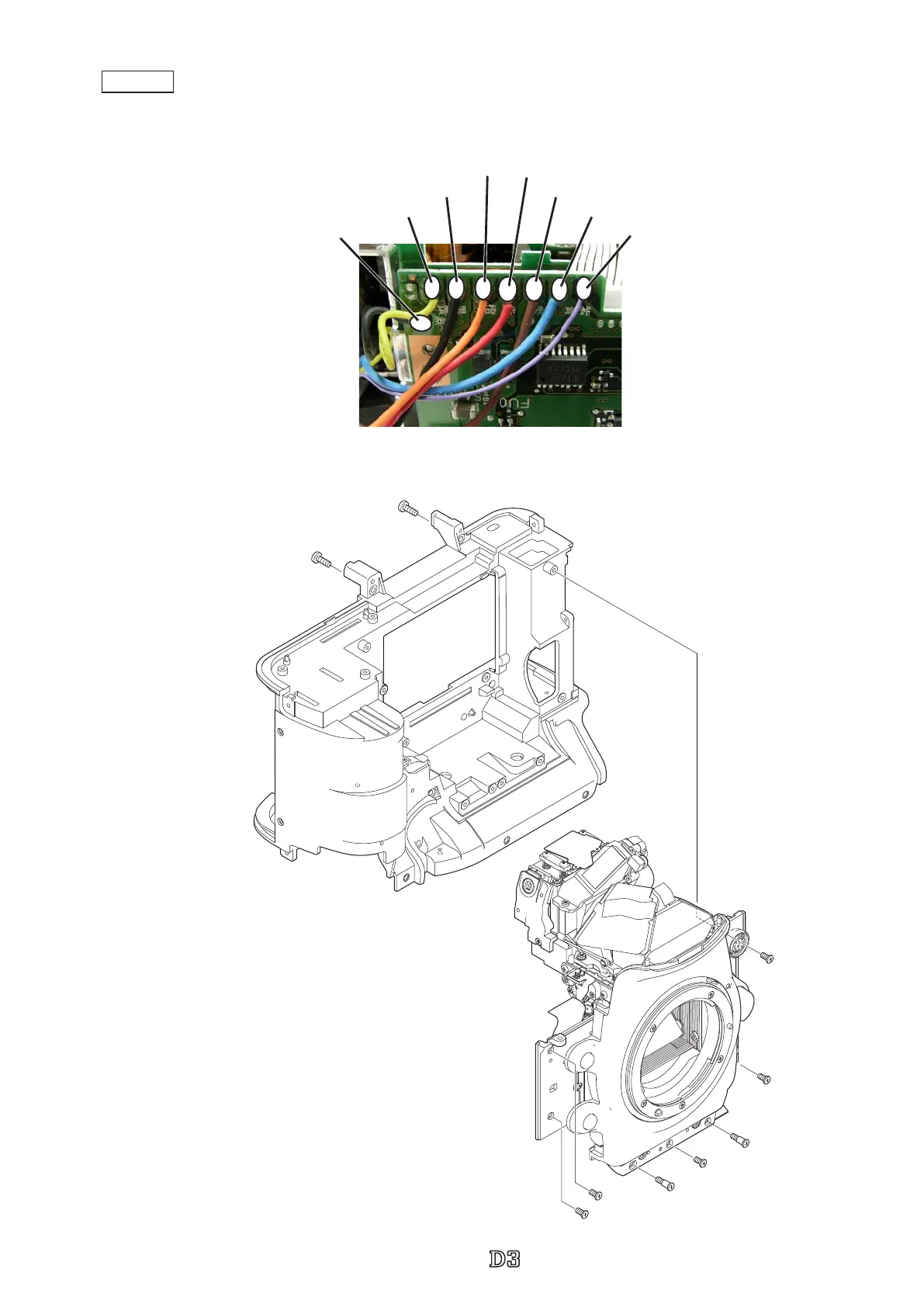
3.Mount Front body section on Rear body section
・
Solder eight wires.
DC/DC 2
#1514×5
③
⑤
⑦
⑥
④
#1534×2
#1579×2
・
Mount the front body.
・
Tighten two screws (#1579) and ve screws (#1514) in
numeric order from
①
to
⑦
.
・
Tighten two screws (#1534).
②
①
Black: Charge base plate unit
Black:DC/IN PCB section
Red:DC/IN PCB section
Blue: Battery contact base unit sectionYellow: Charge base plate unit
Orange:DC/IN PCB section
Brown: Battery contact base unit section
Violet: Battery contact base unit section



 To Next Page
 Loading...







