159
r
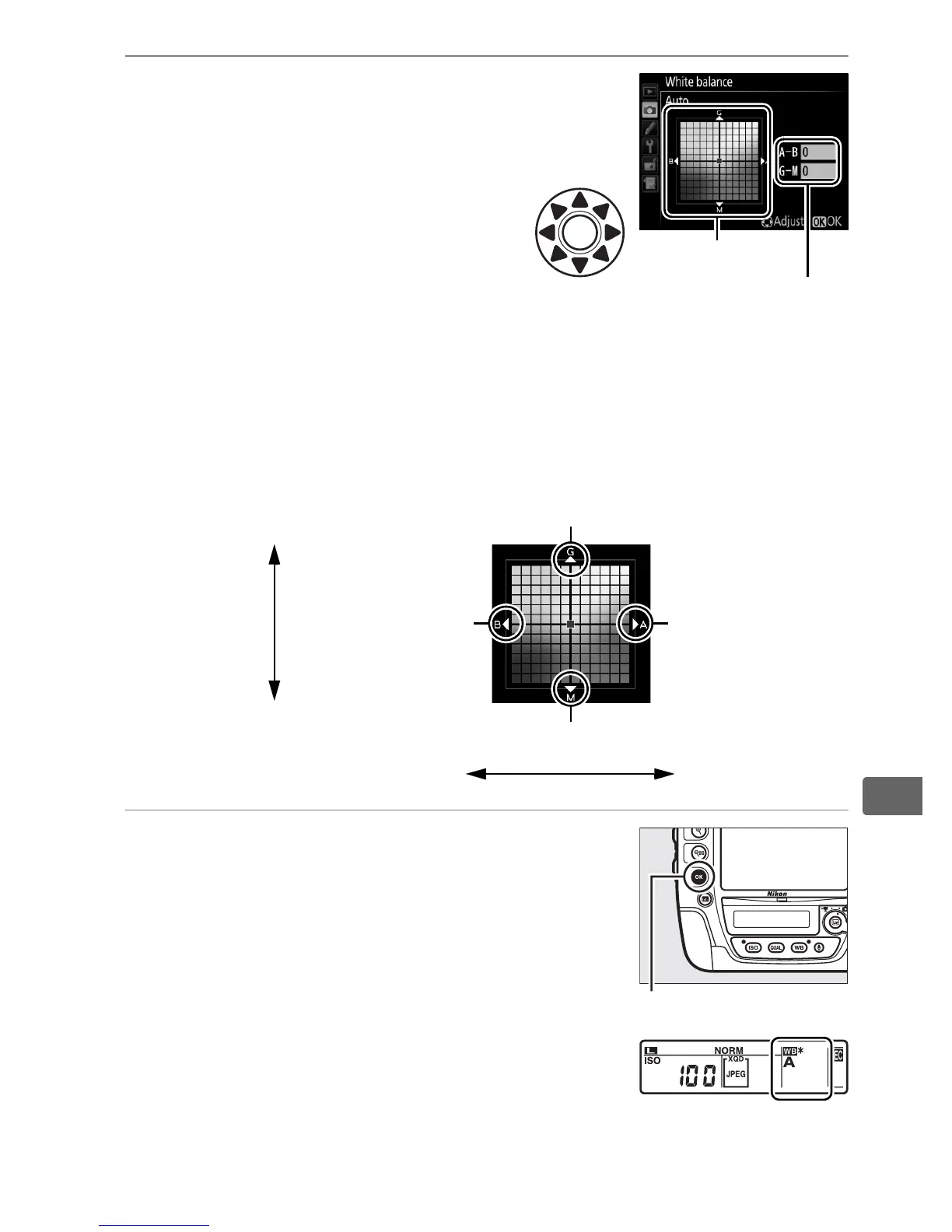
2 Fine-tune white balance.
Use the multi selector to fine-
tune white balance.
White
balance can be fine-tuned on
the amber (A)–blue (B) axis in
steps of 0.5 and the green (G)–
magenta (M) axis in steps of
0.25.
The horizontal (amber-
blue) axis corresponds to color temperature, while the vertical
(green-magenta) axis has the similar effects to the
corresponding color compensation (CC) filters.
The horizontal
axis is ruled in increments equivalent to about 5 mired, the
vertical axis in increments of about 0.05 diffuse density units.
3 Press J.
Press J to save settings and return to the
shooting menu.
If white balance has
been fine-tuned, an asterisk (“U”) will be
displayed in the rear control panel.
Adjustment
Coordinates
Increase green
Increase magenta
Increase blue Increase amber
Green (G)
Magenta (M)
Blue (B) Amber (A)
J button



 To Next Page