210
l
8 Release FV lock.
Press the button selected in Step 1 to release FV lock.
Confirm
that the FV lock icons (P and e) are no longer displayed in
the top control panel and viewfinder.
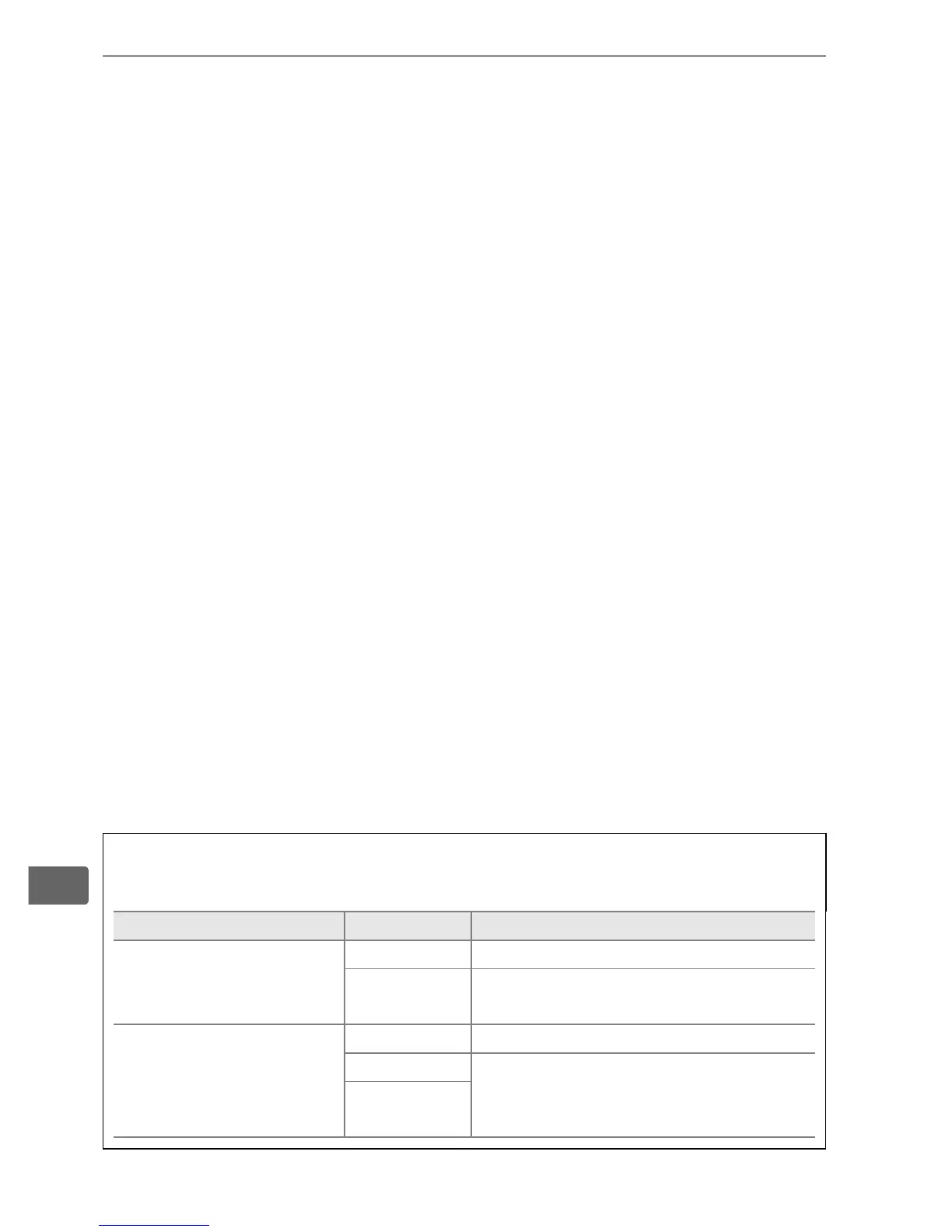
A Metering
The metering areas for FV lock are as follows:
Flash unit Flash mode Metered area
Stand-alone flash unit
i-TTL 6-mm circle in center of frame
AA
Area metered by flash exposure
meter
Used with other flash
units (Advanced
Wireless Lighting)
i-TTL Entire frame
AA
Area metered by flash exposure
meter
A (master
flash)



 To Next Page