293
U
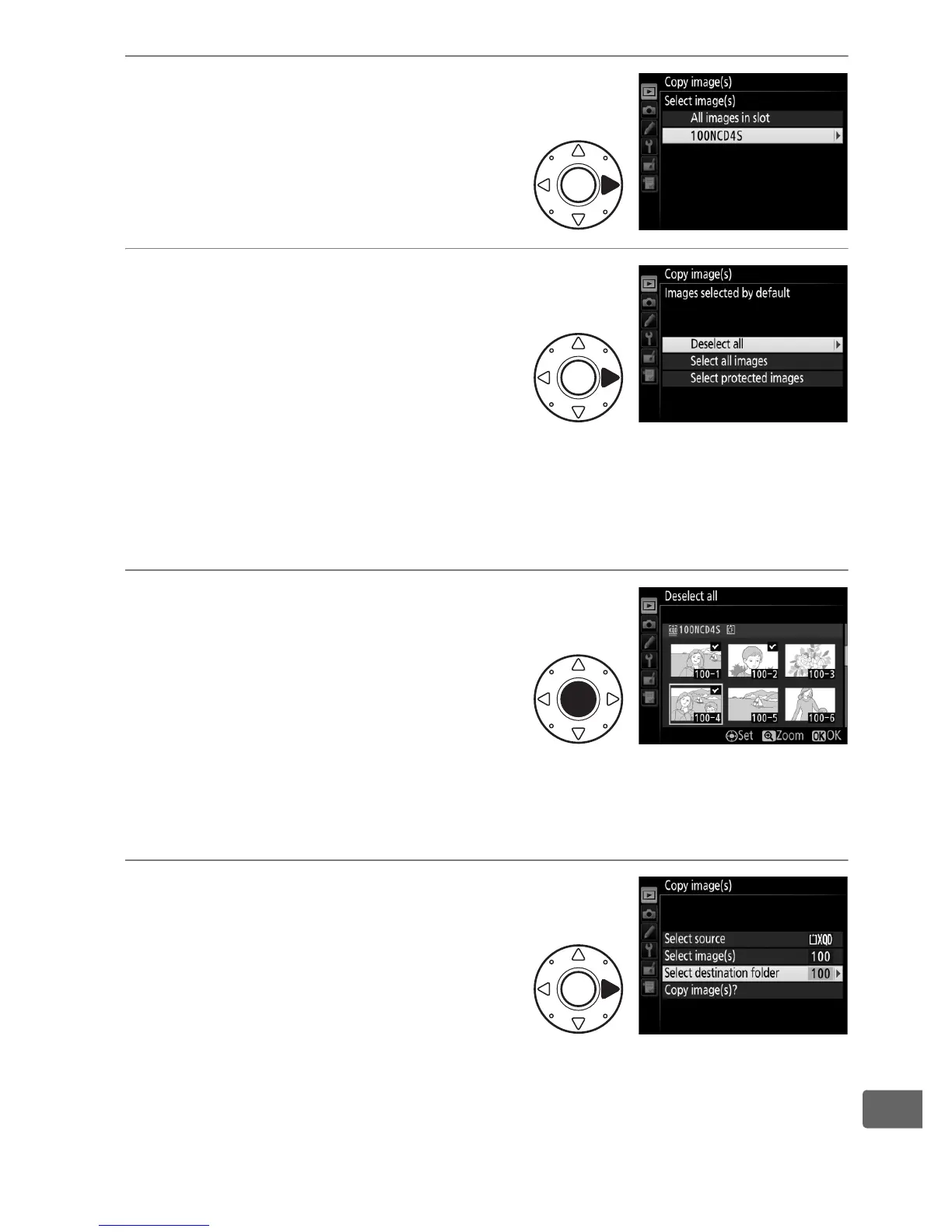
4 Select the source folder.
Highlight the folder containing
the images to be copied and
press 2.
5 Make the initial selection.
Before going on to select or
deselect individual images, you
can mark all or all protected
images in the folder for copying
by choosing Select all images
or Select protected images.
To mark only individually
selected images for copying, choose Deselect all before
proceeding.
6 Select additional images.
Highlight pictures and press the
center of the multi selector to
select or deselect (to view the
highlighted picture full screen,
press and hold the X button).
Selected images are marked with a L.
Press J to proceed to
Step 7 when your selection is complete.
7 Choose Select destination
folder.
Highlight Select destination
folder and press 2.



 To Next Page