18
Mount Lens
2
2.2
Turn the power switch off and
mount the lens to the camera
body.
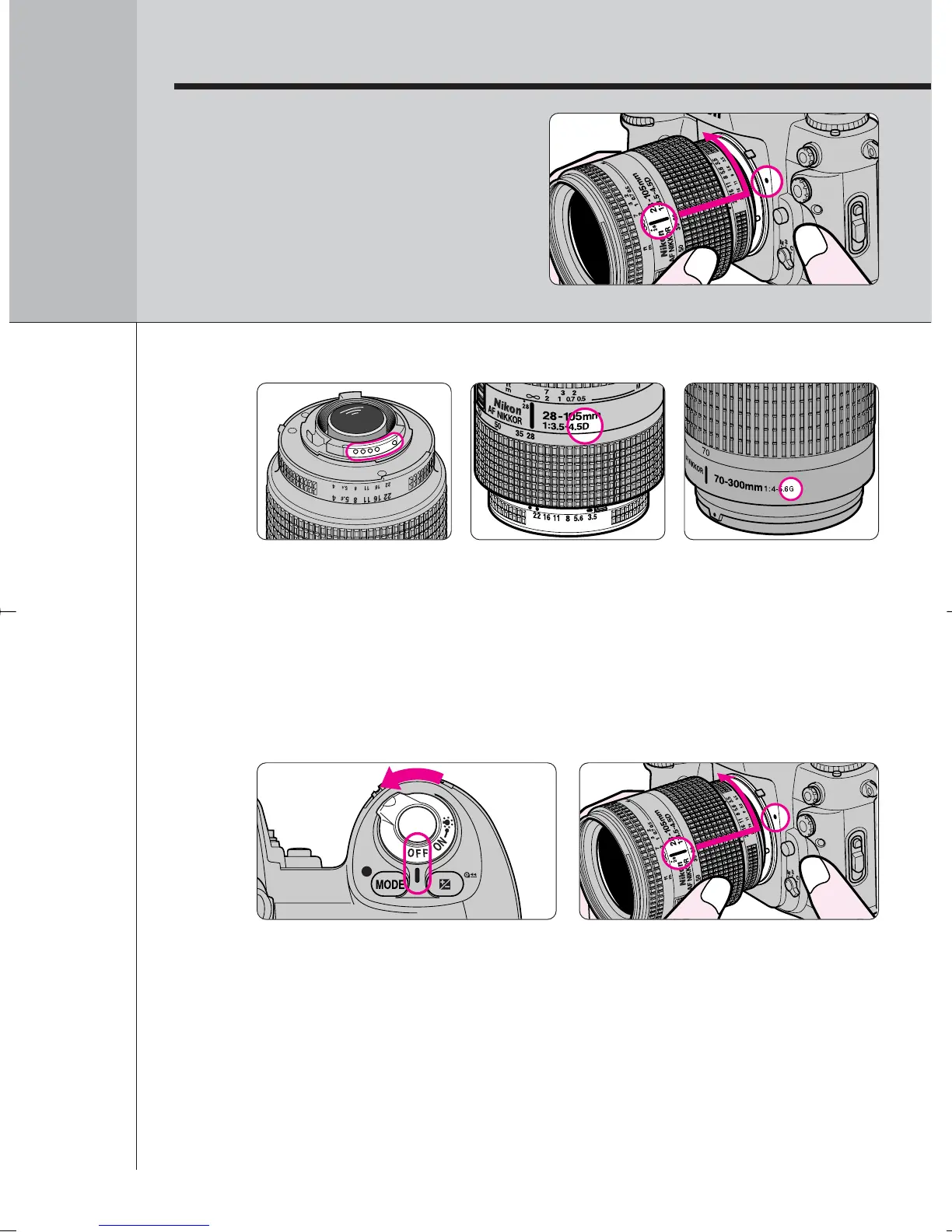
Turn the power switch off and mount the lens to the
camera body.
• Position lens in the camera’s bayonet mount so that the mounting
indexes on lens and camera body are aligned, then twist lens
counterclockwise until it locks into place. (Be sure not to touch the lens
release button.)
• When the lens is not attached or when a non-CPU lens (page 32) is
attached and the power switch is turned on, ƒ-- appears in the LCD
panel and viewfinder. (Exposure mode indication ¡ or ™ also blinks in
Programmed Auto or Shutter-Priority Auto exposure mode. Page 46/48.)
2.1
Check the lens type.
Å CPU Nikkor lens other than G-type (Illustration is D-type Nikkor lens),
with aperture ring
Í G-type Nikkor lens, without aperture ring
CPU contacts of CPU
lens
Å CPU Nikkor lens
other than G-type
Í G-type Nikkor lens
F100_En_16 7/8/05 8:06 PM Page 18



 To Next Page