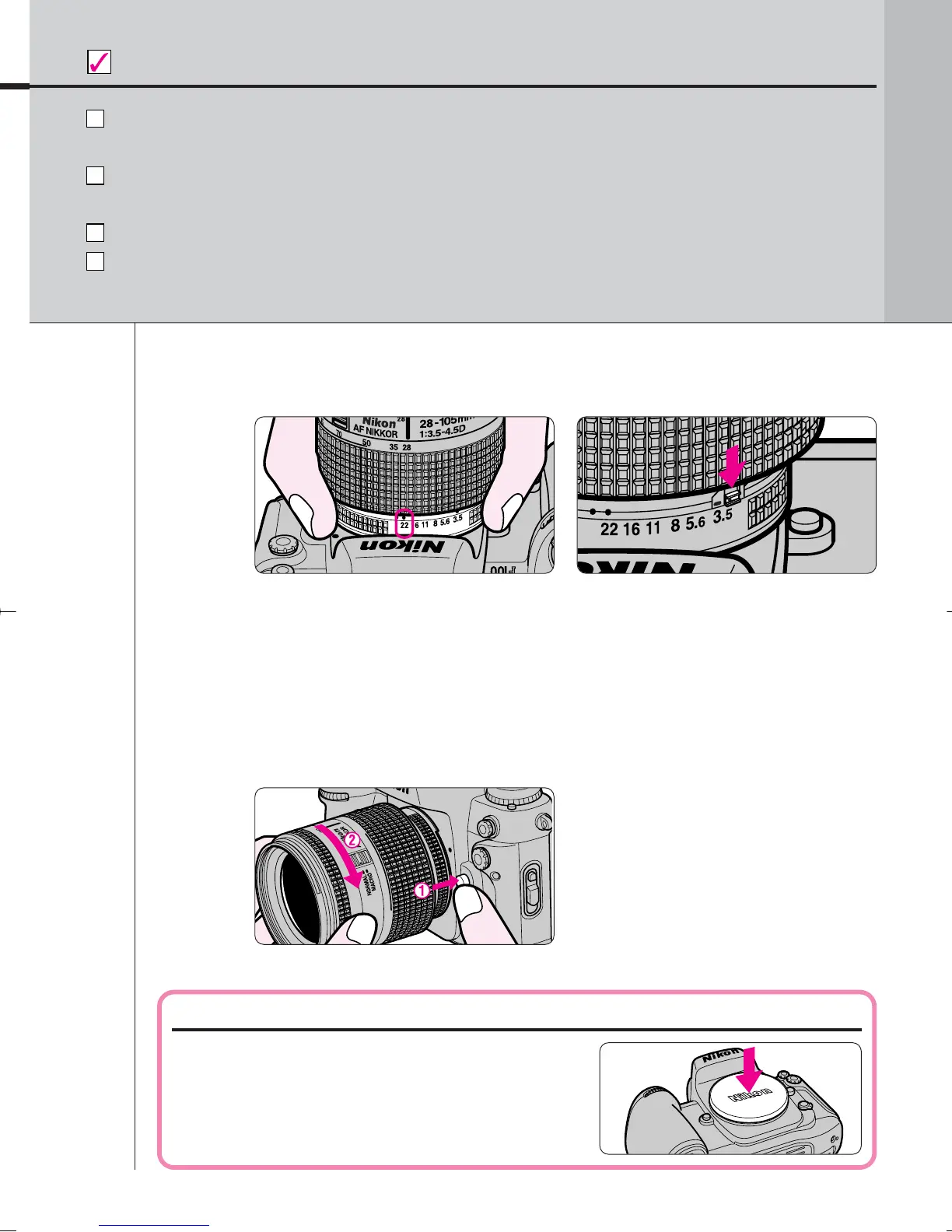
• Push and hold the lens release button Å, then turn the lens clockwise Í.
19
BASIC OPERATION
2.3
2.4
Use D- or G-type AF Nikkor lens to utilize all the functions of this
camera. (See page 32 for Lens Compatibility.)
Make sure to turn the power switch off when attaching/detaching the
lens.
When attaching the lens, take care not to press the lens release button.
Avoid direct sunlight when attaching/detaching the lens.
Check points
Detaching the lens.
When camera is left unattended without lens
When you leave the camera unattended
without a lens attached, be sure to attach
the supplied body cap (page 3), or optional
body cap BF-1A. (BF-1 body cap cannot be
used.)
• When CPU Nikkor lens other than G-type is not set to its minimum aperture setting and
the power switch is turned on, ƒEE blinks in the LCD panel and viewfinder and the
shutter cannot be released.
• With CPU Nikkor lens other than G-type, lock the lens aperture (except in case setting the
aperture with the lens aperture ring) (page 75).
• The G-type Nikkor lens has no aperture ring; aperture should be selected from camera
body. Unlike other CPU Nikkor lens, aperture does not need to be set to minimum.
With CPU Nikkor lens with aperture ring (other than G-
type), set the lens aperture to its minimum and lock.
F100_En_16 7/8/05 8:06 PM Page 19



 To Next Page