66
Changing Camera Back (Data Back MF-29)
• Optional Data Back MF-29 is available for the F100.
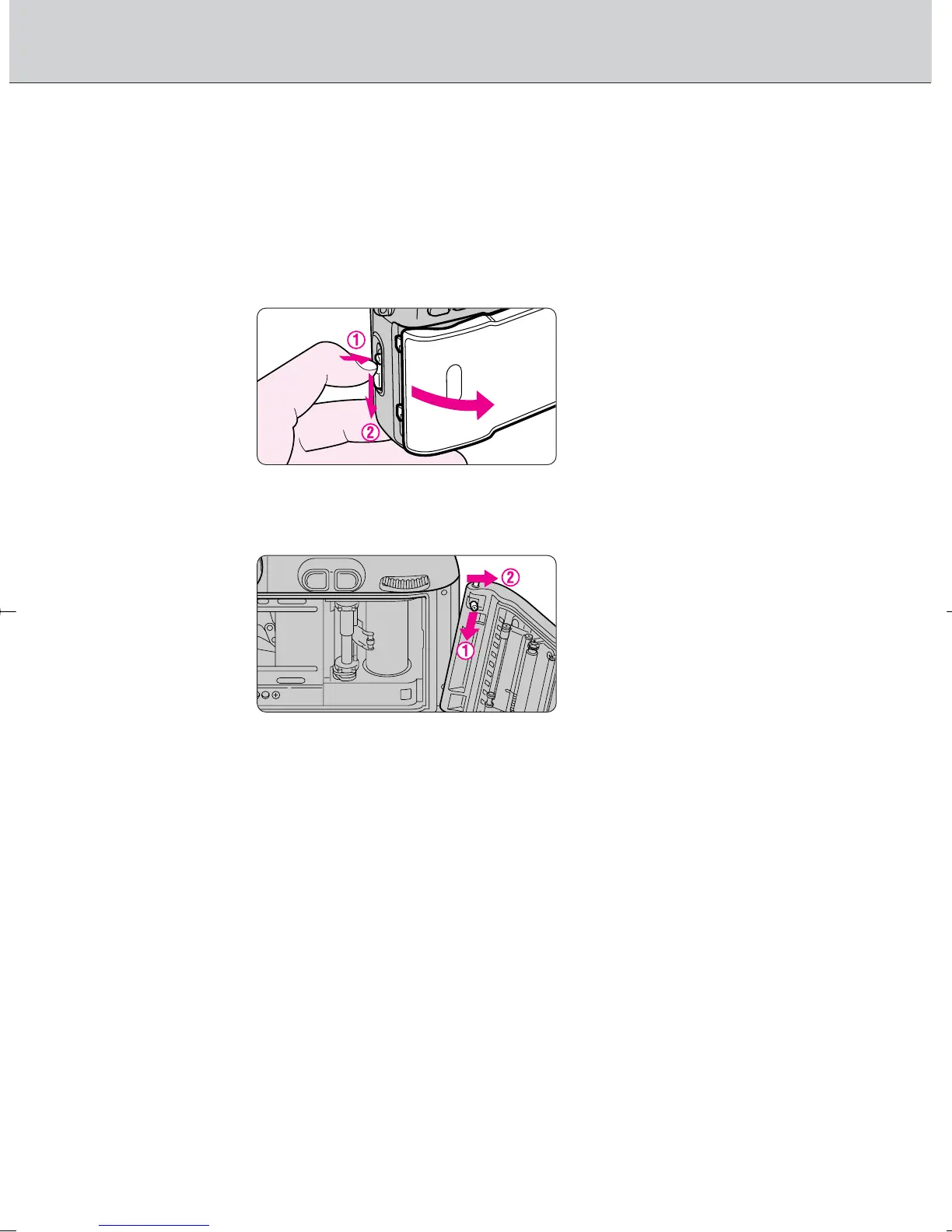
Confirm through the film confirmation window that no film is loaded.
1
Open the camera back by sliding the camera back
lock release lever while pressing the camera back
lock release.
2
Remove the camera back by tilting it to the right while
pressing the camera back release pin.
• Be sure not to touch the camera back contacts, film pressure plate or film
pressure roller. If these parts become dirty, it may result in damage to the
film or interference with data transmission between the camera back and
body.
• To attach the camera back, attach it while pressing the camera back
release pin. See the instruction manual of the Data Back MF-29 for details.
F100_En_16 7/8/05 8:06 PM Page 66



 To Next Page