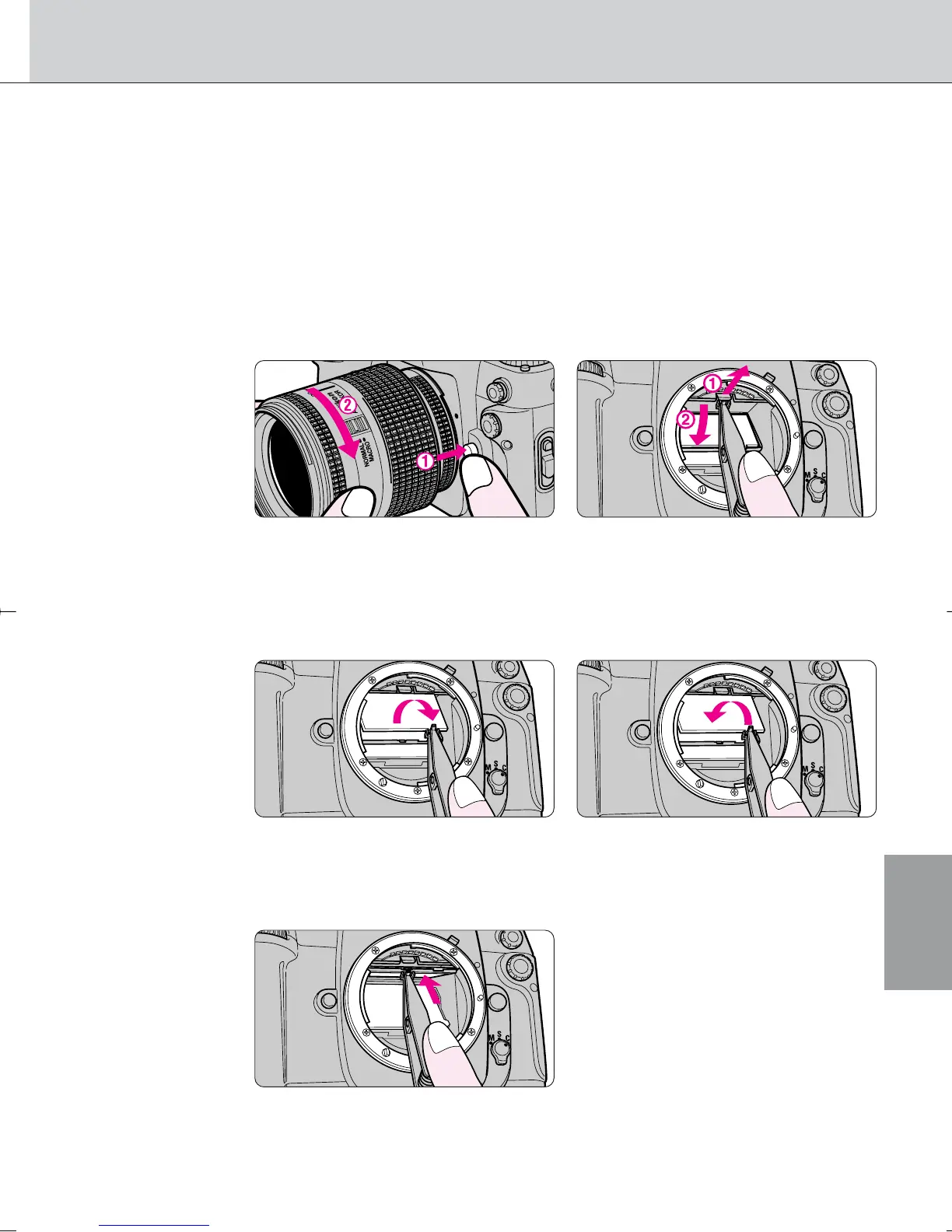
Changing Focusing Screens
Composition
• In addition to the B-type BriteView screen supplied with the F100
camera, an E-type clear Matte/Fresnel screen with grid is available as
an option. This screen is suitable for copying and architectural
photography.
1
Remove the lens from the camera body and pull the
focusing screen release latch outward using the
supplied tweezers.
• The holder will spring open when the focusing screen release latch is pulled
outward using the tweezers.
2
Remove the screen by grasping the small tab with the
tweezers, and set the replacement screen in place.
• Make sure the screen is in its proper place.
3
Using the tweezers, push the front edge of the holder
upward until it clicks into place.
• Be sure not to touch the reflex mirror or the surfaces of the focusing
screens.
• Always use F100 focusing screens (focusing screens for other cameras
cannot be used).
65
F100_En_16 7/8/05 8:06 PM Page 65



 To Next Page