38
AF Area Mode
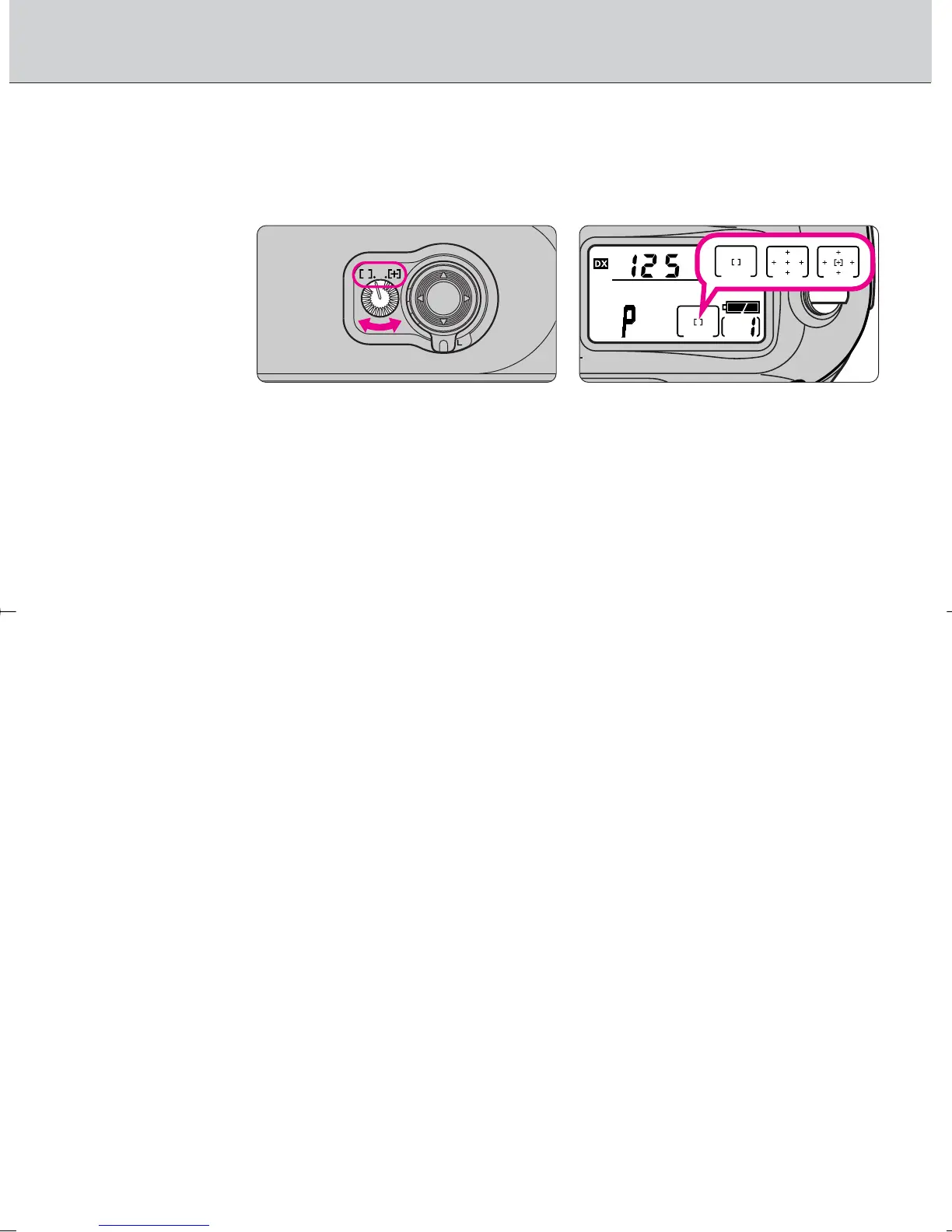
• Autofocus operation lets you select Single Area AF that uses one focus
area selected or Dynamic AF that also utilizes the other four focus areas.
Rotate AF area mode selector to select AF area mode.
• k appears when the Single Area AF is selected and j or J appears when
Dynamic AF is selected in the LCD panel.
g
: Single Area AF
With Single Area AF, only the focus brackets selected among five focus
areas is used for autofocus. This mode is useful for achieving accurate
focus on a selected focus brackets when shooting a relatively stationary
subject.
©
: Dynamic AF
In Dynamic AF, you designate the primary sensor (the first to detect the
subject), then if the detected subject moves, Dynamic AF automatically
shifts to the next sensor that detects the subject, then the next again,
shifting among the progression of sensors as the subject moves. Dynamic
AF thereby follows and maintains accurate focus even on subjects that
move irregularly. (Viewfinder indication does not change as sensoring
shifts in Dynamic AF mode.) Dynamic AF Mode with Closest Subject
Priority can also be activated in Dynamic AF mode. See next page.
F100_En_16 7/8/05 8:06 PM Page 38



 To Next Page