80
Flash Sync Mode Features
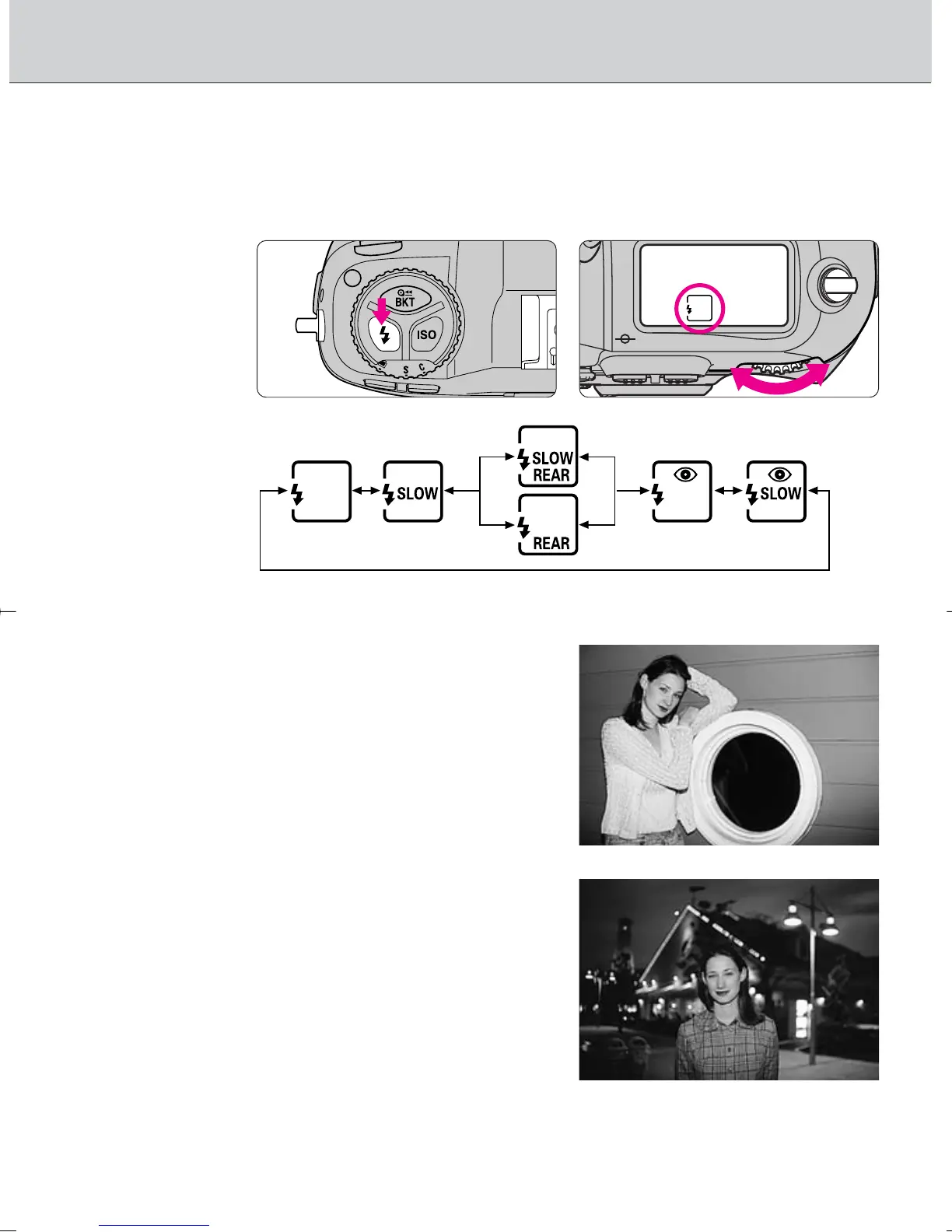
• Five flash sync modes are available with the F100.
Set the flash sync mode by rotating the Main-Command
Dial while pressing the flash sync mode button.
∞: Front-Curtain Sync
Set the flash sync mode to Front-Curtain
Sync for normal flash photography. (With
SB-26, SB-25 and SB-24, set the
Speedlight’s sync mode selector to
NORMAL.)
¤: Slow Sync
Normally, the camera’s shutter speed is
automatically set to 1/60 to 1/250 sec. for
flash photography in Programmed Auto or
Aperture-Priority Auto exposure mode.
However, for shooting nighttime scenes,
Slow Sync uses a slower shutter speed
(down to 30 sec.) to bring out background
details using all of the available light.
F100_En_16 7/8/05 8:06 PM Page 80



 To Next Page