29
7.3
Focus, shutter speed and aperture can be confirmed in the
viewfinder. If any other warning indications appear, see page 46.
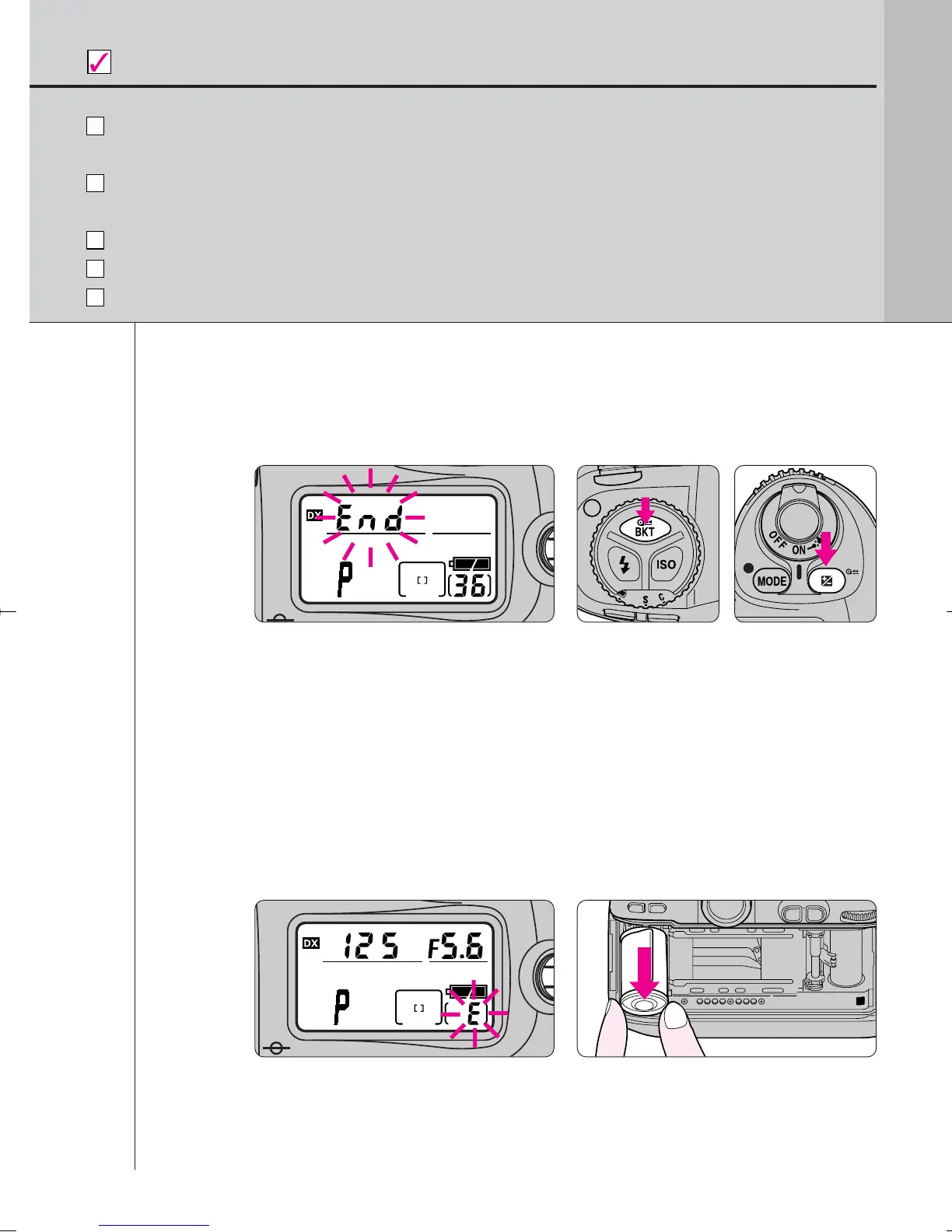
When you reach the end of the film roll, End blinks in the LCD panel.
Press the two film rewind buttons „ simultaneously to rewind film.
For mid-roll rewind, see page 34.
For self-timer operation, see page 67.
For remote control operation, see page 94.
Check points
BASIC OPERATION
When you reach the end of the film roll, End blinks in
the LCD panel. Press the two film rewind buttons „
simultaneously for approx. 1 sec. to rewind film.
• o–– blinks in the LCD panel during film rewind and the frame counter
counts down backwards until rewind is complete.
• Pictures taken on frames beyond the indicated number of the exposures
for the film roll may be discarded in the process of developing.
· 1: Film rewind can be changed to start automatically when the end of
a film roll is reached (page 71).
7.4
Confirm that film is completely rewound, then
remove film cartridge.
• Film is completely rewound when the frame counter shows blinking “E”.
(E appears without blinking when the exposure meter is off.) Open the
camera back away from sunlight and remove the film cartridge by tilting it
to one side.
F100_En_16 7/8/05 8:06 PM Page 29



 To Next Page