B–15
B
Operation
Custom Functions and Settings
Setting My Menu
When a custom settings page is displayed, only the custom settings items that are
set as My Menu are displayed on the LCD.
My Menu items can be changed any time. •
To display all items, select “FULL” in the My Menu setting in the custom settings.•
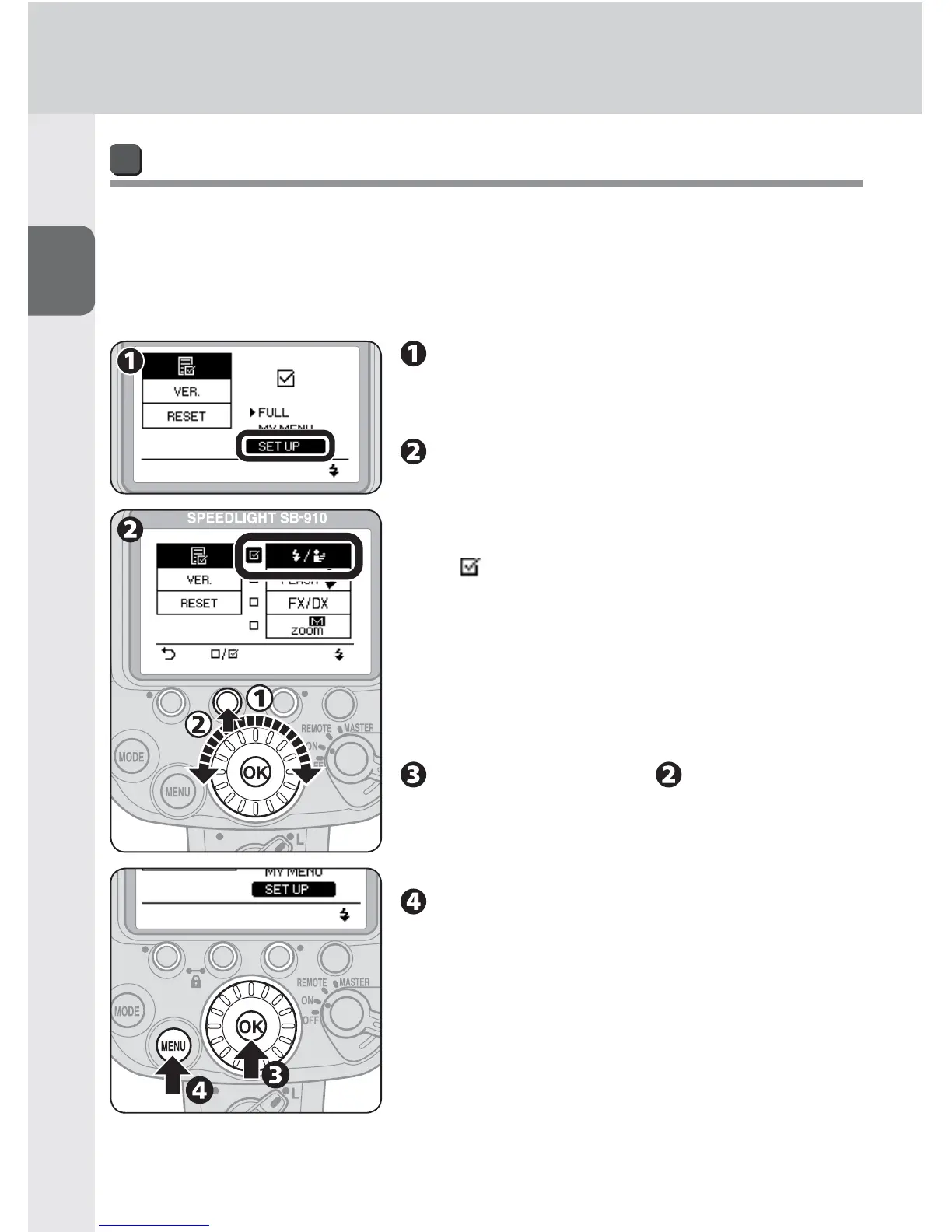
Select “SET UP” in My Menu
setting in the custom settings, and
press the [OK] button.
Select custom settings item to be
set as My Menu with the selector
dial, and press function button 2.
The selected item will have a ticked check box •
( ).
No check box appears for an item that cannot •
be selected.
To untick a check box, press function button •
2 again.
To return to My Menu setting without saving, •
press function button 1.
Repeat procedure to set all
desired items, and then press the
[OK] button to return to My Menu
setting.
Press the [MENU] button to close
custom settings.
The LCD returns to normal display.•



 To Next Page