D–16
D
Wireless Multiple Flash-unit Photography
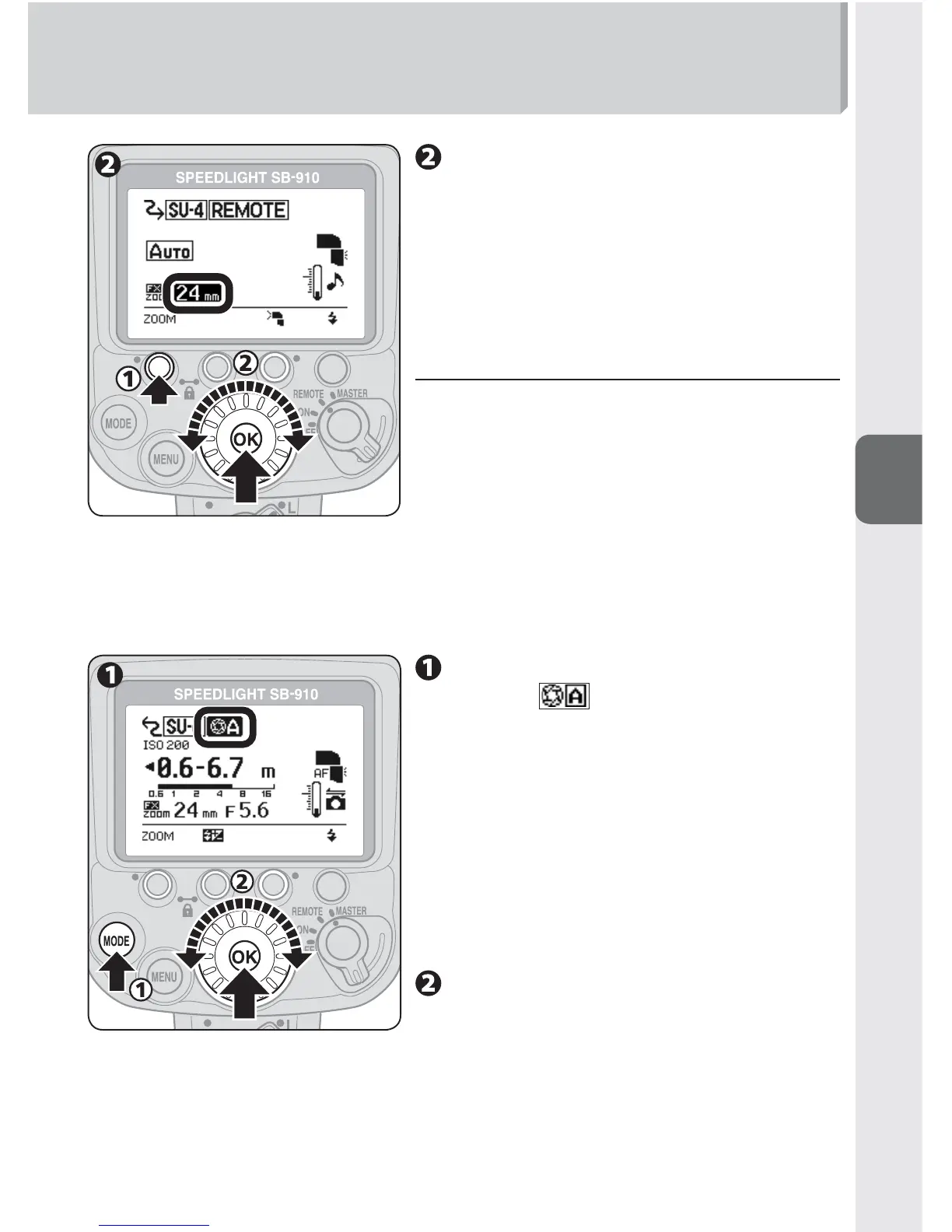
Press function button 1 to
highlight the zoom head
position, choose a zoom head
position with the selector dial,
and then press the [OK] button.
t Setting fl ash output level in M
mode
In M mode, set the fl ash output level with
function button 2.
2. Master flash unit setting (flash mode)
[Setting auto aperture flash mode (example)]
Press the [MODE] button,
choose
with the selector
dial, and press the [OK] button.
When the remote flash unit flash mode •
is AUTO (auto), set the master flash unit
flash mode to auto aperture flash, non-
TTL auto flash, distance-priority manual
flash or manual flash. (0D-4)
When the remote flash unit flash mode •
is M (manual), set the master flash unit
flash mode to manual flash.
Confi rm the fl ash-ready
indicator is on, and then shoot.



 To Next Page