E–10
E
Functions
Taking Close-up Photographs
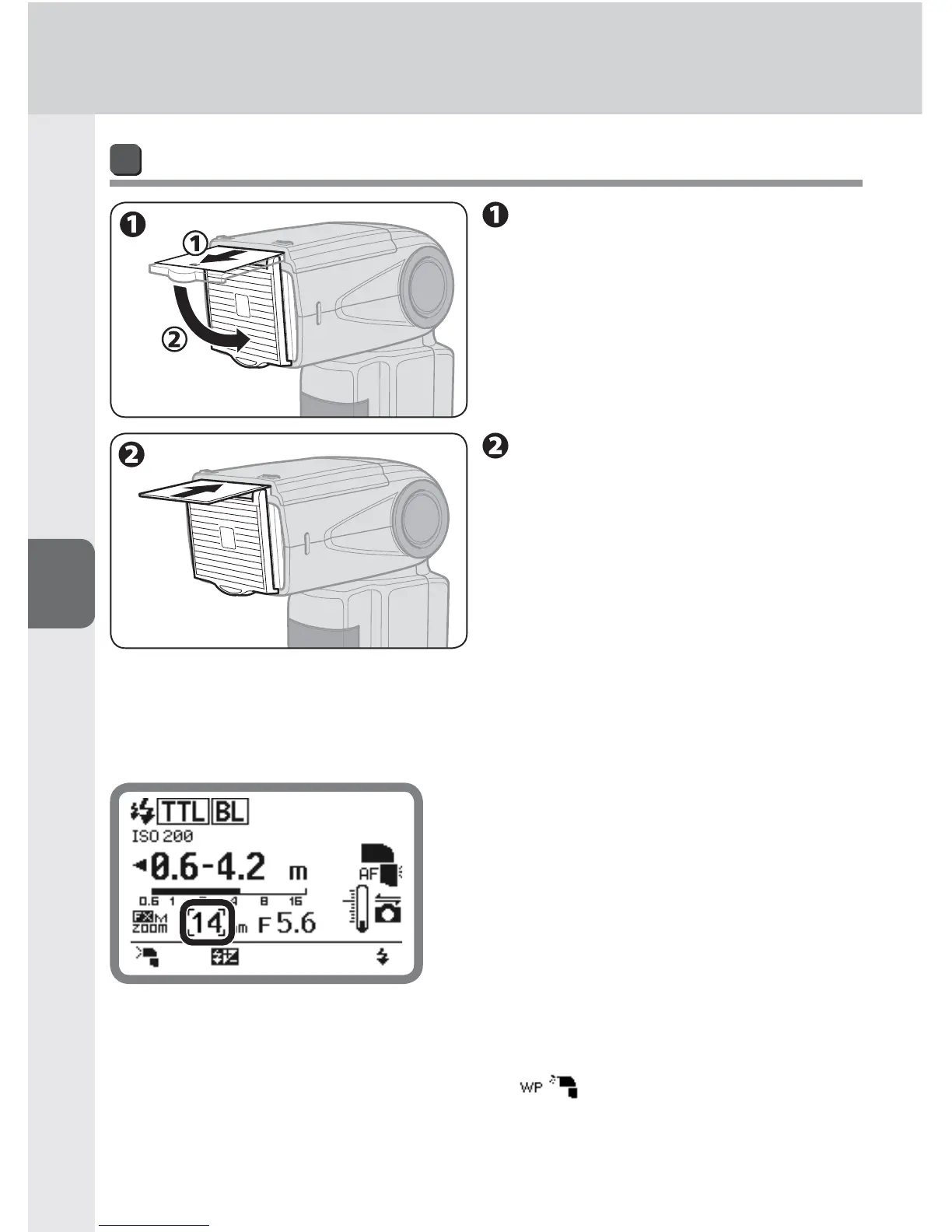
Setting the built-in wide panel
Carefully pull the built-in
wide panel all the way out
and position it over the
fl ash panel.
Slide the bounce card back
into place inside the fl ash
head.
To replace the built-in wide panel, lift it up and slide it into the flash head as far •
as it will go.
Zoom head position indicator
When the built-in wide panel is attached, •
the zoom head position is automatically set
depending on the camera’s image area and
illumination pattern. The zoom head position
is set at 12 mm, 14 mm or 17 mm in FX
format, and 8 mm, 10 mm or 11 mm in DX
format. (0H-17)
The illumination pattern can be changed •
with function button 1. (0E-3)
In the event that the built-in wide panel breaks, the zoom head position can be •
set manually. This is done by selecting the “ ” icon in the custom settings
(0B-20) and choosing “ON.”



 To Next Page