EasyManua.ls Logo

Nikon T-RCP - User Manual

Nikon T-RCP
79 pages
Print Icon
To Next Page IconTo Next Page
Loading...
M314E 04.7.CF.3(5/5)
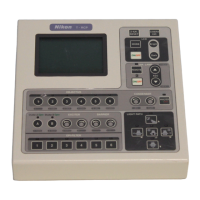
T-RCP Remote Control Pad
Instructions

Table of Contents

Questions and Answers

  • J
    Jennifer McguireSep 9, 2025
    How to fix Nikon Remote Control when barrier filter information is not indicated?
    • K
      Kenneth WoodsSep 10, 2025
      If the barrier filter information is not indicated, the barrier filter changeover might not be correctly connected to the HUB controller. To correct this, turn OFF the power to the HUB controller, disconnect the barrier filter changeover from the HUB controller, and then reconnect it. It's also possible that the indication of the information for the barrier filter is OFF; in that case, turn ON the indication function for the information on the barrier filter.
  • H
    hessaudreySep 12, 2025
    What to do if revolving nosepiece doesn’t rotate at a certain position of the fine focus knob on Nikon?
    • A
      Angela GonzalezSep 12, 2025
      If the revolving nosepiece doesn’t rotate at a certain position of the fine focus knob, the revolving nosepiece rotation may be restricted. To solve this, cancel the rotation restriction.
  • R
    rebecca23Sep 14, 2025
    What to do if opening/closing status of Uniblitz shutter doesn’t coincide with LED indication on Nikon?
    • D
      Dustin StewartSep 14, 2025
      If the opening/closing status of the Uniblitz shutter doesn’t coincide with LED indication, the Uniblitz shutter controller might not be in the N.C. mode. To fix this, place the Uniblitz shutter controller into N.C. mode.
  • S
    Scott CampbellSep 16, 2025
    What to do if the buzzer doesn’t sound when a key is pressed on Nikon T-RCP Remote Control?
    • E
      Eric StoneSep 16, 2025
      If the buzzer doesn’t sound when a key is pressed, the buzzer may be OFF. To resolve this, turn the buzzer ON.

Nikon T-RCP Specifications

General IconGeneral
BrandNikon
ModelT-RCP
CategoryRemote Control
LanguageEnglish

Related product manuals