OCM Pro CF
page 84 OCM Pro CF - Rev. 09 as of 07.06.2016
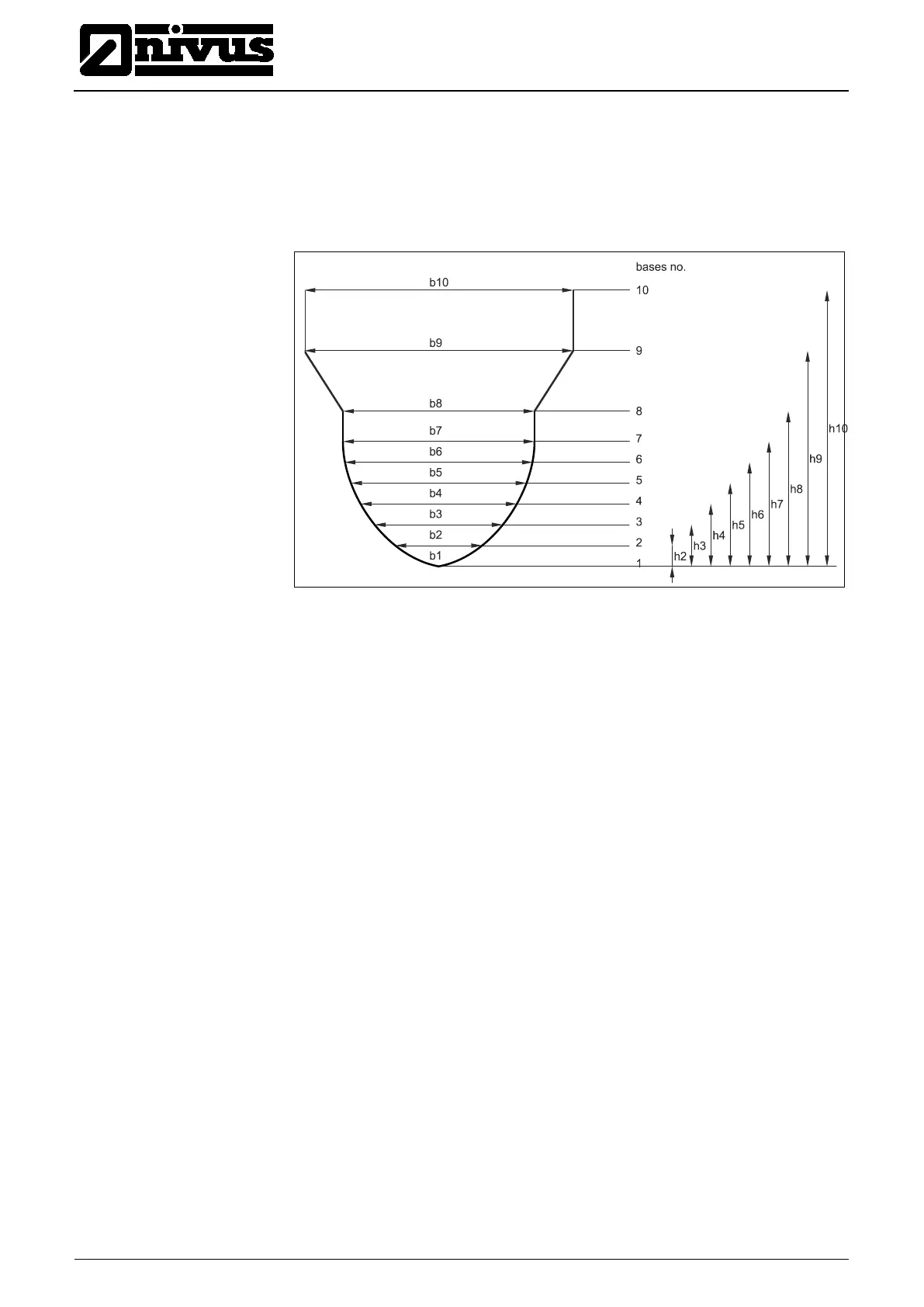
There may be different distances between individual level points. Furthermore it
is not necessary to use all of the 32 breakpoints possible.
The OCM Pro however is going to use a linearization function between the sin-
gle breakpoints. Decrease the distance between breakpoints in case of heavy
and irregular changes in the channel dimensions.
Fig. 9-28 Custom profile breakpoints
If the channel profile has been divided in two zones, the channel profiles below
are available to be set:
- Pipe
- Egg
- Rectangle
- U-Profile
- Trapezoid
- 2r Egg
- Q=f(h)
-
Dividing in three zones will reveal the following setting options:
-
- Egg
- Rectangle
- U-Profile
- Trapezoid
- 2r Egg
- Q=f(h)
-
-



 To Next Page