OCM Pro CF
OCM Pro CF - Rev. 09 as of 07.06.2016 page 83
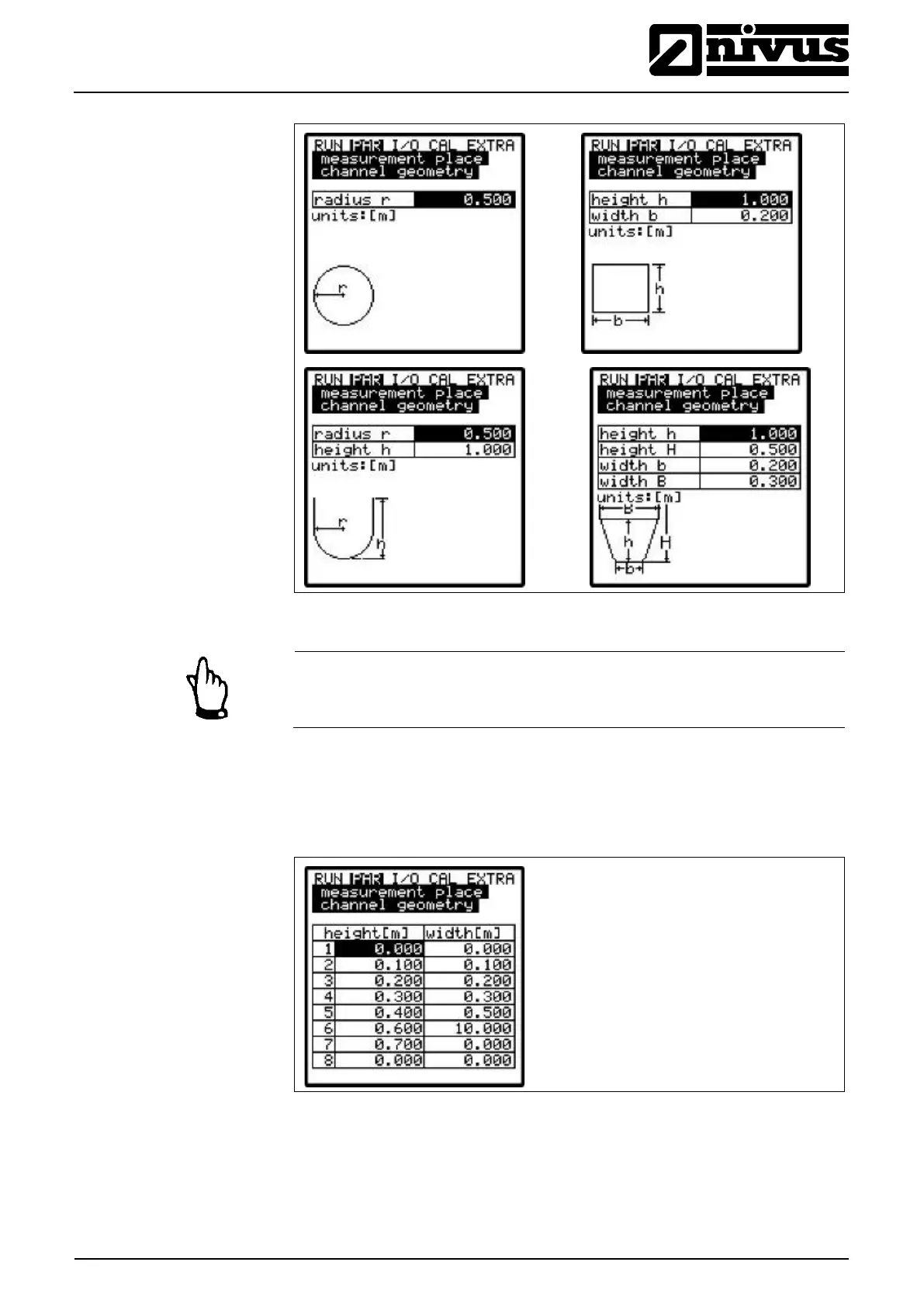
Fig. 9-26 Screens showing various channel dimensions
Note
Please observe indicated units when entering values!
Choosing >Custom shape< will indicate a table containing a maximum of 32
possible breakpoints on the display. As described above, enter the relations be-
tween >height-width< or >height-area< (Fig. 9-25) and enter the according value
pairs.
Fig. 9-27 List of custom shape breakpoints
To define the zero point of the channel, start by entering 0 – 0 in breakpoint 1.
All further breakpoints can be set freely regarding height as well as width/area.



 To Next Page