OCM Pro CF
OCM Pro CF - Rev. 09 as of 07.06.2016 page 95
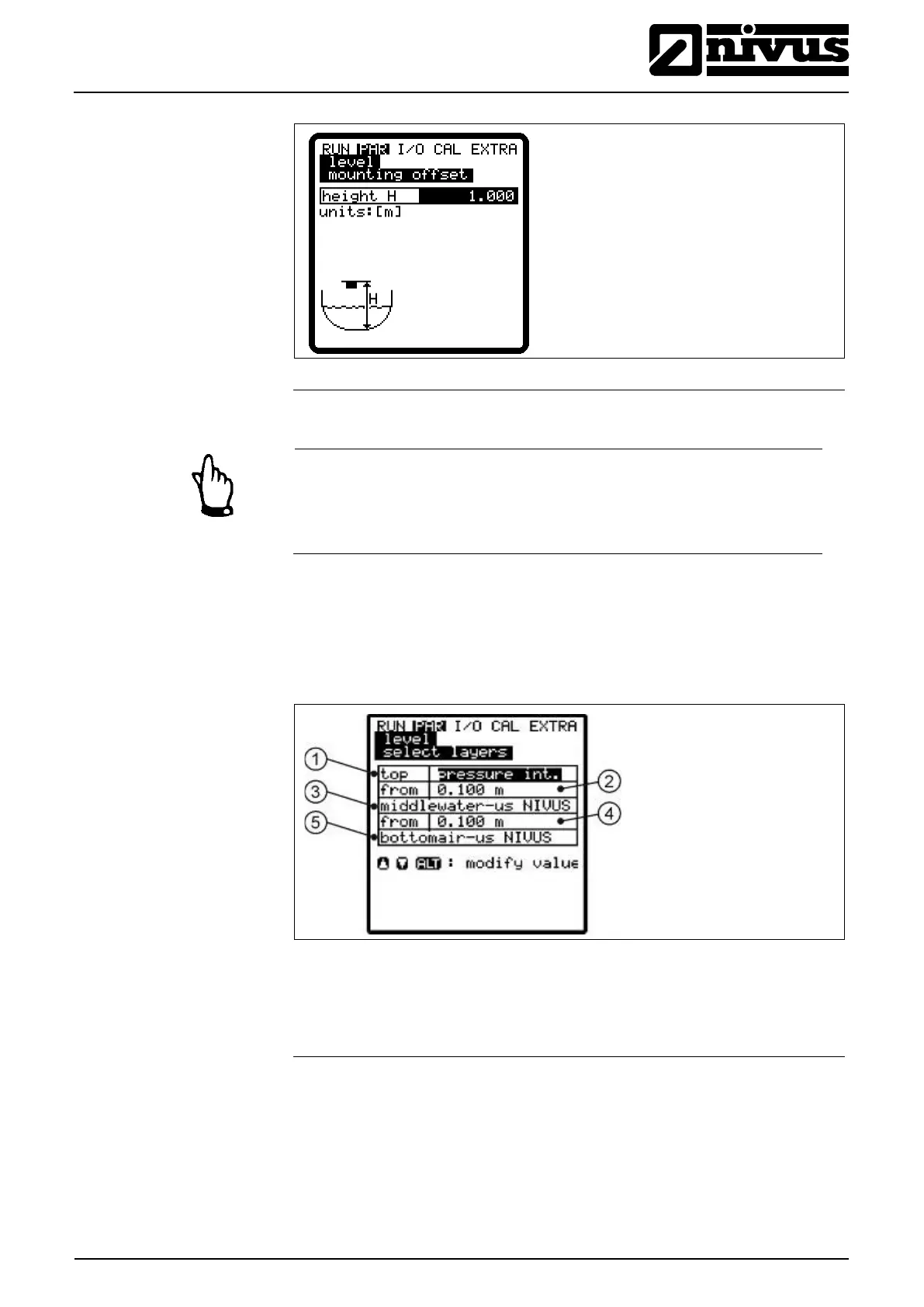
1 height h: mounting height sensor type air-US-NIVUS
Fig. 9-46 Mounting height level sensor in case of selection air-US NIVUS
Note
As soon as the mounting height of pressure or water-US sensors is
changed, the mounting height in the PAR/Flow velocity menu must be ad-
justed by the same amount!
This parameter will be indicated only if a sensor combination has been selected.
The OCM Pro CF automatically aligns the sensors to partial layers.
Layer borders however may be defined freely as well. Use the >ALT<-key to do
this. Determine the threshold levels between the layers using the box in the
>from< line.
1 Top layer sensor
2 Threshold level between middle and top layers
4 Threshold level between middle and bottom layer.
5 Bottom layer sensor Sensor
Fig. 9-47 Select layers
After being selected the level sensors will be indicated on the screen.



 To Next Page