Connect signal generator to RF connector and use appropriate frequency for each channel.
Steps
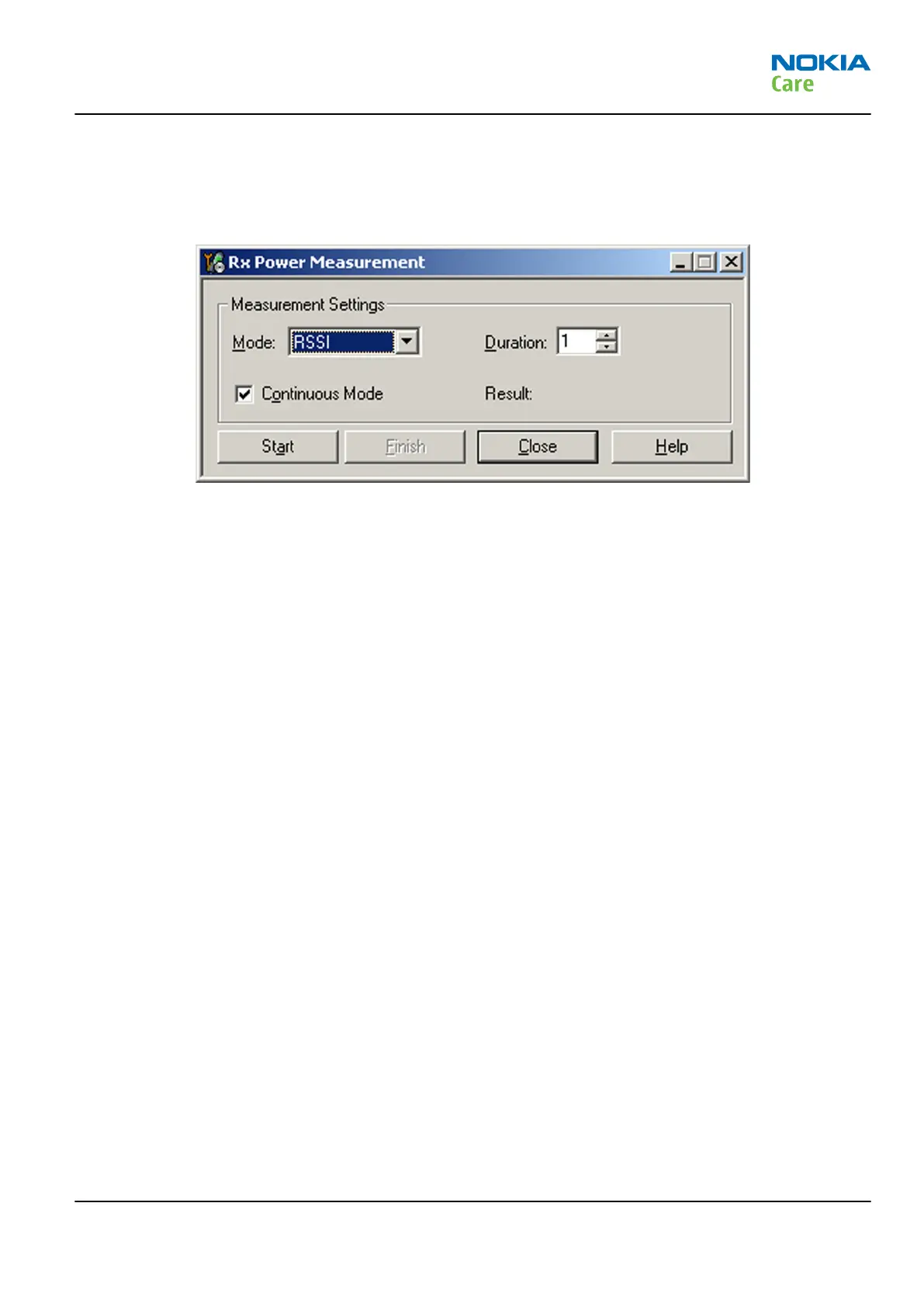
1. In Phoenix select Testing → WCDMA → RX Power measurement . The Rx Power Measurement window
opens.
Figure 45 Phoenix Rx Power Measurement window
2. In the RX Power measurement window, select:
•
Mode: RSSI
•
Continuous mode
3. Click Start to perform the measurement.
Note: WCDMA RSSI measurement is accurate only with WCDMA modulated signal.
RM-632; RM-634; RM-699
Service information differences between RM-632 and
RM-634
Issue 3 COMPANY CONFIDENTIAL Page 6 – 9
Copyright © 2010 Nokia. All rights reserved.


 To Next Page